RM19Y0E
_56
Audio / Visual / Telematics
_003000
AUDIO / VIDEO
_0015170
PILLAR SPEAKER
G
AUDIO / VIDEO PILLAR SPEAKER INSPECTION
PROCEDURE

 86150
1.INSPECT PILLAR SPEAKER ASSEMBLY
- HINT:
-
Do not touch the diaphragm part of the pillar speaker assembly.
a.
Check the speaker installation.
- OK:
The speaker is securely installed.
If the result is not as specified, reinstall the pillar speaker assembly.
b.
Check the speaker visual.
- OK:
The diaphragm of the speaker is not torn.
If the result is not as specified, reinstall the pillar speaker assembly.
c.
1.052,0.354 1.052,1.229
true
1.51,0.375 1.229,1.271
true
0.667,0.333 0.885,1.177
true
1.49,0.188 1.844,0.594
0.354,0.406
10
A
1,0.135 1.396,0.521
0.396,0.385
10
B
0.594,0.135 0.979,0.51
0.385,0.375
10
C
0.115,1.969 0.583,2.302
0.469,0.333
10
*a
| *a | Component without harness connected
(Pillar Door Speaker Assembly) |
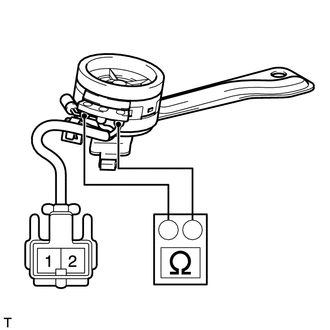
Check the speaker resistance.
i.
Remove the pillar speaker assembly.
ii.
Measure the resistance according to the value(s) in the table below.
- Standard Resistance:
Tester Connection Condition Specified Condition A - B Always 10 kΩ or higher A - C Always 3.4 to 4.6 Ω B - C Always 10 kΩ or higher 1 - A Always Below 1 Ω 2 - B Always Below 1 Ω
If the result is not as specified, replace the pillar speaker assembly.