DTC CHECK / CLEAR
Troubleshooting · Vehicles built Oct 2006 – May 2009
Versions by build date: Oct 2006 – May 2009 from Jun 2009
| 1.CONFIRM SYSTEM OPERATION |
Turn the engine switch on (IG).
- Standard:
- Are the red, green or orange LEDs on the roof console box illuminated?
|
NG.
|
 |
|
|
| OK |
|
 |
|
|
| 2.CONFIRM TOYOTA LINK DIAGNOSTIC TOOL (TDT) OPERATION |
- Turn the engine switch off.
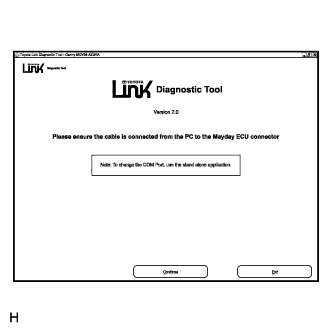
Connect the TDT to the diagnostic connector on the mayday ECU unit.
Turn the engine switch on (IG) and the TDT ON.
- Standard:
- Does the TDT display the introduction screen?
|
NG.
|
|
|
|
| OK |
|
|
|
|
- Select: Continue.
Select: New Vehicle or Last Vehicle.
If New Vehicle is selected, select the appropriate model.
Confirm selection.
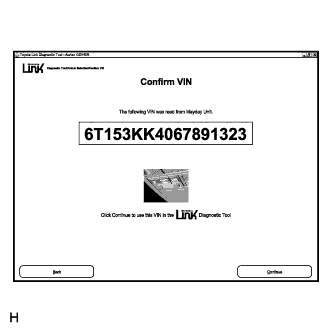
Confirm VIN.
|
NG.
|
|
|
|
| OK |
|
|
|
|
| 4.DOES THE VEHICLE VIN MATCH THE DISPLAYED VIN? |
|
NG.
|
|
|
|
| OK |
|
|
|
|
| 5.READ THE DTC INFORMATION |
- Select: Continue.
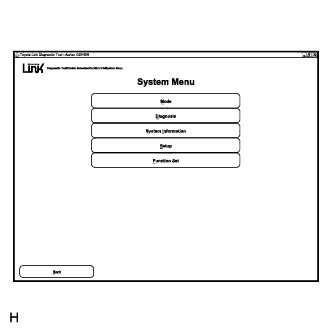
In the System menu, select Diagnosis.
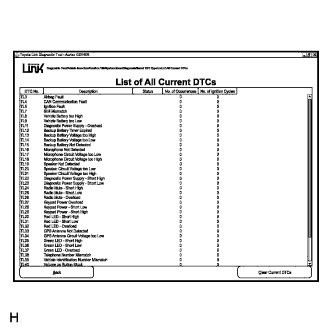
In the Diagnosis menu, select DTC List, then select Current DTC.
- Standard::
- Are there any DTCs listed?
|
YES.
|
|
|
|
| NO |
|
|
|
|
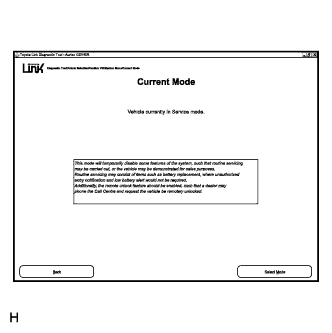
- Select: Back / Back / Back / Mode.
Check the operating Mode.
- Standard:
- The operating mode should be set to Service mode.
|
NO.
|
|
|
|
| YES |
|
|
|
|
| 7.PERFORM THE SYSTEM ACTIVE TEST |
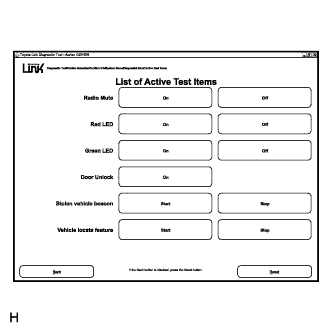
- Select: Back / Diagnosis / Active test.
Perform all the system active tests.
- Standard:
- Were all of the active tests successful?
|
NO.
|
|
|
|
| YES |
|
|
|
|
Position the vehicle so the GSM signal strength is greater than 90dbm and the GPS data list parameter Time of Last Known Fix is updating.
Perform a mayday ECU test, refer to TOYOTA LINK SYSTEM TEST (Click here).
|
OK.
|
|
|
|
| NG |
|
|
|
|
| 9.CHECK MAYDAY ECU TERMINALS |
Remove the mayday ECU (Click here).
Check the mayday ECU terminals.
- Standard:
- Are the terminals loose?
|
YES.
|
|
|
|
| NO |
|
|
|
|
| 10.THE TOYOTA LINK SYSTEM IS OPERATING CORRECTLY |
Re-check the problem symptoms.
Ensure that other systems are not interfering with the Toyota Link system.
| NEXT |
|
|
|
|
- HINT:
- After all repair procedures the DTCs should be cleared.
- Connect the TDT.
Turn the engine switch on (IG)
Navigate to the System Menu (Click here)
Select: Diagnosis
- Select: DTC List
Select: Current DTC
Select: Clear Current DTCs.
Select: Back
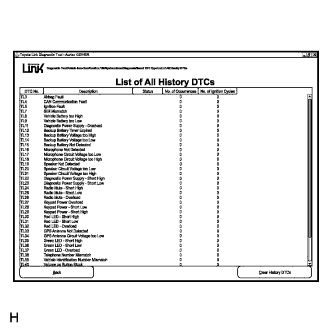
- Select: History DTC
Select: Clear History DTCs.
| NEXT |
|
|
|
|