Upper Console Panel Front Garnish
Instrument Panel
COMPONENTS
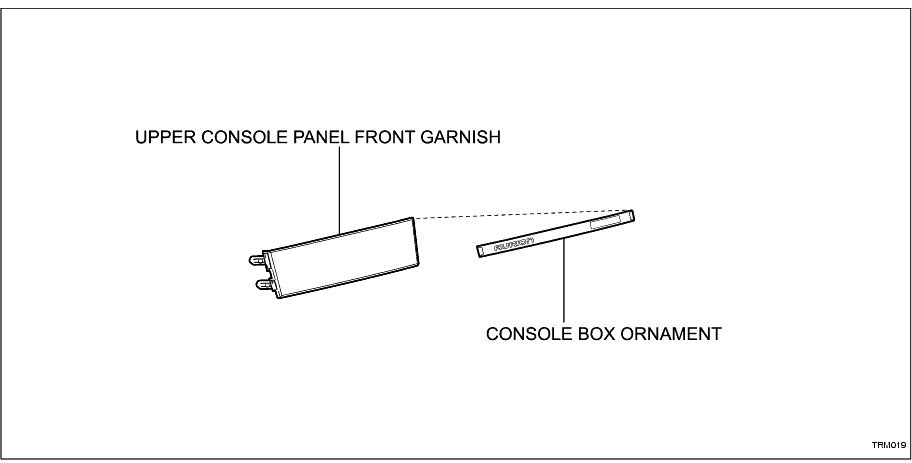
REMOVAL
1. REMOVE UPPER CONSOLE PANEL FRONT GARNISH
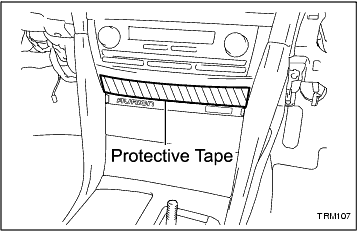
(a) Apply protective tape to the area shown in the illustration.
-
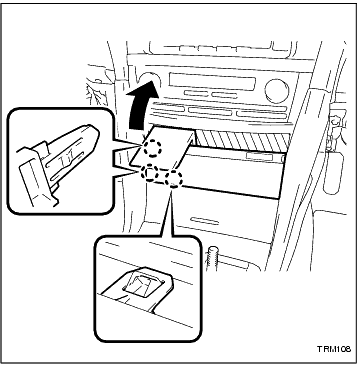
(b) Using SST, disengage the 3 claws as shown in the illustration.
SST
09070-20010
-
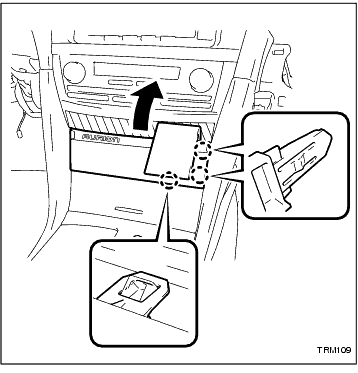
(c) Using SST, disengage the 3 claws and remove the upper console panel front garnish as shown in the illustration.
-
(d) Disconnect each connector.
-
DISASSEMBLY
1. REMOVE CONSOLE BOX ORNAMENT
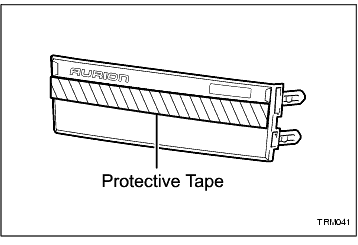
(a) Apply protective tape to the area shown in the illustration.
-
(b) Using SST, carefully prise the ornament from the upper console panel front garnish.
HINT:
Heat the ornament with a heat gun.
-
REASSEMBLY
1. INSTALL CONSOLE BOX ORNAMENT
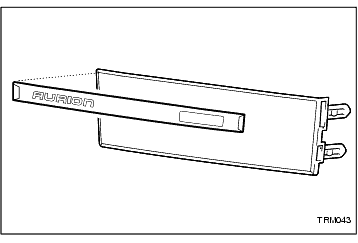
(a) Align the upper edges of the ornament and the upper console panel front garnish.
-
(b) Apply pressure evenly to the ornament.
-
INSTALLATION
1. INSTALL UPPER CONSOLE PANEL FRONT GARNISH
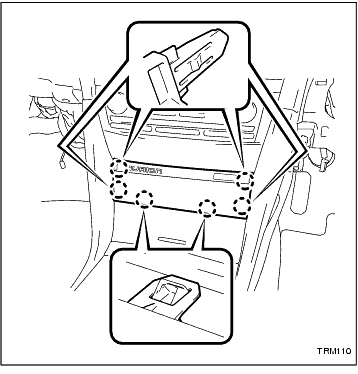
(a) Connect each connector.
-
(b) Engage the 6 claws and install the upper console panel front garnish.
-