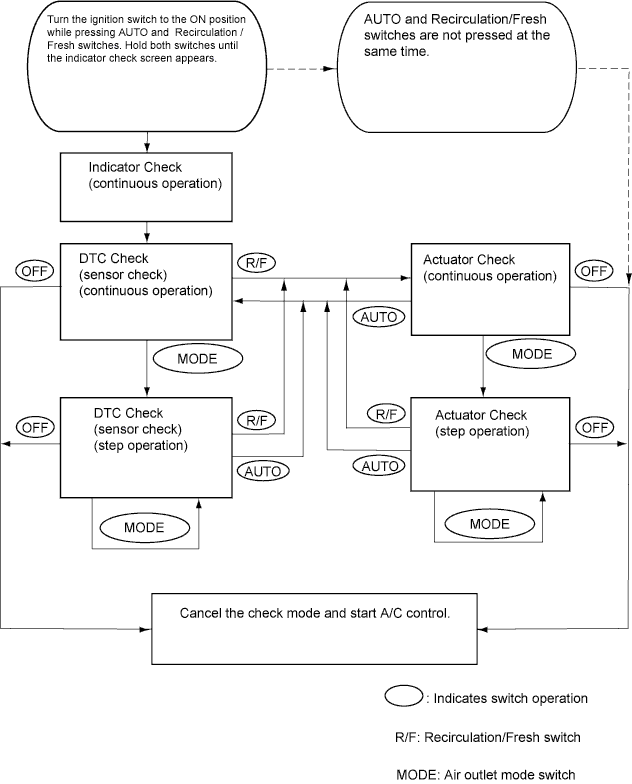
By operating each of the A/C control switches as shown in the diagram below, it is possible to enter the diagnostic check mode.
AIR CONDITIONING SYSTEM > CHECK MODE PROCEDURE |
| LIST OF OPERATION METHODS |
By operating each of the A/C control switches as shown in the diagram below, it is possible to enter the diagnostic check mode.
| INDICATOR CHECK |
Turn the ignition switch to the LOCK position.
Turn the ignition switch to the ACC and wait at least 5 seconds.
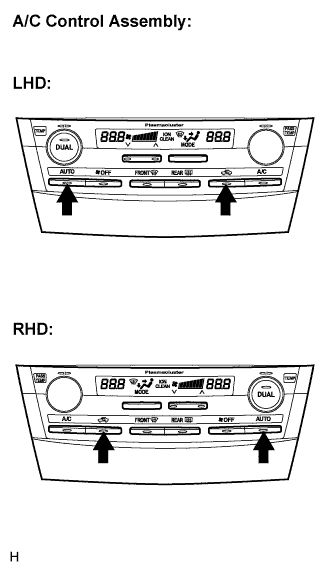 |
Turn the ignition switch to the ON position while pressing the A/C control "AUTO" switch and "R/F" switch simultaneously. Hold both switches until the indicator check screen appears.
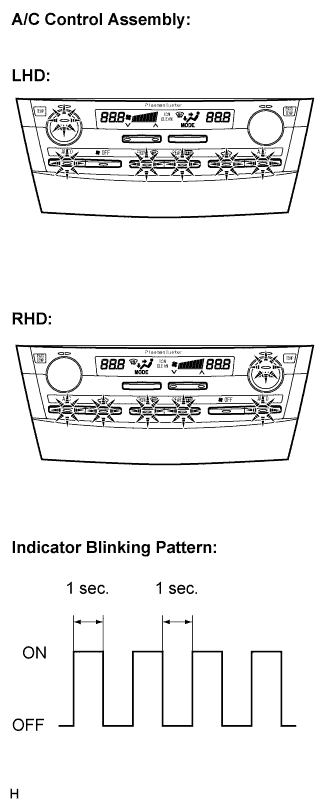 |
The indicator check is automatically performed when panel diagnosis is activated. Check that the indicators light up and go off at 1 second intervals 4 times in succession.
| DTC CHECK (SENSOR CHECK) |
Start the engine and warm it up.
Perform the indicator check.
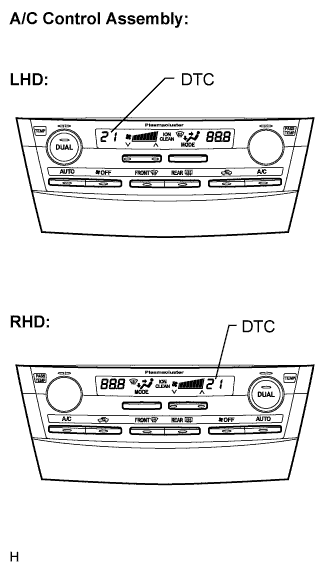 |
Read the code displayed on the panel.
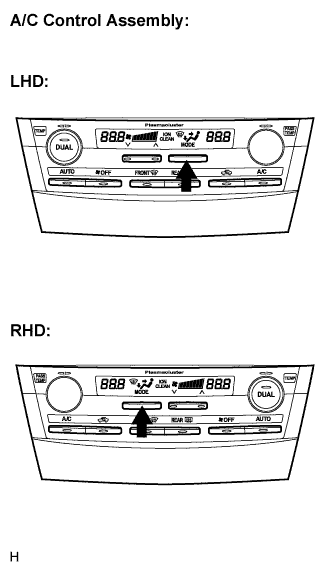 |
If the steps are difficult to read because they change automatically, push the "MODE" switch to display the steps one at a time so that they can be read easily. The items are displayed step by step each time the "MODE" switch is pushed.
| ACTUATOR CHECK |
Start the engine and warm it up.
Perform the indicator check.
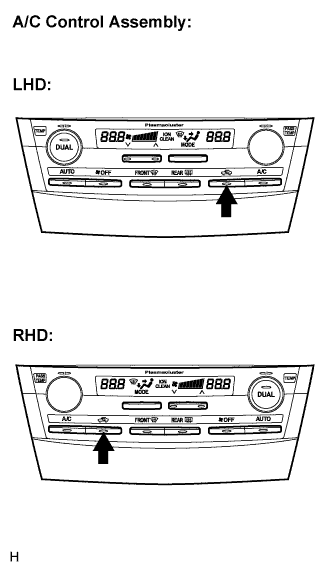 |
Push the "R/F" switch to perform the actuator check.
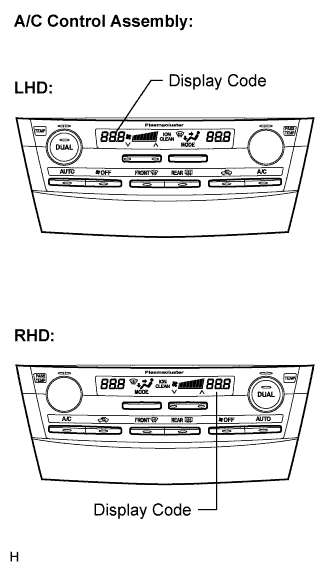 |
As the actuator check is repeated from steps 1 to 10 at 1 second intervals, check the temperature and air flow visually and by hand.
| Step No. | Display Code | Conditions | ||||
| Blower Level | Air Mix Damper | Airflow Vent | Air Inlet Damper | Compressor | ||
| 1 | 0 | 0 | 0% open | FACE | FRESH | OFF |
| 2 | 1 | 1 | 0% open | FACE | FRESH | OFF |
| 3 | 2 | 17 | 0% open | FACE | RECIRCULATION / FRESH | ON |
| 4 | 3 | 17 | 0% open | FACE | RECIRCULATION | ON |
| 5 | 4 | 17 | 50% open | B/L | RECIRCULATION | ON |
| 6 | 5 | 17 | 50% open | B/L | RECIRCULATION | ON |
| 7 | 6 | 17 | 50% open | FOOT | FRESH | ON |
| 8 | 7 | 17 | 100% open | FOOT-0 | FRESH | ON |
| 9 | 8 | 17 | 100% open | F/D | FRESH | ON |
| 10 | 9 | 31 | 100% open | DEF | FRESH | ON |
|
If the steps are difficult to read because they change automatically, push the "MODE" switch to display the steps one at a time so that they can be read easily. The items are displayed step by step each time the "MODE" switch is pushed.