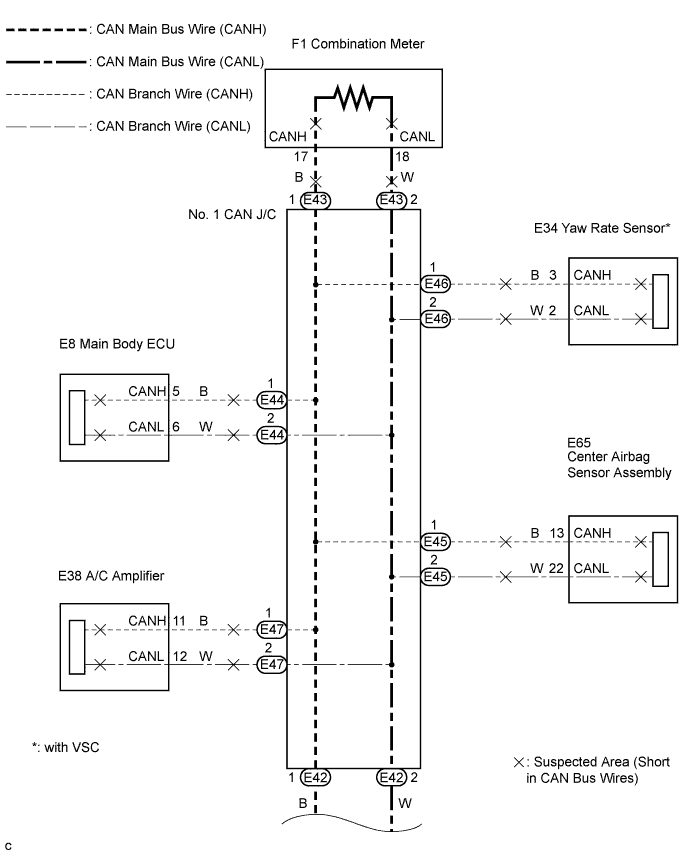
CAN COMMUNICATION SYSTEM (for RHD) > Open in One Side of CAN Branch Line |
| Symptom | Trouble Area |
| 2 or more ECUs and/or sensors do not appear on the intelligent tester "Communication Bus Check" screen. |
|
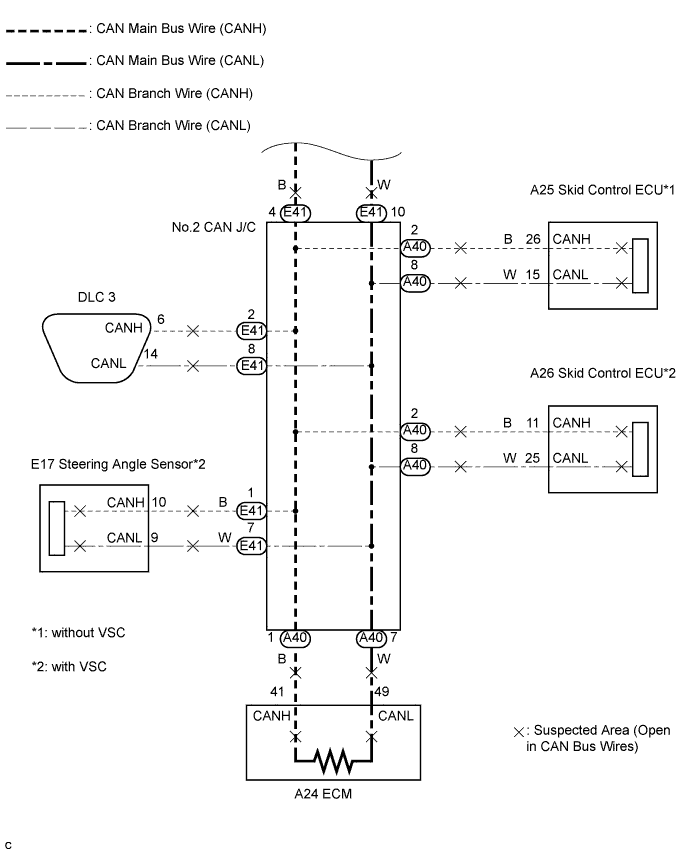
| 1.CHECK FOR OPEN IN ONE SIDE OF CAN BRANCH WIRE |
Confirm the systems (ECUs and sensors), which use CAN communication, equipped on the vehicle. (Click here)
Using the intelligent tester, select and perform "Communication Bus Check". (Click here) [*1]
Disconnect the connectors from the ECUs or sensors that are not displayed on the screen. [*2]
Check that only the ECUs and sensors from which the connectors were disconnected in the previous step are not displayed on the "Communication Bus Check" screen. [*3]
Perform the communication stop mode check for the ECUs and sensors which correspond to the disconnected connectors. (Click here)
| NEXT | ||
 | ||
| ||