LUGGAGE COMPARTMENT DOOR GARNISH > INSTALLATION |
| 1. INSTALL SYMBOL EMBLEM |
| Item | Temperature |
| Luggage compartment door outside garnish | 40 to 60°C (104 to 140°F) |
| Symbol emblem | 20 to 30°C (68 to 86°F) |
Clean the luggage compartment door outside garnish surface.
Using a heat light, heat the luggage compartment door outside garnish surface.
Remove the double-sided tape from the luggage compartment door outside garnish.
Wipe off any tape adhesive residue with cleaner.
![]() |
Clean the symbol emblem. (If reusing the symbol emblem)
Using a heat light, heat the symbol emblem.
Remove the double-sided tape from the symbol emblem.
Wipe off any tape adhesive residue with cleaner.
Apply new double-sided tape to the symbol emblem.
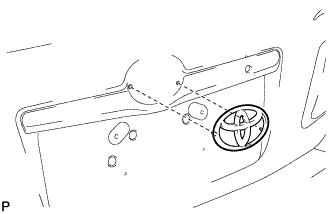
Install the symbol emblem.
Using a heat light, heat the luggage compartment door outside garnish and symbol emblem.
Remove the release paper from the symbol emblem.
Install the symbol emblem.
| 2. INSTALL REAR TELEVISION CAMERA ASSEMBLY (w/ Rear View Monitor System) |
| 3. INSTALL LUGGAGE DOOR OPENING SWITCH ASSEMBLY (w/ Entry and Start System) |
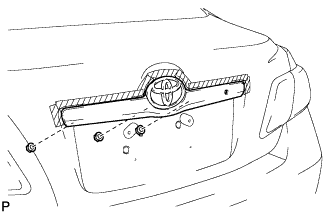
| 4. INSTALL LUGGAGE COMPARTMENT DOOR OUTSIDE GARNISH ASSEMBLY |
![]() |
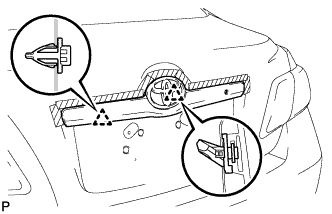
Engage the 2 clips and install the luggage compartment door outside garnish assembly.
![]() |
Install the 3 nuts.
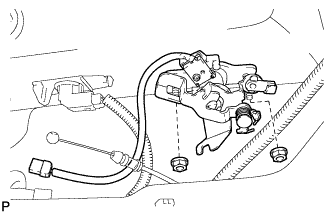
| 5. INSTALL LUGGAGE COMPARTMENT DOOR LOCK CYLINDER ASSEMBLY |
![]() |
Install the luggage compartment door lock cylinder with the 2 nuts.
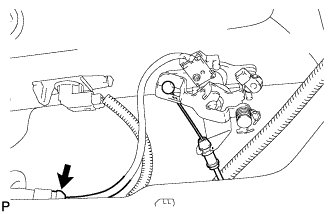
![]() |
Connect the cable and connector.
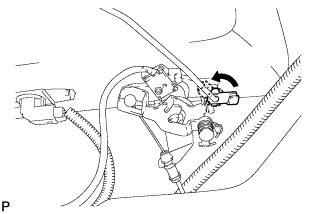
![]() |
Connect the rod.
| 6. INSTALL LUGGAGE COMPARTMENT DOOR COVER |
![]() |
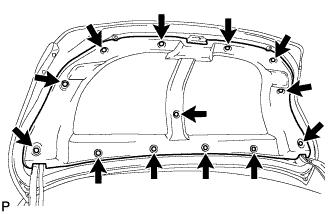
Install the luggage compartment door cover with the 13 clips.
| 7. INSTALL LUGGAGE COMPARTMENT DOOR ASSIST GRIP (w/ Assist Grip) |
![]() |
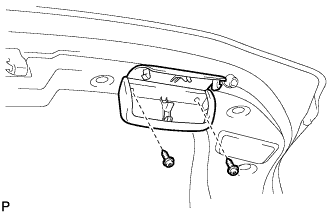
Install the luggage compartment door assist grip with the 2 screws.
![]() |
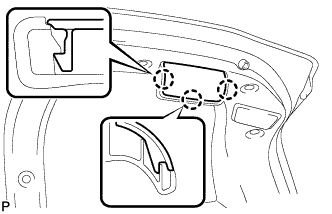
Engage the 3 claws and close the assist grip cover.