 |
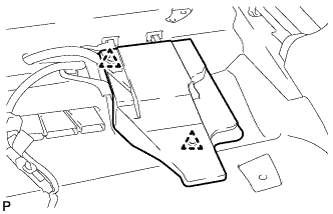
Using a clip remover, remove the 2 clips and audio amplifier cover.
BACK-UP BATTERY > REMOVAL |
| 1. REMOVE FRONT SEAT ASSEMBLY RH |
| 2. REMOVE AUDIO AMPLIFIER COVER |
|
Using a clip remover, remove the 2 clips and audio amplifier cover.
| 3. REMOVE DCM (TELEMATICS TRANSCEIVER) WITH BACK-UP BATTERY |
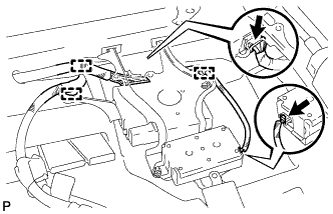 |
Disconnect each connector.
Disengage the 3 clamps.
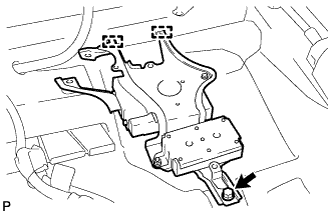 |
Remove the bolt.
Disengage the 2 guides and remove the DCM (telematics transceiver) with back-up battery.
| 4. REMOVE NO. 3 DCM (TELEMATICS TRANSCEIVER) BRACKET |
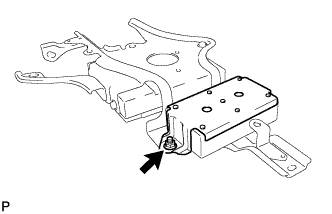 |
Remove the nut and No. 3 DCM (telematics transceiver) bracket.
| 5. REMOVE BACK-UP BATTERY |