Audio System
The audio system shown below is provided.
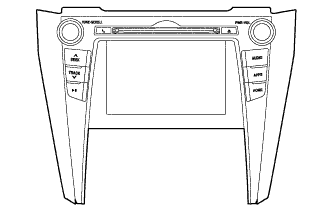
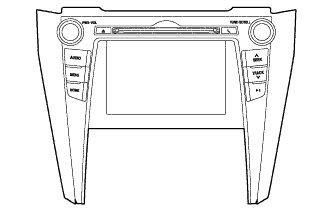
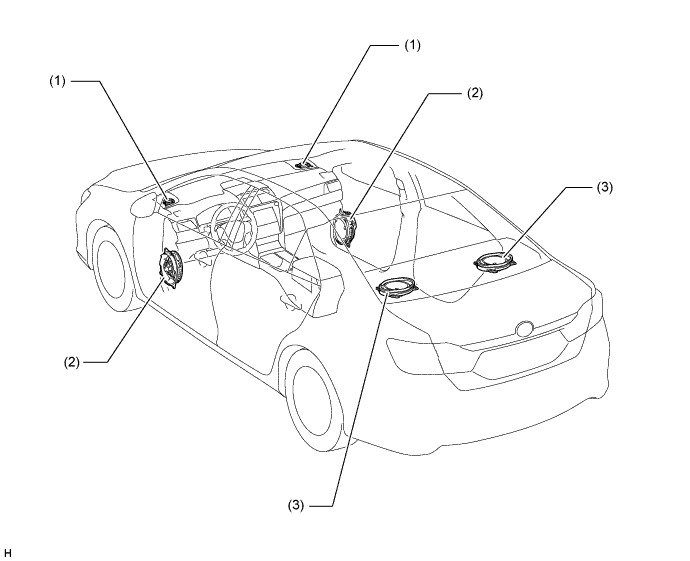
Audio System Audio Head Unit Speaker Multimedia System Radio and Display Receiver Assembly 6 Speakers
Audio Head Unit
A Thin Film Transistor Liquid Crystal Display (TFT LCD) is used for the multi-display of the radio and display receiver assembly. The multi-display shows the audio screen, Bluetooth hands-free screen, vehicle information screen, etc. and can be operated using touch operation, flick operation* or drag operation*.
- *: Flick operation or drag operation may not be possible on all screens.
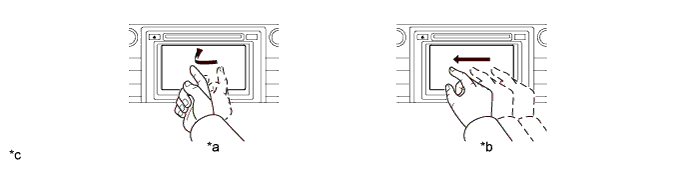
Text in Illustration *a Flick Operation *b Drag Operation *C The illustrations shown are examples only. The illustrations may differ from the actual audio head unit. - - - *: Flick operation or drag operation may not be possible on all screens.
Discs containing MPEG audio layer-3 (MP3) files, Windows Media Audio (WMA) files and Advanced Audio Coding (AAC) files can be played.
Discs with the marks shown below can be played.
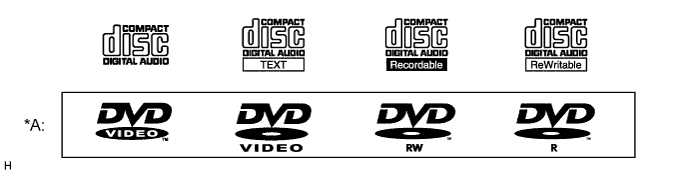
Text in Illustration *A Except Destination Package for Hong Kong - -
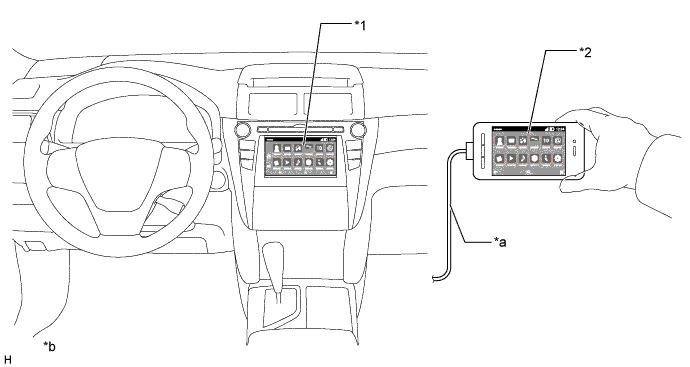
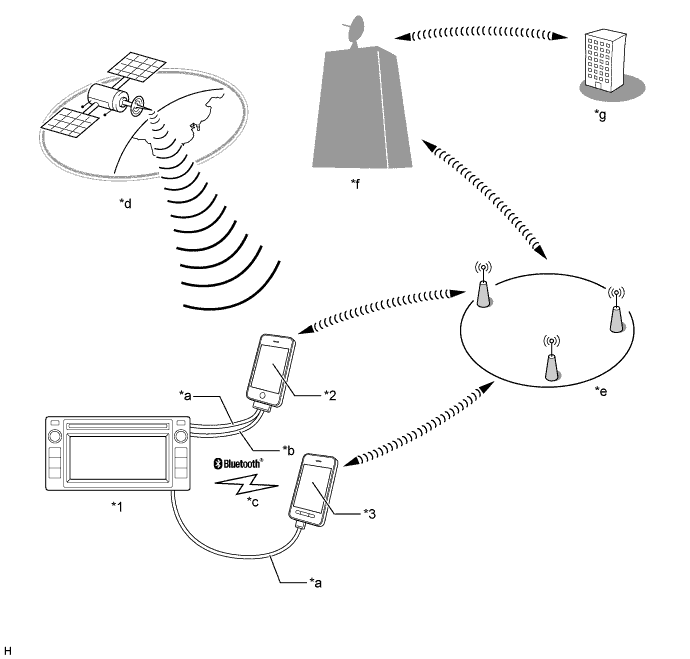
Connected Services Mode (Destination Package for general countries*1)
A MirrorLink function is provided. This function enables the user to operate their smartphone (MirrorLink compatible device) using the multi-display by connecting the phone to the system via a USB cable.*1
A connected services for iPhone is provided. If a compatible application is installed on user's Apple product*2, which is connected to the system via an exclusive cable, the user can operate the application on the multi-display.*1
T-connect is supported. By connecting a smartphone in which the T-connect application is installed, the user can operate the T-connect on the multi-display.*1
- *1: This function is not available in some countries/areas.
- *2: iPhone 4 or iPhone 4S
- *1: This function is not available in some countries/areas.
USB Audio System
A single USB port is provided that enables operation of a USB memory device, portable audio player (USB type), iPhone, iPod classic, iPod, iPod nano or iPod touch.
By plugging a USB hub into the USB port, up to 2 of the following items can be used at once: USB memory device, portable audio player (USB type) or Apple product.
The USB system enables playback of video data stored on a USB memory device and the display of photo data. (Destination package for general countries)
Videos stored on a video capable device, such as an iPod or VTR, can be displayed on the multi-display by connecting the video capable device to the AUX port using a dedicated 4-pole AUX cable. (Except destination package for Hong Kong)
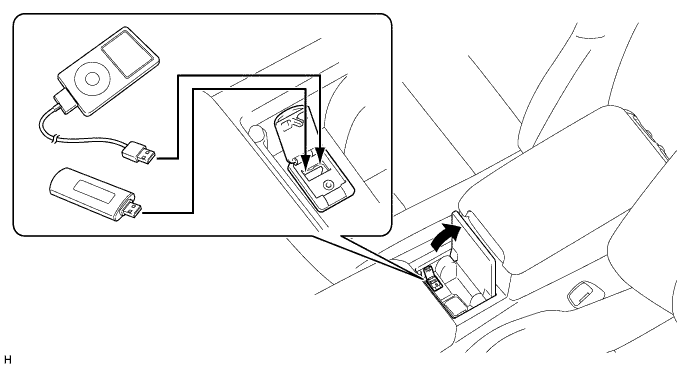
- HINT:
- Even if 3 or more USB devices are connected using a USB hub, only the first 2 connected USB devices will be recognized.
- Depending on the specifications of the 4-pole AUX cable used for connecting a video capable device such as an iPod or VTR, the video function may not operate correctly. Use a dedicated 4-pole AUX cable when using the video function.
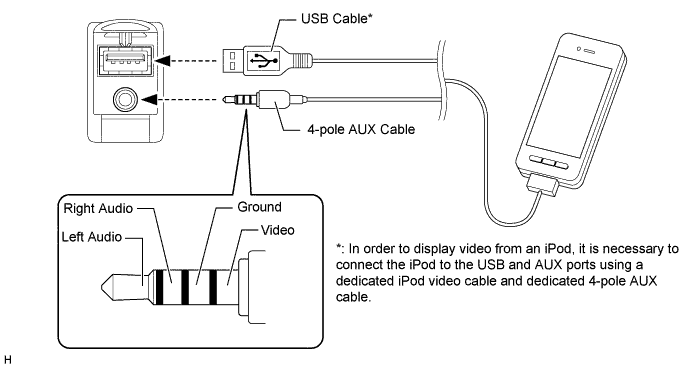
- iPhone, iPod, iPod classic, iPod nano and iPod touch are trademarks of Apple Inc., registered in the U.S. and other countries.
- The following iPod, iPod nano, iPod classic, iPod touch and iPhone devices can be used with this system.
- iPod touch (5th generation)*
- iPod touch (4th generation)
- iPod touch (3rd generation)
- iPod touch (2nd generation)
- iPod touch (1st generation)
- iPod classic
- iPod with video
- iPod nano (7th generation)*
- iPod nano (6th generation)
- iPod nano (5th generation)
- iPod nano (4th generation)
- iPod nano (3rd generation)
- iPod nano (2nd generation)
- iPod nano (1st generation)
- iPhone 5*
- iPhone 4S
- iPhone 4
- iPhone 3GS
- iPhone 3G
- iPhone
Made for- *: iPod video not supported
Depending on differences between models, software versions, etc., some models may be incompatible with this system.
USB memory devices that meet the following specifications are supported:
USB Communication Speed - USB 2.0, Full Speed (12 Mbps)
- USB 2.0, High Speed (480 Mbps)
File System FAT 16/32 (Windows) Correspondence Class Mass Storage Class File Format MP3, WMA, AAC - USB 2.0, Full Speed (12 Mbps)
Photo data, which meets the following specifications, is supported:
File Format JPEG Compatible Image Size Maximum 10MB Compatible Pixel Size Maximum 10,000,000 pixels Video data, which meets the following specifications, is supported:
File Format WMV, AVI, MP4 Compatible Image Size Maximum 720 X 576
Bluetooth Audio System
The Bluetooth audio system enables users to enjoy music stored on a portable audio player from the vehicle speakers via Bluetooth communication.
The Bluetooth specifications and profiles required for operation are as follows:
Specification / Profile Version Requirements Recommendations Bluetooth Specification Version 2.0 Version 3.0 + EDR Profile Advanced Audio Distribution Profile (A2DP) Version 1.0 Version 1.2 Audio/Video Remote Control Profile (AVRCP) Version 1.0 Version 1.4
Bluetooth Hands-free System
The Bluetooth hands-free system allows the user to make or receive a call without taking their hands off the steering wheel when the system is linked with a Bluetooth-compatible cellular phone.
The Bluetooth specifications and profiles required for operation are as follows:
Specification / Profile Version Requirements Recommendations Bluetooth Specification Version 2.0 Version 3.0 + EDR Profile Hands Free Profile (HFP) Version 1.0 Version 1.6 Object Push Profile (OPP) Version 1.1 Version 1.2 Phone Book Access Profile (PBAP) Version 1.0 Version 1.1 - HINT:
- The operation of the interrupt call function of the Bluetooth hands-free system may vary with the Bluetooth phone or the telephone company that is used.

"Bluetooth" is a trademark owned by Bluetooth SIG, Inc. - Some profiles described above may not be supported by the system depending on the audio head unit equipped.
- If the specification of the connected Bluetooth phone is lower than the recommended or does not support the functions required, the available functions may be limited.
Automatic Sound Levelizer (ASL)
The Automatic Sound Levelizer (ASL) function automatically adjusts the sound volume in order to enable clear audio quality even when vehicle noise increases (as vehicle noise increases, the volume is turned up, etc.).
Vehicle speed signals are received from the combination meter assembly and used for ASL control.
Steering Pad Switch Assembly
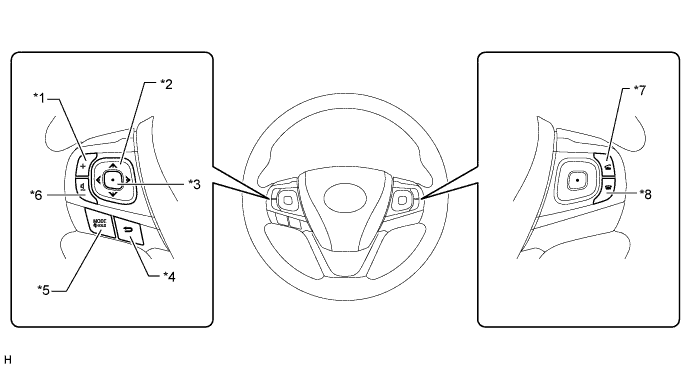
Due to the adoption of a 4 way, back and enter switches, the driver can operate the audio and Bluetooth hands-free functions without taking their hands off the steering wheel.
Multi-information Display
When a cellular phone connected to the system via Bluetooth receives a phone call, the call information is displayed on the multi-information display in the combination meter assembly. Operating the multi-information display while the call information is displayed enables the user to answer the phone call.