| NG |  |
| REPLACE CELLULAR PHONE |
AUDIO AND VISUAL SYSTEM > The Other Caller cannot Hear Your Voice, or Your Voice is too Quiet or Distorted |
| 1.CHECK CELLULAR PHONE |
Check if the other caller can hear your voice properly.
|
| ||||
| OK | |
 |
| 2.CHECK SETTINGS |
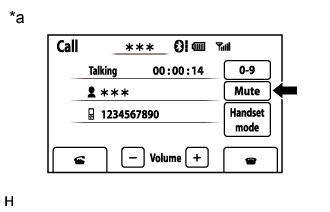 |
Display the "Call" screen.
Check that the "Mute" switch is not set to on.
| *a | Example |
|
| ||||
| OK | |
|
| 3.CHECK MICROPHONE AND VOICE RECOGNITION (OPERATION CHECK) |
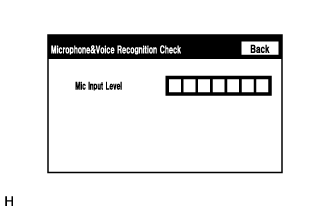 |
Enter the "Microphone & Voice Recognition Check" screen. Refer to Check Mic & Voice Recognition in Operation Check (Click here).
When voice is input into the microphone, check that the microphone input level meter changes according to the input voice.
|
| ||||
| OK | ||
 | ||
| ||