 |
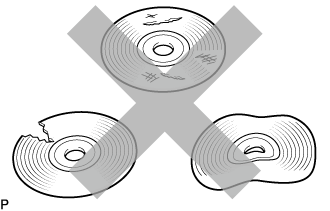
Check that the disc is not deformed or cracked.
- OK:
- No deformation or cracks on the disc.
NAVIGATION SYSTEM (for Navigation Receiver Type) > CD/DVD Sound Skips |
| 1.CHECK DISC |
|
Check that the disc is not deformed or cracked.
|
| ||||
| OK | |
 |
| 2.CHECK DISC |
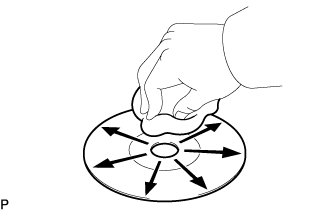 |
Check the disc.
|
| ||||
| OK | |
|
| 3.REPLACE DISC AND RECHECK |
Replace the disc with a known good one and check that the malfunction disappears.
|
| ||||
| OK | ||
 | ||
| ||
| 4.CHECK NAVIGATION RECEIVER ASSEMBLY |
Check the navigation receiver assembly installation condition.
Check that the navigation receiver assembly is properly installed.
| Result | Proceed to |
| NG | A |
| OK (for TMMK Made) | B |
| OK (for TMC Made) | C |
|
| ||||
|
| ||||
| A | ||
| ||
| ||

