AUDIO / VIDEO STEREO COMPONENT AMPLIFIER INSTALLATION
PROCEDURE

 86280
1.INSTALL STEREO COMPONENT AMPLIFIER ASSEMBLY
86286
2.INSTALL NO. 2 AMPLIFIER BRACKET
Install the No. 2 amplifier bracket with the 2 screws.
86285
3.INSTALL NO. 1 AMPLIFIER BRACKET
Install the No. 1 amplifier bracket with the 2 screws.
4.INSTALL STEREO COMPONENT AMPLIFIER ASSEMBLY WITH BRACKET
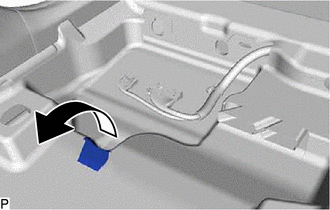
Turn back the front floor carpet assembly and front floor mat as shown in the illustration.
Engage the 2 guides to temporarily install the stereo component amplifier assembly with bracket as shown in the illustration.
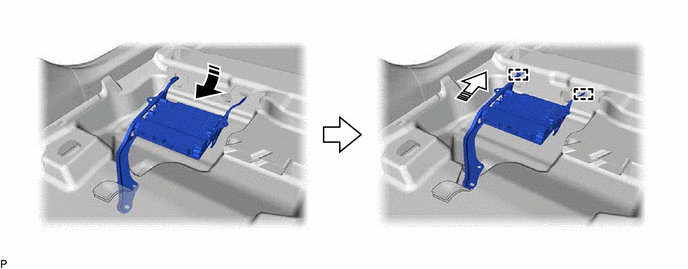

|
Install in this Direction (1) | 
|
Install in this Direction (2) |
Install the stereo component amplifier assembly with bracket with the bolt.
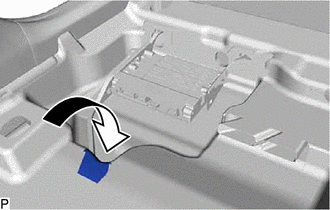
Install the front floor carpet assembly and front floor mat to its original position as shown in the illustration.
Engage the clamp.
Connect each connector.
86183E
5.INSTALL AUDIO AMPLIFIER COVER
Install the audio amplifier cover with the 3 clips.
6.INSTALL FRONT SEAT ASSEMBLY LH