NAVIGATION / MULTI INFO DISPLAY NAVIGATION SYSTEM / MULTI INFORMATION SYSTEM DETAILS STEREO JACK ADAPTER ASSEMBLY
FUNCTION
USB Port
When a USB storage device is connected to the USB terminal of the No. 1 stereo jack adapter assembly, audio and video files can be played back using the audio source selection screen.
- HINT:
-
When audio and video files have been stored on an SD card using a computer, hidden files may also be stored. If hidden files are stored, the system may not be able to correctly play back an audio or video file.
By plugging a USB hub into the USB port, up to 2 of the following items can be available at once: USB memory device, portable audio player (USB type) or Apple product.
- HINT:
-
Even if 3 or more USB devices are connected using a USB hub, only the first 2 connected USB devices will be recognized.
AUX Port (Models with AUX Port)
When a portable audio player is connected to the AUX terminal of the No. 1 stereo jack adapter assembly, audio can be output from each speaker of the vehicle by selecting "AUX" on the audio source selection screen.
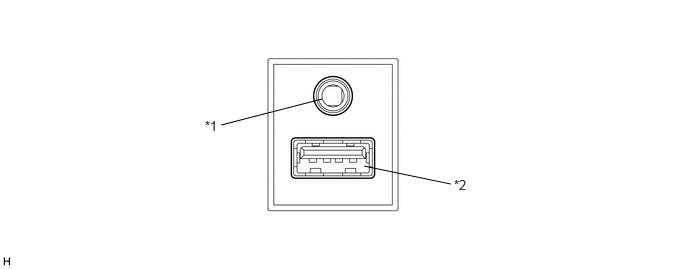
| *1 | AUX Port | *2 | USB Port |

| *1 | USB Port | - | - |