INTERIOR PANELS / TRIM FRONT CONSOLE BOX REMOVAL
CAUTION / NOTICE / HINT
- HINT:
- ·
Use the same procedure for the RHD and LHD vehicles.
·The procedure listed below is for the LHD vehicles.
PROCEDURE

 58903A
1.REMOVE CONSOLE REAR END PANEL SUB-ASSEMBLY
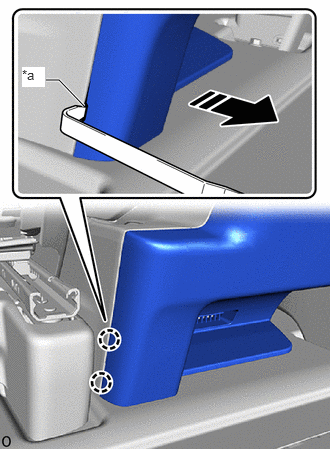
| *a | Cut out |

|
Remove in this Direction |
Insert moulding remover A at the position shown in the illustration and pull toward the rear of the vehicle to detach the claw.
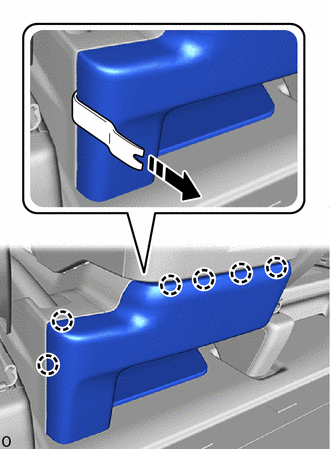
|
|
Remove in this Direction |
Insert moulding remover B at the position shown in the illustration and pull toward the rear of the vehicle to detach the claw.
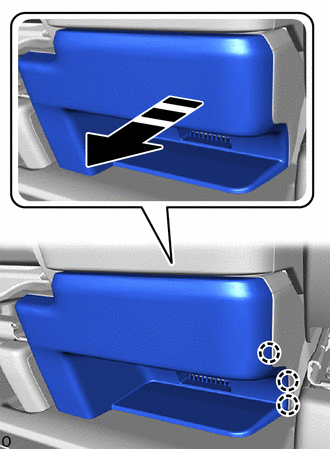
|
|
Remove in this Direction |
Detach the claw and remove the console rear end panel sub-assembly as shown in the illustration.
58904B
2.REMOVE PARKING BRAKE HOLE COVER SUB-ASSEMBLY (for Separate Seat Type)
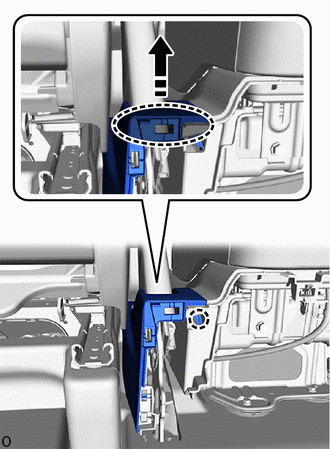

|
Place Finger Here |
|
|
Remove in this Direction |
Place your finger at the position shown in the illustration and pull in the direction of the arrow to detach the claw.
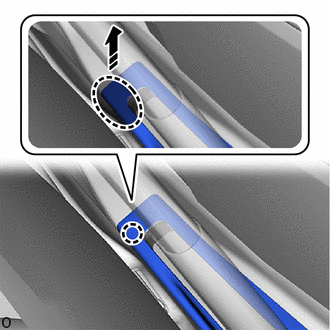
|
|
Place Finger Here |
|
|
Remove in this Direction |
Place your finger at the position shown in the illustration and pull in the direction of the arrow to detach the claw.
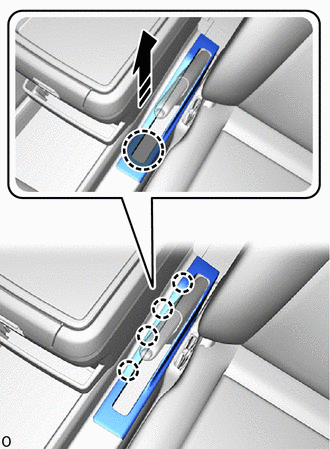
|
|
Place Hand Here |
|
|
Remove in this Direction |
Place your hand at the position shown in the illustration and pull in the direction of the arrow to detach the claw and remove the parking brake hole cover sub-assembly.
58825A
3.REMOVE CONSOLE BOX POCKET (w/ Console Box)
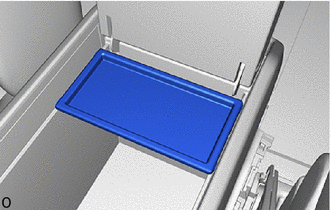
Remove the console box pocket.
58815A
4.REMOVE CONSOLE BOX CARPET (w/ Console Box)
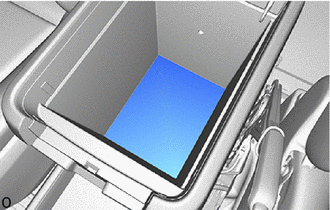
Remove the console box carpet.
58820A
5.REMOVE CONSOLE COMPARTMENT BOX ASSEMBLY (w/ Console Box)
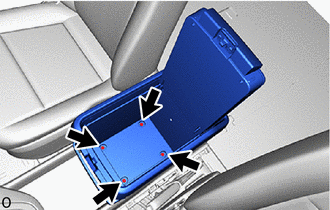
Remove the 4 bolts.
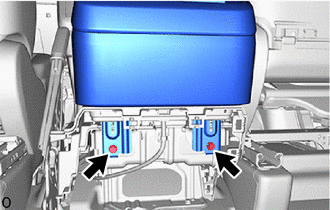
Remove the 2 bolts.
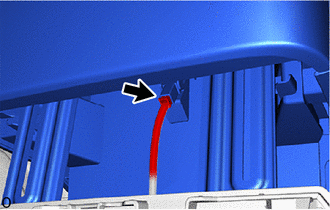
Disconnect the connector.
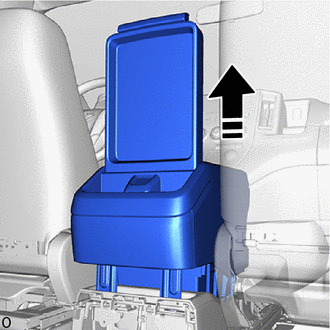
|
|
Remove in this Direction |
Remove the console compartment box assembly as shown in the illustration.
58919B
6.REMOVE CONSOLE BOX PLATE (w/o Console Box)
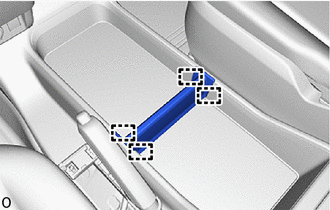
Detach the guide and remove the console box plate.
58839A
7.REMOVE CONSOLE BOX HOLE COVER (w/o Console Box, w/o Fire Extinguisher)
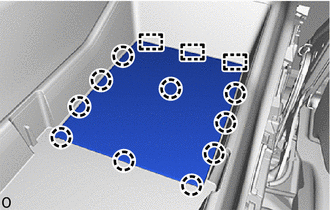
Detach the claw and guide and remove the console box hole cover.
58199D
8.REMOVE NO. 2 EXTINGUISHER BRACKET (w/o Console Box, w/ Fire Extinguisher)
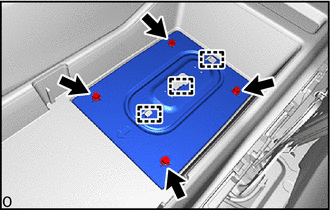
Remove the 4 bolts.
Detach the guide and remove the No. 2 extinguisher bracket.
58810J
9.REMOVE CONSOLE BOX ASSEMBLY
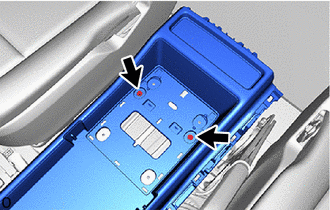
Remove the 2 bolts.
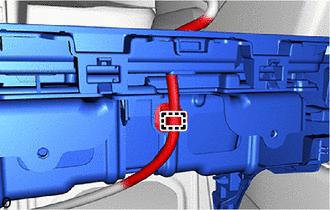
w/ Console Box:
Detach the wire harness clamp.
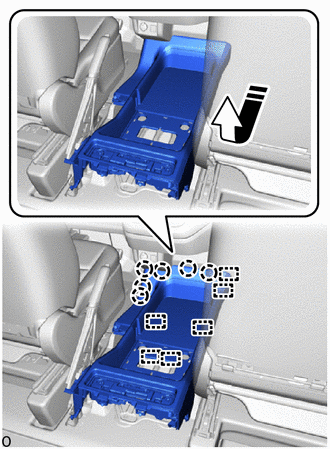
|
|
Remove in this Direction |
Pull in the direction of the arrow to detach the claw and guide and remove the console box assembly.
58902C
10.REMOVE CONSOLE BOX MOUNTING BRACKET SUB-ASSEMBLY
- HINT:
-
Perform this procedure only when replacing the console box mounting bracket sub-assembly.
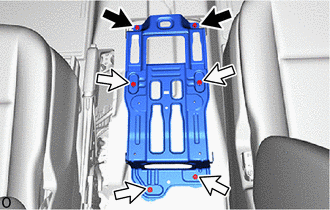

|
Bolt A |

|
Bolt B |
Remove the 6 bolts and console box mounting bracket sub-assembly.
- HINT:
Item Length Bolt A 20 mm (0.7874 in.) Bolt B 54 mm (2.1260 in.)