RC60J MANUAL TRANSMISSION / TRANSAXLE MANUAL TRANSMISSION SYSTEM(for 1GD-FTV) ROAD TEST
ROAD TEST
Check for DTCs.
- Powertrain > Engine > Trouble Codes
- 50001 372
- HINT:
-
When DTCs are output, perform troubleshooting for each DTC.
Turn the iMT switch on and off and check that the iMT indicator light illuminates and turns off.
- HINT:
-
If the iMT indicator light does not illuminate, refer to the troubleshooting procedure for "iMT indicator light does not illuminate".
Perform a road test.
- CAUTION:
- ·
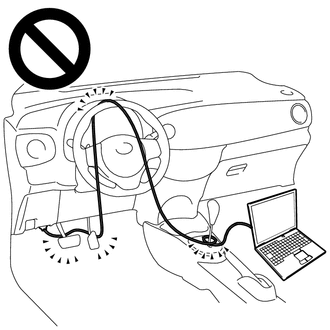
Strictly observe posted speed, limits, traffic laws and road conditions.
·Do not drive the vehicle with the cable of the GTS contacting the pedals, shift lever or steering wheel.
·Driving the vehicle with the cable of the GTS contacting these areas could impede vehicle control, resulting in a serious accident.
- ·
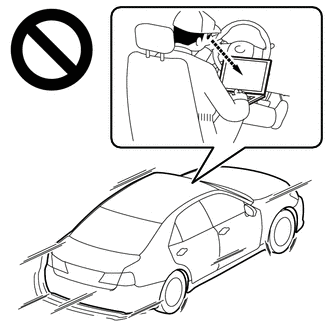
Do not operate the GTS while driving the vehicle.
·Operating the GTS while driving the vehicle will prevent you from paying sufficient attention to vehicle surroundings, and could result in a serious accident.
- HINT:
- ·
Perform this procedure with the iMT indicator light illuminated.
·Make sure to securely depress the clutch pedal.
Connect the GTS to the DLC3.
Turn the ignition switch to ON.
Turn the GTS on.
Enter the following menus: Powertrain / Engine and Transmission / Data List.
According to the display on the GTS, read the Data List.
- Powertrain > Engine > Data List
-
Tester Display Measurement Item Range Normal Condition Diagnostic Note Engine Speed Engine speed Min.: 0 rpm
Max.: 16383 rpm650 to 750 rpm: Idling with warm engine When the crankshaft position sensor is malfunctioning, "Engine Speed" is approximately 0 rpm or varies greatly from the actual engine speed.
- Powertrain > Engine > Data List
-
Tester Display Engine Speed - 50003 372 211
Drive the vehicle in 3rd gear with the engine speed at 2000 rpm.
Fully depress the clutch pedal (and leave it depressed).
Immediately downshift to 2nd gear.
After the clutch is not engaged for 2 seconds, check the engine speed.
- OK:
The engine speed exceeds 2500 rpm.