 |
Turn the power switch on (IG).
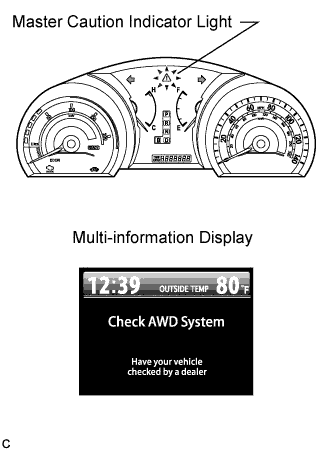
Check that "Check AWD System" is not displayed on the multi-information display.
AXLE SYSTEM > DTC CHECK / CLEAR |
| DTC CHECK/CLEAR |
Check the DTCs.
Connect the Techstream to the DLC3.
Turn the power switch on (IG).
Turn the Techstream on.
Read the DTCs following the prompts on the Techstream screen. Enter the following menus: Chassis/ABS/VSC/TRAC/Trouble Codes.
Read the DTCs following the prompts on the Techstream screen.
Check the details of the DTCs. (Click here)
Clear the DTCs.
Connect the Techstream to the DLC3.
Turn the power switch on (IG).
Turn the Techstream on.
Operate the Techstream to clear the codes. Enter the following menus: Chassis/ABS/VSC/TRAC/Trouble Codes.
According to the display on the Techstream, select the trouble code data display with the clear button.
| END OF DTC CHECK/CLEAR |
|
Turn the power switch on (IG).
Check that "Check AWD System" is not displayed on the multi-information display.