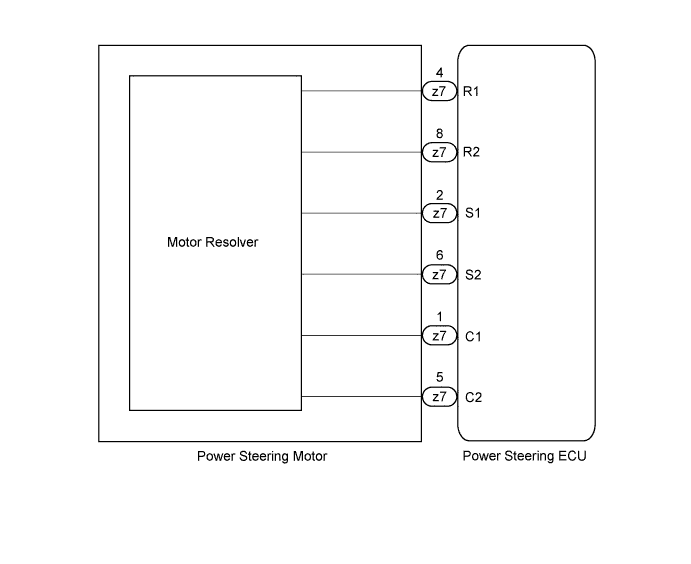
DTC C1528 Motor Rotation Angle Sensor Malfunction |
| DTC No. | DTC Detection Condition | Trouble Area |
| C1528 | Motor rotation angle sensor malfunction |
|
| 1.CHECK CONNECTOR CONNECTION CONDITION |
Check the installation condition of the motor rotation angle sensor connector.
| Result | Proceed to |
| NG | A |
| OK | B |
|
| ||||
| A | |
 |
| 2.RECONFIRM DTC |
Reinstall motor rotation angle sensor connector.
Check for DTCs (Click here).
| Result | Proceed to |
| DTC is output | A |
| DTC is not output | B |
|
| ||||
| A | |
|
| 3.READ VALUE USING TECHSTREAM (MOTOR ROTATION ANGLE SENSOR) |
Turn the power switch off.
Connect the Techstream to the DLC3.
Turn the power switch on (IG).
Turn the Techstream on.
Enter the following menus: Chassis / EMPS / Data List.
Select the item "Motor Rotation Angle" in the Data List and read the value displayed on the Techstream.
| Tester Display | Measurement Item/Range | Normal Condition | Diagnostic Note |
| Motor Rotation Angle | Motor rotation angle: Min.: 0° Max.: 360° | During steering operation, motor rotation angle value changes from 0 to 360° | Power switch on (IG) and steering wheel is turned |
|
| ||||
| OK | ||
 | ||
| ||

