PARK ASSIST / MONITORING TOYOTA PARKING ASSIST-SENSOR SYSTEM DETAILS MULTI-DISPLAY
OPERATION
The location of an obstacle and the approximate distance between the vehicle and the obstacle are displayed on the multi-display of the radio and display receiver assembly*1 or navigation receiver assembly*2.
*1: Models with multimedia system
*2: Models with navigation system
The distance is displayed by the number of lines and color based on the actual distance. The display usually illuminates in yellow. When the distance is short, it illuminates in red.
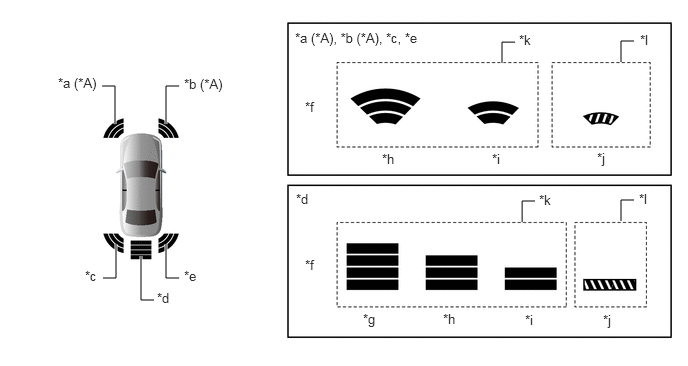
| *A | Models with TOYOTA Parking Assist-sensor System (6-sensor Type) | - | |
| *a | Front Corner LH | *b | Front Corner RH |
| *c | Rear Corner LH | *d | Rear Center |
| *e | Rear Corner RH | *f | Distance |
| *g | Longest | *h | Long |
| *i | Middle | *j | Short |
| *k | Yellow | *l | Red |
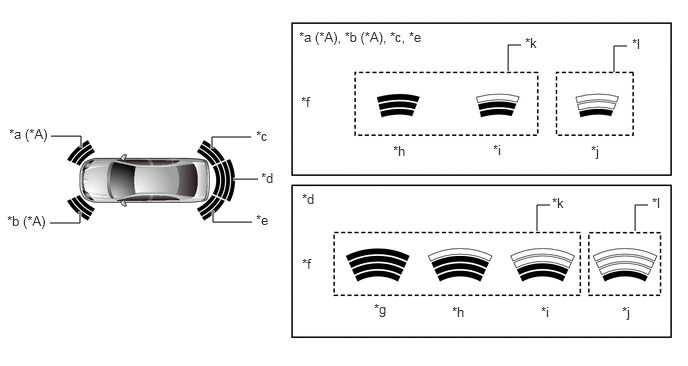
| *A | Models with TOYOTA Parking Assist-sensor System (6-sensor Type) | - | |
| *a | Front Corner RH | *b | Front Corner LH |
| *c | Rear Corner RH | *d | Rear Center |
| *e | Rear Corner LH | *f | Distance |
| *g | Longest | *h | Long |
| *i | Middle | *j | Short |
| *k | Yellow | *l | Red |
If an obstacle is detected when the parking assist monitor system*1 or panoramic view monitor system*2 is activated, the approximate distance between the vehicle and the obstacle is displayed on the multi-display.
The distance is displayed by color based on the actual distance to the obstacle. When an obstacle is detected at the long or middle distance, the indicator is yellow. The color changes from yellow to red when the distance becomes short.
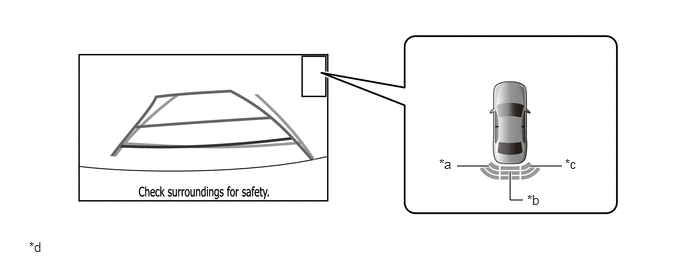
| *a | Rear Corner LH | *b | Rear Center |
| *c | Rear Corner RH | *d | The illustration shown is an example only. The illustration may differ from the actual vehicle screen. |
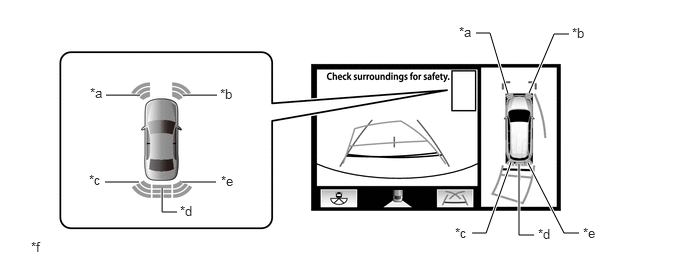
| *a | Front Corner LH | *b | Front Corner RH |
| *c | Rear Corner LH | *d | Rear Center |
| *e | Rear Corner RH | *f | The illustration shown is an example only. The illustration may differ from the actual vehicle screen. |
Screens displaying warning messages relating to an ultrasonic sensor malfunction, ultrasonic sensor freezing, or presence of foreign matter on the ultrasonic sensor are displayed on the multi-display of the radio and display receiver assembly*1 or navigation receiver assembly*2. The warning message appears in the same language that has been selected by the language selector of the radio and display receiver assembly*1 or navigation receiver assembly*2.
*1: Models with multimedia system
*2: Models with navigation system
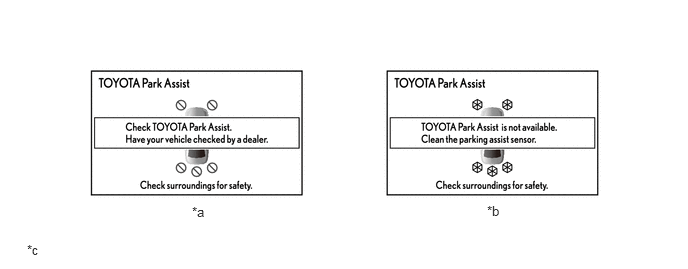
| *a | Malfunctioning | *b | Frozen/Dirty |
| *c | The illustrations shown are examples only. The illustrations may differ from the actual vehicle screens. | - | - |
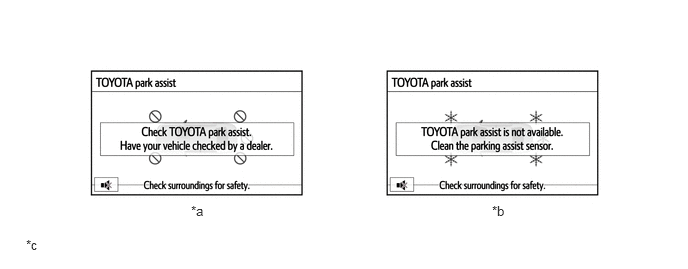
| *a | Malfunctioning | *b | Frozen/Dirty |
| *c | The illustrations shown are examples only. The illustrations may differ from the actual vehicle screens. | - | - |
The display timing and detection distance can be customized using the radio and display receiver assembly*1 or navigation receiver assembly*2.
*1: Models with multimedia system
*2: Models with navigation system
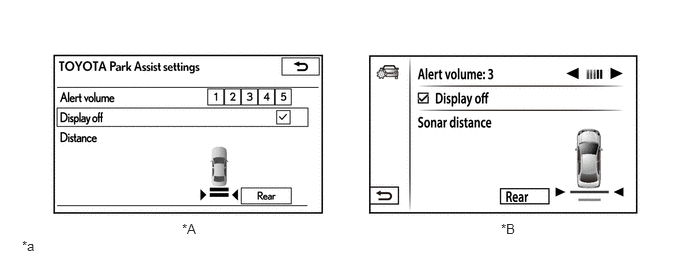
| *A | Models for Australia | *B | Models for Russia |
| *a | The illustrations shown are examples only. The illustrations may differ from the actual vehicle screens. | - | - |