A25A-FXS, A25B-FXS BATTERY / CHARGING CHARGING SYSTEM PRECAUTION
CHARGING SYSTEM PRECAUTION
- CAUTION:
- ·
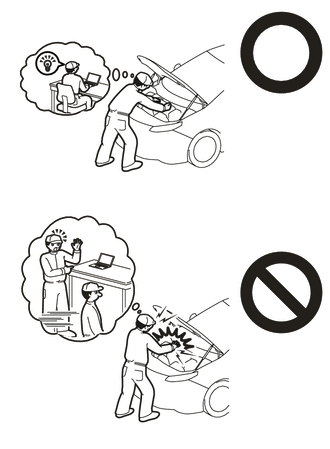
Orange wire harnesses and connectors indicate high-voltage circuits. To prevent electric shock, always follow the procedure described in the repair manual.
Click hereGeneral>INTRODUCTION>REPAIR INSTRUCTION>PRECAUTION
·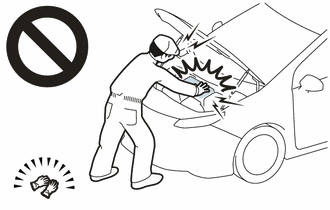
To prevent electric shock, wear insulated gloves when working on wire harnesses and components of the high voltage system.
- NOTICE:
- ·
If the auxiliary battery is fully depleted or the READY indicator does not illuminate, recharge the auxiliary battery.
·Never disconnect the auxiliary battery while the ignition switch ON (READY).
·Before giving the auxiliary battery a quick charge, disconnect the auxiliary battery cables.
·Check the auxiliary battery again before the vehicle is returned to the customer.
·When replacing the auxiliary battery, use a new auxiliary battery of the same dimensions and same capacity or more from the same class at a 20-hour rate.
·After replacing the auxiliary battery, install the ventilation hole plug supplied with the new auxiliary battery or the ventilation hole plug from the old auxiliary battery to the ventilation hole on the side to which the battery hose is not connected.
INITIALIZATION
- NOTICE:
- ·
Make sure to perform the necessary procedures (adjustment, calibration, initialization, or registration) after parts related to the charging system have been removed/installed or replaced, or the cable has been disconnected from the negative (-) auxiliary battery terminal.
(a)When parts related to the charging system have been removed/installed or replaced:
Click hereGeneral>INTRODUCTION>REPAIR INSTRUCTION>INITIALIZATION
(b)When the negative (-) auxiliary battery terminal has been disconnected:
Click hereGeneral>INTRODUCTION>REPAIR INSTRUCTION>INITIALIZATION