INTERIOR PANELS / TRIM FRONT CONSOLE BOX REASSEMBLY
PROCEDURE

 82176
1.INSTALL REAR CONSOLE BOX WIRE
w/o Wireless Charger:
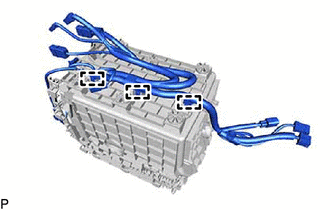
Engage the 3 clamps to install the rear console box wire.
w/ Wireless Charger:
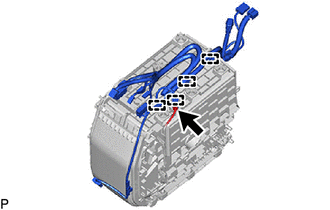
Connect the connector and engage the 4 clamps to install the rear console box wire to the mobile wireless charger cradle assembly.
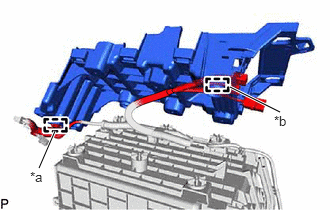
| *a | Clamp |
| *b | Guide |
Engage the clamp and guide.
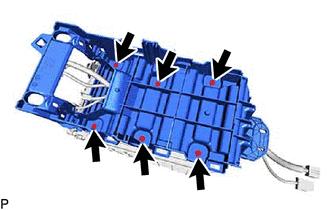
Install the No. 1 trash box retainer support with the 6 screws.

|
Install in this Direction |
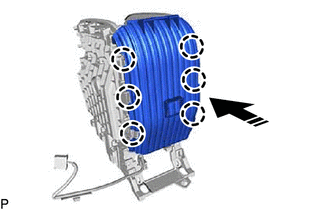
Engage the 6 claws as shown in the illustration to install the No. 2 console mounting retainer.
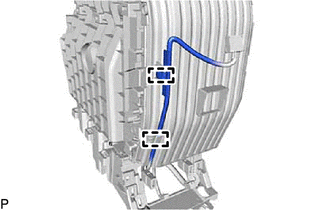
Engage the 2 clamps.
|
|
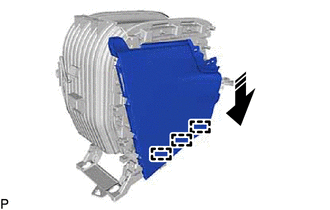
Install in this Direction |
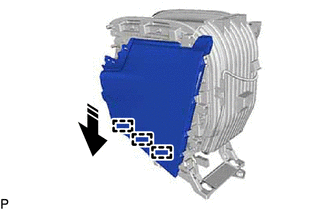
Engage the 3 guides as shown in the illustration.
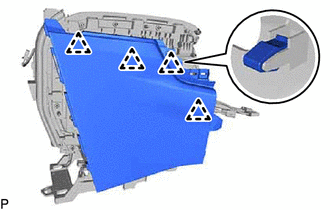
Engage the 4 clips to install the No. 3 box panel.
|
|
Install in this Direction |
Engage the 3 guides as shown in the illustration.
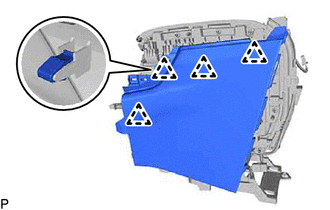
Engage the 4 clips to install the No. 1 box panel.
58906
2.INSTALL UPPER CONSOLE DOOR SUB-ASSEMBLY
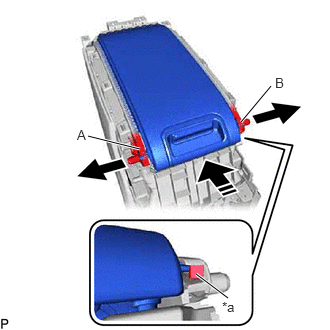
| *a | Stopper |

|
Pull |
|
|
Install in this Direction |
While slightly pulling areas (A) and (B) in the direction shown in the illustration to enable the upper console door sub-assembly to pass over the stoppers, insert the upper console door sub-assembly in the direction shown in the illustration to install it.
- NOTICE:
-
To prevent damage to the console box assembly, do not pull it excessively.
- HINT:
-
2 persons are required for this procedure.
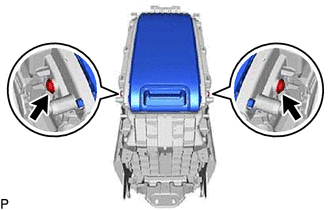
Install the upper console door sub-assembly with the 2 screws.
58825A
3.INSTALL CONSOLE BOX POCKET (w/o Wireless Charger)
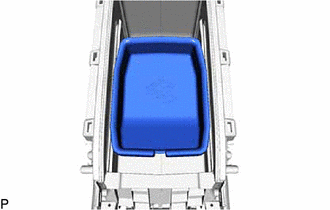
Install the console box pocket.
899A0A
4.INSTALL NO. 2 INDOOR ELECTRICAL KEY ANTENNA ASSEMBLY
85535E
5.INSTALL NO. 2 POWER OUTLET SOCKET COVER
85530D
6.INSTALL NO. 2 POWER OUTLET SOCKET ASSEMBLY
58923A
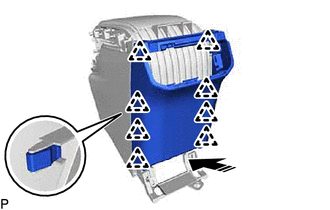
7.INSTALL CONSOLE REAR END PANEL
|
|
Install in this Direction |
Engage the 8 clips as shown in the illustration to install the console rear end panel.
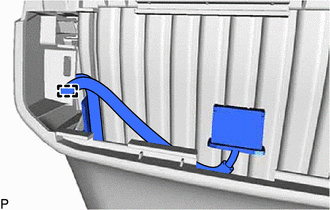
Engage the clamp.
55900D
8.INSTALL NO. 2 AIR CONDITIONING CONTROL ASSEMBLY
58944A
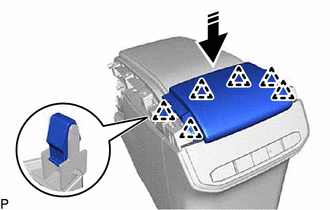
9.INSTALL REAR CONSOLE COVER
|
|
Install in this Direction |
Engage the 6 clips as shown in the illustration to install the rear console cover.