Disconnect the sensor connector.
REAR SPEED SENSOR > REMOVAL |
| 1. DISCONNECT CABLE FROM NEGATIVE BATTERY TERMINAL |
| 2. REMOVE REAR WHEEL |
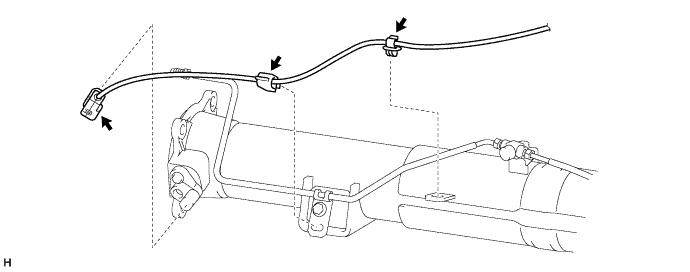
| 3. REMOVE SKID CONTROL SENSOR WIRE (TYPE A) |
Disconnect the sensor connector.
Detach the 2 clamps.
Disconnect the 2 connectors.
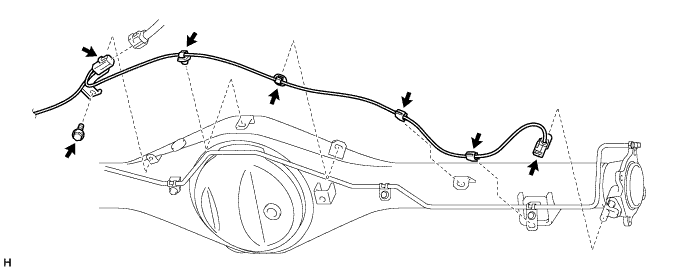
Remove the bolt and harness clamp.
Detach the 4 clamps.
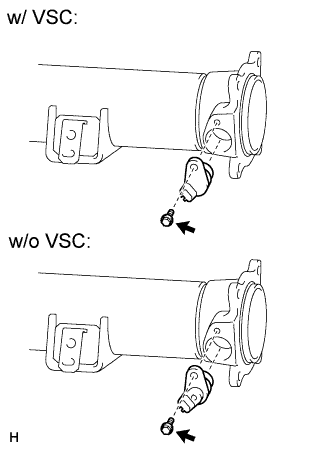 |
Remove the bolt and speed sensor RH.
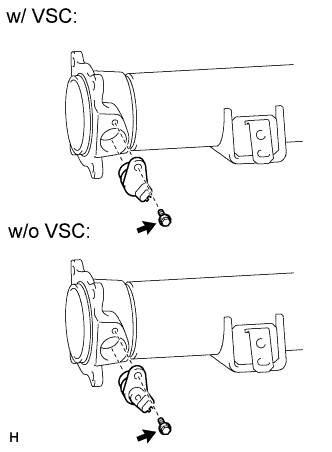 |
Remove the bolt and speed sensor LH.
| 4. REMOVE REAR SPEED SENSOR (TYPE B) |
Disconnect the sensor connector.
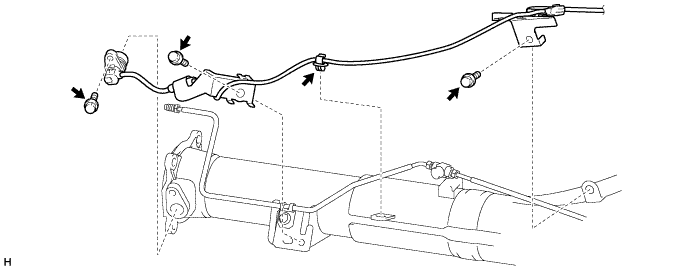
Detach the clamp.
Remove the 2 bolts and 2 harness clamps.
Remove the bolt and speed sensor LH.
Detach the 3 clamps.
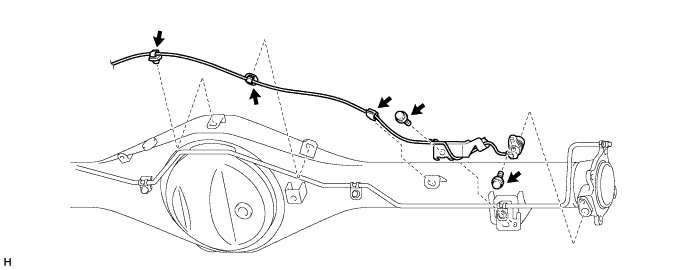
Remove the bolt and harness clamp.
Remove the bolt and speed sensor RH.
| 5. REMOVE REAR SPEED SENSOR (TYPE C) |
Disconnect the sensor connector.
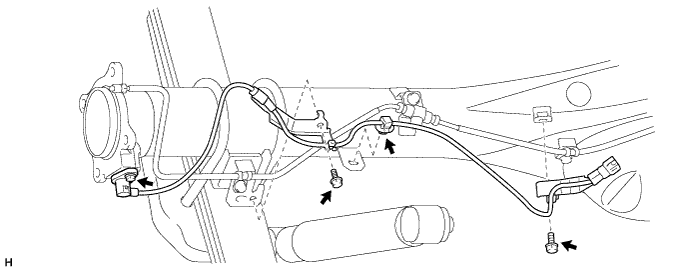
Detach the clamp.
Remove the 2 bolts and 2 harness clamps.
Remove the bolt and speed sensor LH.
Disconnect the sensor connector.
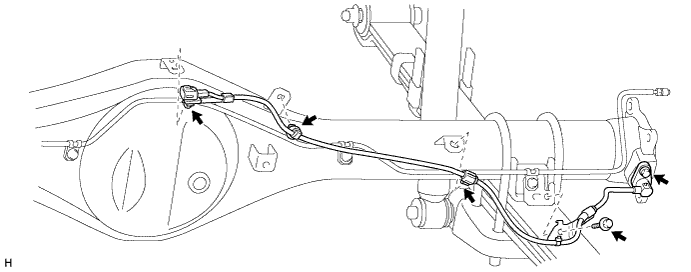
Detach the connector.
Detach the 2 clamps.
Remove the bolt and harness clamp.
Remove the bolt and speed sensor RH.