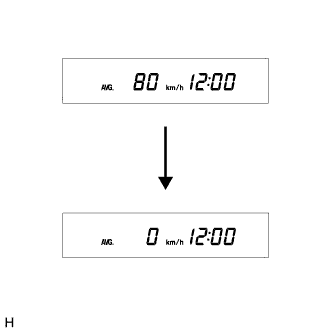
Turn the ignition switch to ON, and use the ODO/TRIP switch to change the screen display to TRIP B.
Turn the ignition switch to off.
While holding in the ODO/TRIP switch, turn the ignition switch to ON and check that the T-BELT indicator light blinks.
Press and hold the ODO/TRIP switch for 5 seconds or more.
- HINT:
- If the ODO/TRIP switch is released (off is detected) within 5 seconds, the ODO/TRIP display, indicator display, and the integrated value will return to the state before the reset operation began.
After the ODO/TRIP switch is turned off, turn the ODO/TRIP switch on again within 5 seconds.
After the ODO/TRIP switch is turned on, enter the setting mode and change to T-BELT display mode.
Change the set value in increments by turning the ODO/TRIP switch (the value must be changed within 5 seconds). (procedure A)
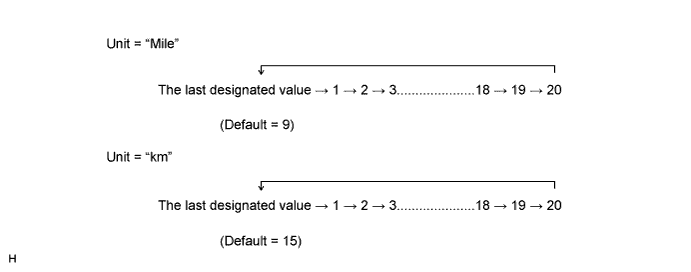
- HINT:
- Perform this procedure only when changing the previously set value.
- NOTICE:
- If the ODO/TRIP switch is not turned from on to off for 30 seconds or more during this step, the previously set value will be maintained and the TRIP B display will return (reset will not complete).
When the display changes to the desired setting, press the ODO/TRIP switch for 5 seconds or more to finish setting mode. (procedure B)
The ODO display area changes to the TRIP B display, the warning indicator turns off simultaneously and reset mode is completed. (procedure C)
- NOTICE:
- When not changing the previously set value, do not perform the operations in procedure A above, only perform procedures B and C.