NAVIGATION / MULTI INFO DISPLAY NAVIGATION SYSTEM Portable Player cannot be Connected Manually/Automatically
CAUTION / NOTICE / HINT
- HINT:
-
Some versions of "Bluetooth" compatible audio players may not function, or the function using the navigation receiver assembly may be limited even if the portable audio player itself can play files (See page Audio / Visual / Telematics>NAVIGATION / MULTI INFO DISPLAY>NAVIGATION SYSTEM>SYSTEM DESCRIPTION).
PROCEDURE
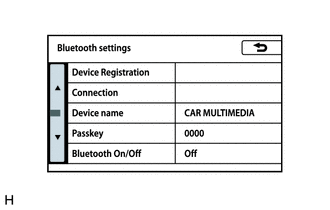
Display the "Bluetooth settings" screen.
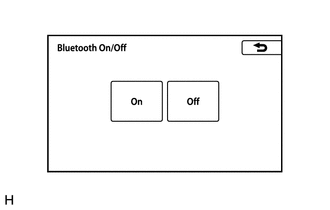
Select "Bluetooth On/Off".
Check "Set up Bluetooth On/Off" settings of the "Bluetooth" audio.
Check if On is displayed on the "Set up Bluetooth On/Off" screen.
- OK:
On is displayed for "Bluetooth On/Off".
- Result:
Proceed to OK NG
OK
NG
Display the "Bluetooth settings" screen.
Check if the portable player is registered as a connected device.
- NOTICE:
-
If a cellular phone is used as a portable player, it must be registered independently from the registration that is performed for the handsfree system.
- HINT:
-
Only 5 portable players can be registered.
- Result:
Result Proceed to The portable player is registered as a connected device. A The portable player is not registered as a connected device. B
A
B
Check the status of the portable player.
Check that the portable player is in standby mode.
Check that the portable player is not connected to another device (headphones, etc.).
- OK:
The portable player is in standby mode and not connected to another device (headphones, etc.).
- Result:
Proceed to OK NG
OK
NG
Check if the portable player can be connected manually/automatically on another "Bluetooth" audio compatible vehicle of the same model.
- OK:
The portable player can be connected manually/automatically.
- Result:
Proceed to OK NG
OK
NG
Remove additional devices which use radio waves.
Check if the portable player can be connected manually/automatically.
- OK:
The portable player can be connected manually/automatically.
- Result:
Proceed to OK NG
OK
NG
Click hereAudio / Visual / Telematics>NAVIGATION / MULTI INFO DISPLAY>NAVIGATION SYSTEM>PROBLEM SYMPTOMS TABLE