 |
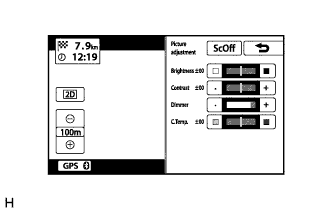
Display the "Picture adjustment" screen.
NAVIGATION SYSTEM > Screen Flicker or Color Distortion |
| 1.CHECK DISPLAY SETTING |
|
Display the "Picture adjustment" screen.
Reset the display settings (contrast and brightness) and check that the screen appears normal.
|
| ||||
| OK | ||
 | ||
| ||
| 2.CHECK CABIN |
Check that the cabin temperature is higher than -20°C (-4°F).
|
| ||||
| OK | ||
| ||
| ||

