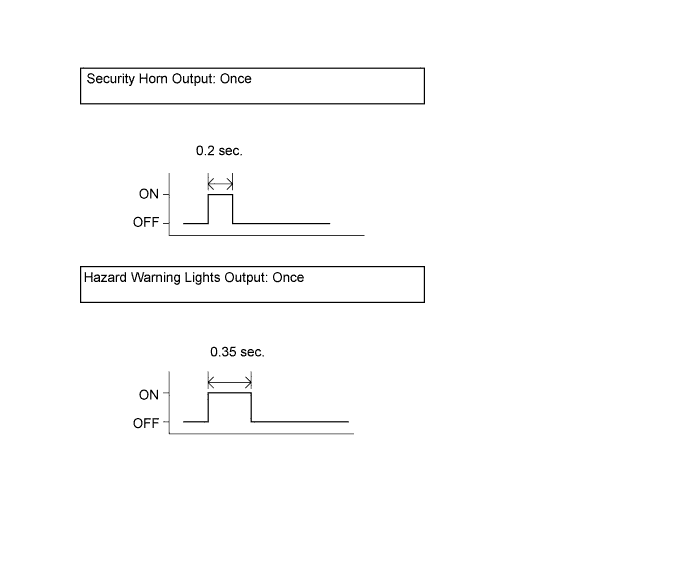
Check the response to registration mode.
WIRELESS DOOR LOCK CONTROL SYSTEM > REGISTRATION |
| 1. DESCRIPTION OF CODE REGISTRATION |
| 2. REGISTER RECOGNITION CODE |
Check that the following condition is met.
No key in the ignition key cylinder.
Insert the key into the ignition key cylinder.
Wait for the 5 seconds.
Turn the ignition switch from OFF to ON 5 times within 10 seconds to turn on the security indicator light.
Open and close the driver side door once and turn the ignition switch from ON to OFF within 30 seconds.
Check the response to registration mode.
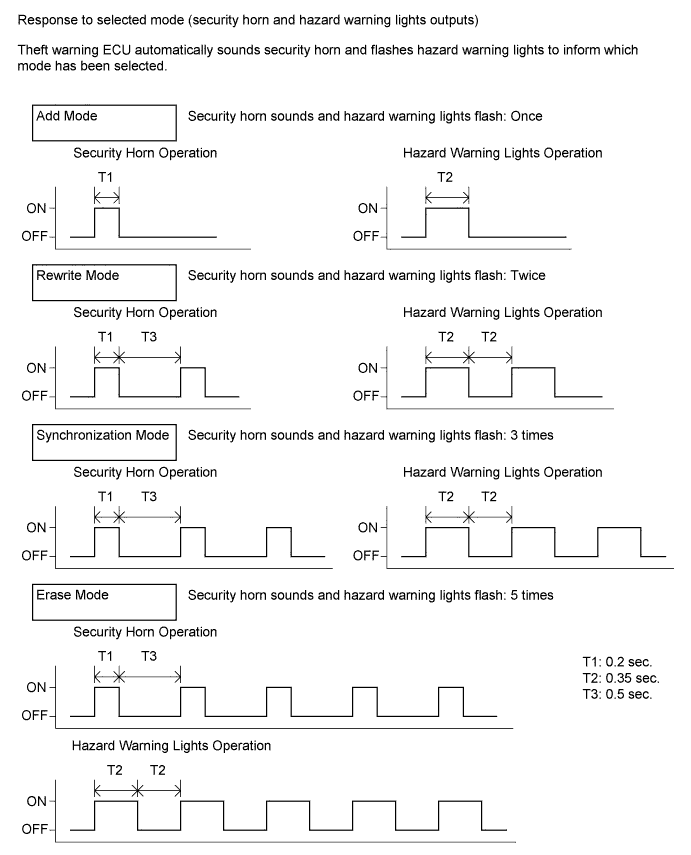
Perform the following operations (mode selection) within 30 seconds.
Perform the driver side door open-close operation according to the details below. Then turn the ignition switch ON and OFF.
Number of open-close operations of the driver side door:
Check the response to the selected mode.
Press the LOCK and UNLOCK switches on the transmitter simultaneously.
Press a single switch (LOCK or UNLOCK).
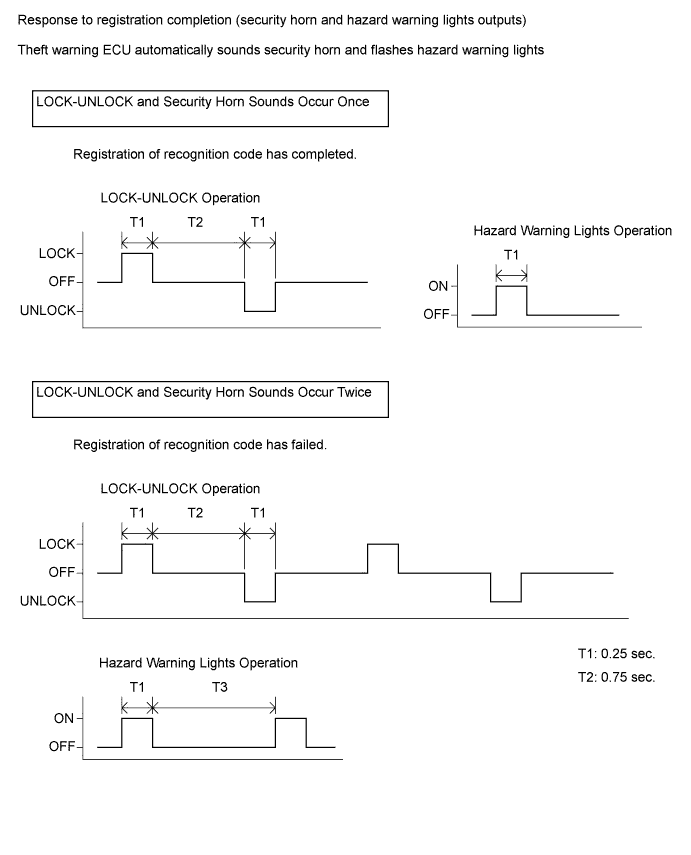
Perform either of the following.
Open the door.
Insert the key into the ignition key cylinder.
Turn the ignition switch ON.
Registration of the recognition codes (add mode and rewrite mode) is completed.