NAVIGATION SYSTEM > OPERATION CHECK |
| CHECK NAVIGATION SYSTEM NORMAL CONDITION |
If the cause of a symptom is any of the following, the corresponding symptom is normal; it is not a malfunction.
| Symptom | Answer |
| A longer route than expected is chosen. | Depending on the road conditions, the navigation ECU may determine that a longer route is quicker. |
| Even when distance priority is high, the shortest route is not shown. | Some paths may not be advised due to safety concerns. |
| When the vehicle is put into motion immediately after the engine starts, the navigation system deviates from the actual position. | If the vehicle starts before the navigation system activates, the system may not react. |
| When driving on certain types of roads, especially new roads, the vehicle position deviates from the actual position. | When the vehicle is driving on new roads not available on the SD card, the system attempts to match it to another nearby road, causing the position mark to deviate. |
![]() |
The following symptoms are not a malfunction, but are caused by errors inherent in the GPS, gyro sensor, speed sensor and navigation ECU.
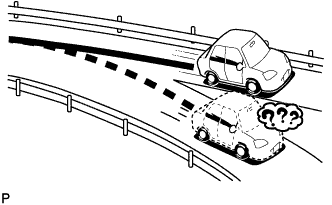
The current position mark may be displayed on a nearby parallel road.
![]() |
Immediately after a fork in the road, the current vehicle position mark may be displayed on the wrong road.
![]() |
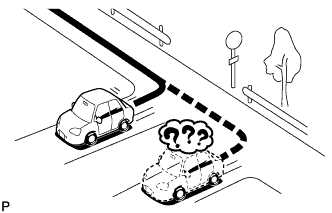
When the vehicle turns right or left at an intersection, the current vehicle position mark may be displayed on a nearby parallel road.
![]() |
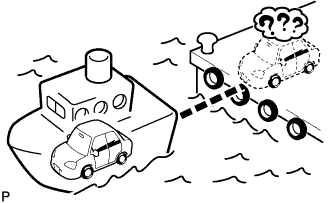
When the vehicle is carried, such as on a ferry, and the vehicle itself is not being driven, the current vehicle position mark may be displayed in the position where the vehicle was until a measurement can be performed by GPS.
![]() |
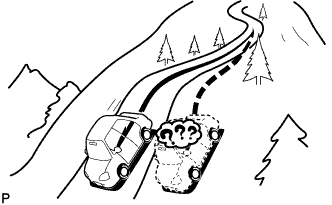
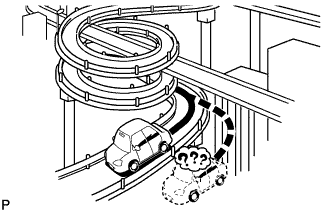
When the vehicle is driven on a steep hill, the current vehicle position mark may deviate from the correct position.
![]() |
When the vehicle makes a continuous turn of 360°, 720°, 1080°, etc., the current vehicle position mark may deviate from the correct position.
![]() |
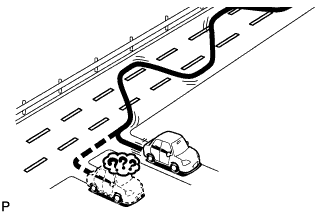
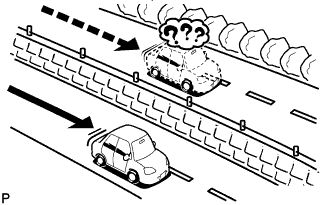
When the vehicle moves erratically, such as when making constant lane changes, the current vehicle position mark may deviate from the correct position.
![]() |
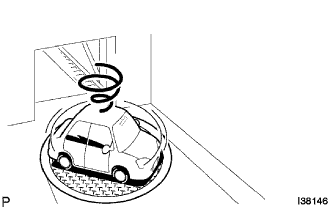
When the ignition switch is turned to ACC or ON on a turntable while parking, the current vehicle position mark may not point in the correct direction. The same will occur when the vehicle starts to move.
![]() |
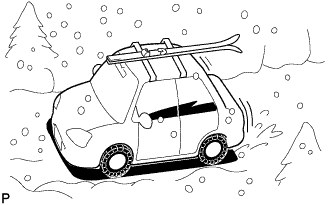
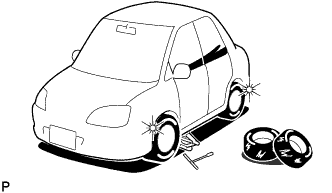
When the vehicle is driven on a snowy road or a mountain path with tire chains installed or using a spare tire, the current vehicle position mark may deviate from the correct position.
![]() |
When a tire is changed, the current vehicle position mark may deviate from the correct position.
| CHECK HANDSFREE VOICE QUALITY SETTING |
Enter diagnostic mode (Click here).
![]() |
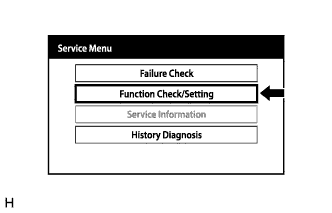
Select "Function Check/Setting" from the "Service Menu" screen.
![]() |
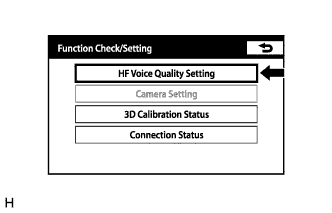
Select "HF Voice Quality Setting" from the "Function Check/Setting" screen.
![]() |
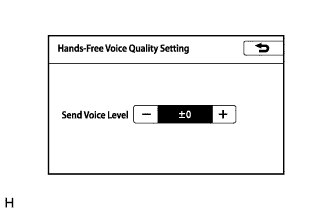
Hands-Free Voice Quality Setting
| Display | Content |
| Send Voice Level | Setting for the voice level sent from "Bluetooth" compatible phones. |
If the voice level is low, press the "+" button, and if the voice level is loud, press the "-" button.
| CHECK 3D CALIBRATION STATUS |
Enter diagnostic mode (Click here).
![]() |
Select "Function Check/Setting" from the "Service Menu" screen.
![]() |
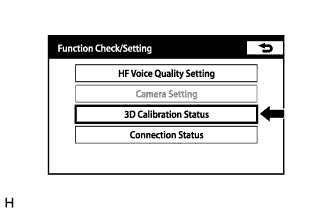
Select "3D Calibration Status" from the "Function Check/Setting" screen.
![]() |
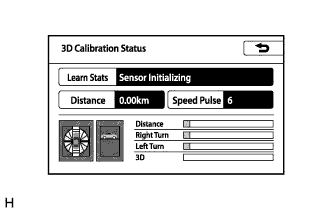
3D Calibration Status
When the accuracy of the distance is poor, press "Learn Status", and then press "Reset Distance" or "Reset All" to reset the distance correction learning status.
| CHECK CONNECTION STATUS |
Enter diagnostic mode (Click here).
![]() |
Select "Function Check/Setting" from the "Service Menu" screen.
![]() |
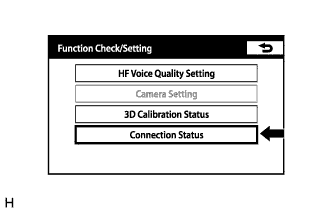
Select "Connection Status" from the "Function Check/Setting" screen.
![]() |
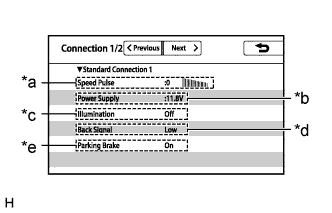
Connection status (Standard connection 1)
| Display | Content |
| *a: Speed Pulse | Vehicle speed is displayed in pulse. |
| *b: Power Supply | Battery voltage is displayed. |
| *c: Illumination | Tail signal (Light control switch) On/Off state is displayed. |
| *d: Back Signal | Reverse signal Low/High/Error state is displayed. |
| *e: Parking Brake | Parking brake On/Off state is displayed. |
Select "Next" from the "Connection Status" screen.
![]() |
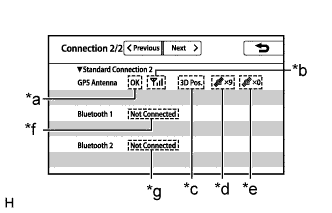
Connection status (Standard connection 2)
| Display | Content |
| *a: OK/Error | Indicates whether GPS communication is possible. |
| *b: Between 0 and 3 bars are displayed | Indicates received signal strength. |
| *c: 3D Pos. / 2D Pos. / Not Pos. | Indicates whether 3D positioning or 2D positioning is used, or whether positioning is not being performed. |
| *d: Value between x0 and x12 is displayed | Indicates the number of positioning satellites. |
| *e: Value between x0 and x12 is displayed | Indicates the number of tracking satellites. |
| Display | Content |
| *f: When a device is connected: Name of device, BD address and profile name (HFP A2DP/HFP/A2DP) are displayed *f: When a device is not connected: "Not Connected" is displayed | BT device 1 connection state |
| Display | Content |
| *f: When a device is connected: Name of device, BD address and profile name (HFP A2DP/HFP/A2DP) are displayed *g: When a device is not connected: "Not Connected" is displayed | BT device 2 connection state |
| CHECK GYRO/DISTANCE CORRECTION LEARNING STATUS |
Enter diagnostic mode (Click here).
![]() |
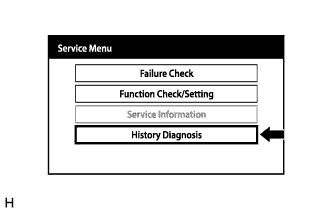
Select "History Diagnosis" from the "Service Menu" screen.
![]() |
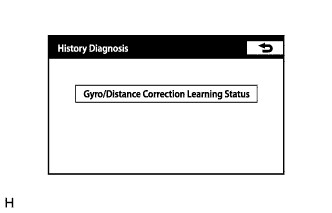
Select "Gyro/Distance Correction Learning Status" from the "History Diagnosis" screen.
![]() |
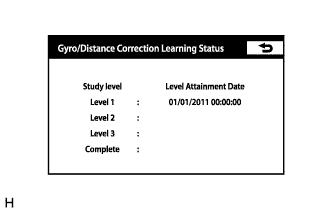
Gyro/Distance Correction Learning Status
| Display | Content |
| Level 1 | Date and time when learning level reached level 1 is displayed. |
| Level 2 | Date and time when learning level reached level 2 is displayed. |
| Level 3 | Date and time when learning level reached level 3 is displayed. |
| Complete | Date and time when learning was completed is displayed. |