MULTI-DISPLAY > INSTALLATION |
| 1. INSTALL MULTI-DISPLAY ASSEMBLY |
|
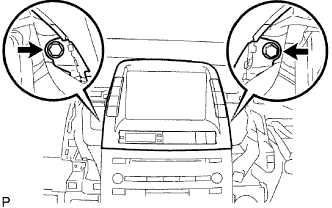
Connect the connector and install the multi-display.
Install the 2 bolts.
| 2. INSTALL NO. 4 INSTRUMENT PANEL REGISTER ASSEMBLY |
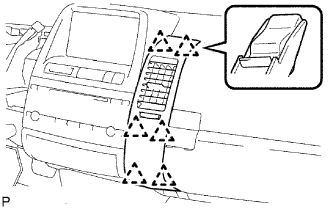 |
Attach the 6 clips to install the instrument panel register.
| 3. INSTALL NO. 2 INSTRUMENT PANEL REGISTER ASSEMBLY |
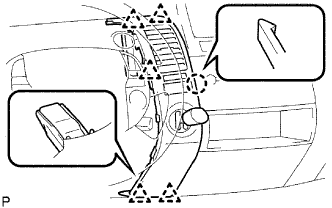 |
Connect the connector.
Attach the claw and 5 clips to install the instrument panel register.
| 4. CONNECT CABLE TO NEGATIVE BATTERY TERMINAL |
| 5. PERFORM INITIALIZATION |
Perform initialization (Click here).