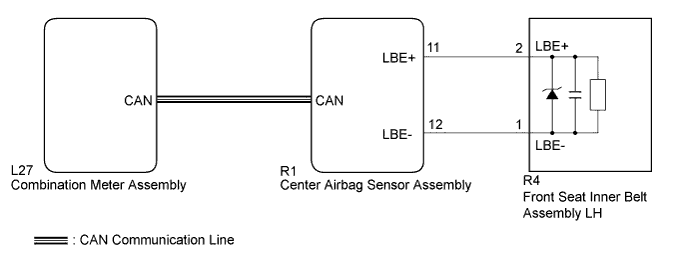
SEAT BELT WARNING SYSTEM > Driver Side Seat Belt Warning Light does not Operate |
| 1.CHECK DTC OUTPUT (AIRBAG SYSTEM) |
Clear the DTC (Click here).
Recheck for DTCs.
| Result | Proceed to |
| DTC is not output | A |
| DTC is output | B |
|
| ||||
| A | |
 |
| 2.PERFORM ACTIVE TEST USING TECHSTREAM |
Connect the Techstream to the DLC3.
Turn the power switch on (IG).
Turn the Techstream on.
Enter the following menus: Body Electrical / Combination Meter / Active Test.
Perform the Active Test according to the display on the Techstream.
| Tester Display | Test Part | Control Range | Diagnostic Note |
| Driver Side Seat Belt | Driver side seat belt warning light | OFF or ON | Confirm that the vehicle stopped with the engine idling |
|
| ||||
| OK | ||
 | ||
| ||
| 3.REPLACE NO. 5 METER CIRCUIT PLATE |
Replace the No. 5 meter circuit plate (Click here).
| NEXT | |
|
| 4.CHECK DRIVER SIDE SEAT BELT WARNING LIGHT |
Check the driver side seat belt warning light operation (Click here).
|
| ||||
| OK | ||
| ||
| ||
| 5.REPLACE NO. 2 METER CIRCUIT PLATE |
Replace the No. 2 meter circuit plate (Click here).
| NEXT | |
|
| 6.CHECK DRIVER SIDE SEAT BELT WARNING LIGHT |
Check the driver side seat belt warning light operation (Click here).
|
| ||||
| OK | ||
| ||
| ||

