 |
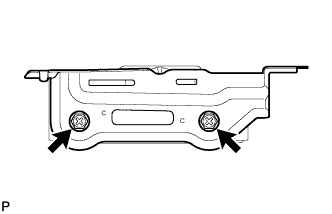
Install the No. 3 telephone bracket with the 2 screws.
DCM(TELEMATICS TRANSCEIVER) > INSTALLATION |
| 1. INSTALL DCM (TELEMATICS TRANSCEIVER) |
| 2. INSTALL NO. 3 TELEPHONE BRACKET |
|
Install the No. 3 telephone bracket with the 2 screws.
| 3. INSTALL NO. 2 TELEPHONE BRACKET |
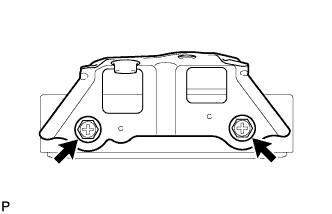 |
Install the No. 2 telephone bracket with the 2 screws.
| 4. INSTALL DCM (TELEMATICS TRANSCEIVER) WITH BRACKET |
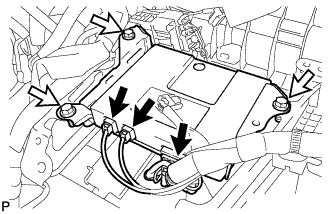 |
Install the DCM (telematics transceiver) with bracket with the 3 bolts.
Connect the 3 connectors.
| 5. INSTALL BACK-UP BATTERY WITH BRACKET |
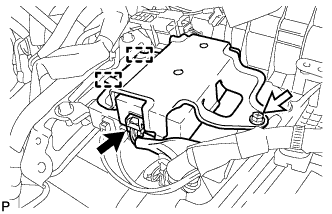 |
Engage the 2 guides.
Install the back-up battery with bracket with the bolt.
Connect the connector.
| 6. INSTALL UPPER INSTRUMENT PANEL ASSEMBLY |
| 7. DCM ACTIVATION |
When replacing the DCM (telematics transceiver), perform DCM activation (Click here).