DTC P3193 Fuel Run Out |
| DTC No. | DTC Detection Condition | Trouble Area |
| P3193 | All of the following conditions are met (1 trip detection logic):
| - (This DTC indicates that the vehicle ran out of fuel and does not indicate the malfunction of a part.) |
| Techstream Display | Description |
| NORMAL |
|
| ABNORMAL |
|
| INCOMPLETE |
|
| N/A |
|
| 1.CHECK SHORTAGE OF FUEL |
Check the amount of fuel remaining.
| Result | Proceed to |
| NG | A |
| OK | B |
|
| ||||
| A | |
 |
| 2.REFILL FUEL |
Add fuel until the fuel level warning light turns off.
| NEXT | |
|
| 3.CHECK WHETHER DTC OUTPUT RECURS (DTC P3193) |
Connect the Techstream to the DLC3.
Turn the power switch on (IG).
Turn the Techstream on.
Clear the DTCs (Click here).
Turn the power switch off and wait for at least 30 seconds.
Turn the power switch on (READY).
Turn the Techstream on.
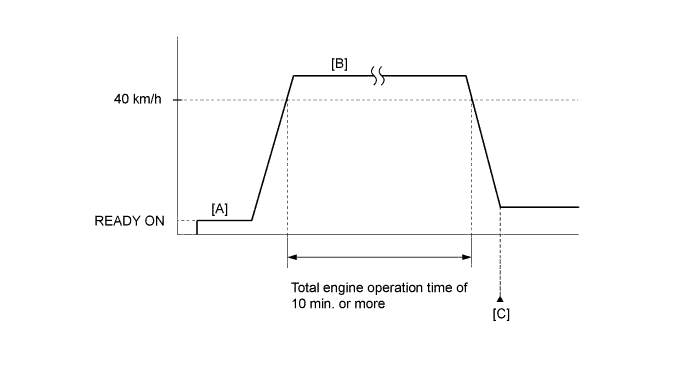
Drive the vehicle in accordance with the driving pattern described in the Confirmation Driving Pattern.
Enter the following menus: Powertrain / Engine and ECT / Trouble Codes / Pending.
Read the pending DTCs.
| Result | Proceed to |
| DTC is not output | A |
| DTC P3190 or P3191 is output | B |
| DTC P3190 or P3191 and other DTCs are output | C |
|
| ||||
|
| ||||
| A | ||
 | ||
| ||

