ECD SYSTEM (for CCo) > REGISTRATION |
| 1. LEARNING VALUES CONFIRMATION |
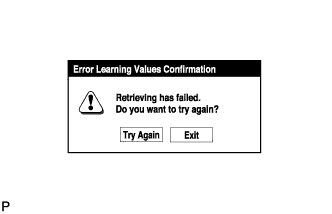 |
Connect the intelligent tester to the DLC3.
Turn the ignition switch to ON and turn the tester on.
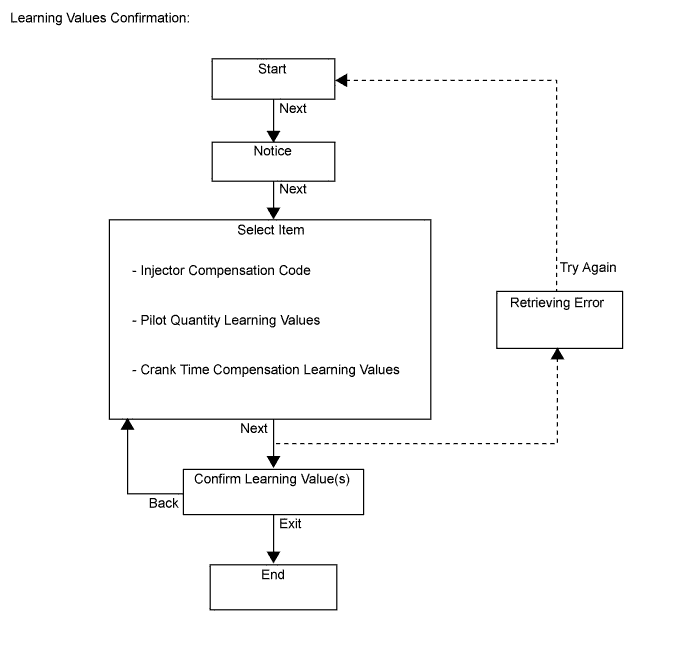
Enter the following menus: Powertrain / Engine and ECT / Utility / Learning values confirmation.
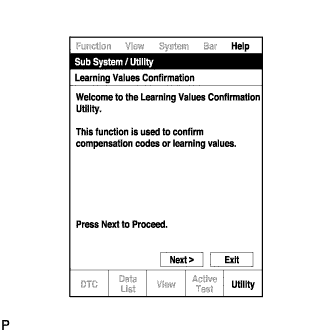 |
Press "Next".
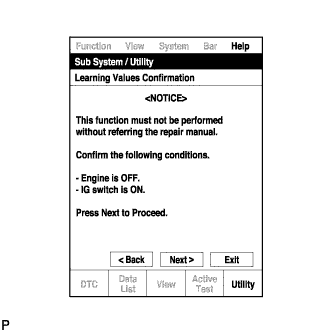 |
Press "Next" again to proceed.
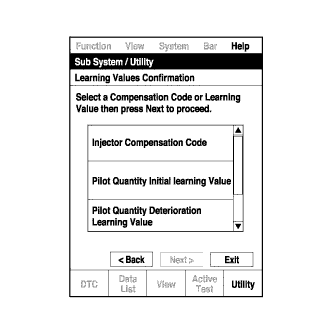 |
Select the value to confirm and press "Next".
When the next screen is displayed, confirm the contents and press "Exit".
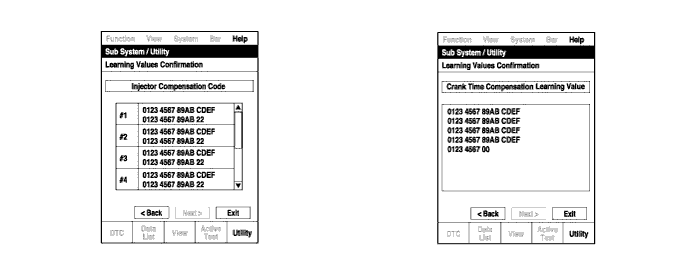
| 2. LEARNING VALUES SAVE |
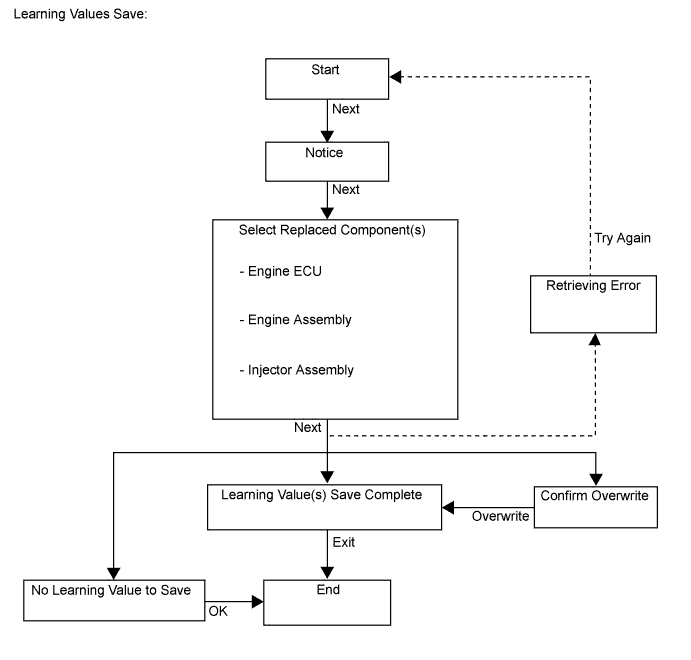
 |
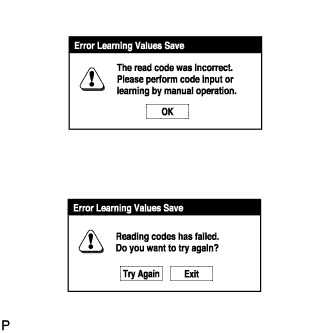 |
Connect the intelligent tester to the DLC3.
Turn the ignition switch to ON and turn the tester on.
Enter the following menus: Powertrain / Engine and ECT / Utility / Learning values save.
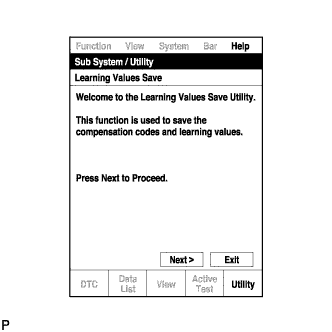 |
Press "Next".
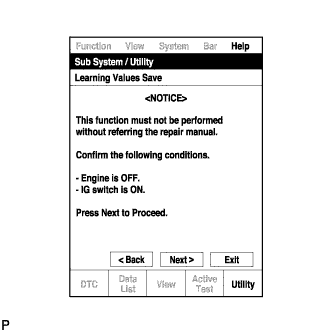 |
Press "Next" again to proceed.
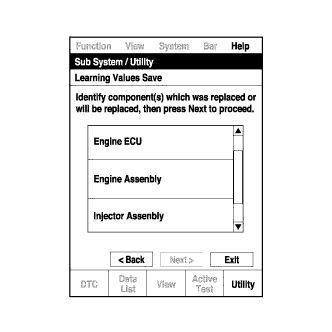 |
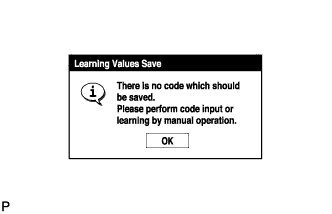
Select any components being replaced and press "Next". If no applicable components are displayed, press "Next" without selecting anything.
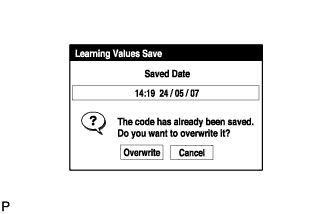 |
If the overwrite confirmation screen is displayed, press "Overwrite".
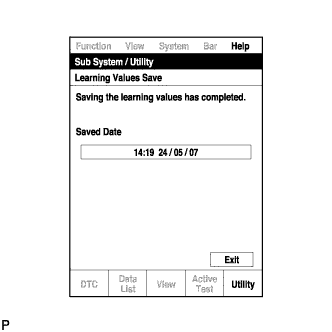 |
When the operation is finished, confirm the date and time of the save operation, and press "Exit".
| 3. LEARNING VALUES WRITE |
 |
Connect the intelligent tester to the DLC3.
Turn the ignition switch to ON and turn the tester on.
Enter the following menus: Powertrain / Engine and ECT / Utility / Learning values write.
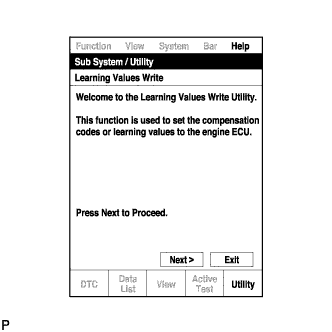 |
Press "Next".
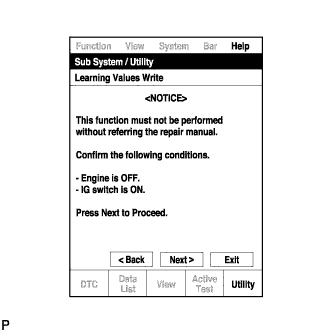 |
Press "Next" again to proceed.
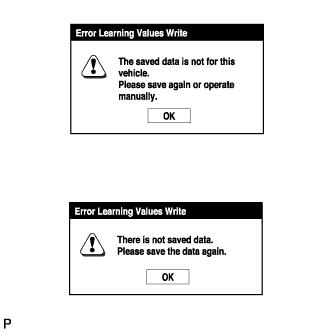 |
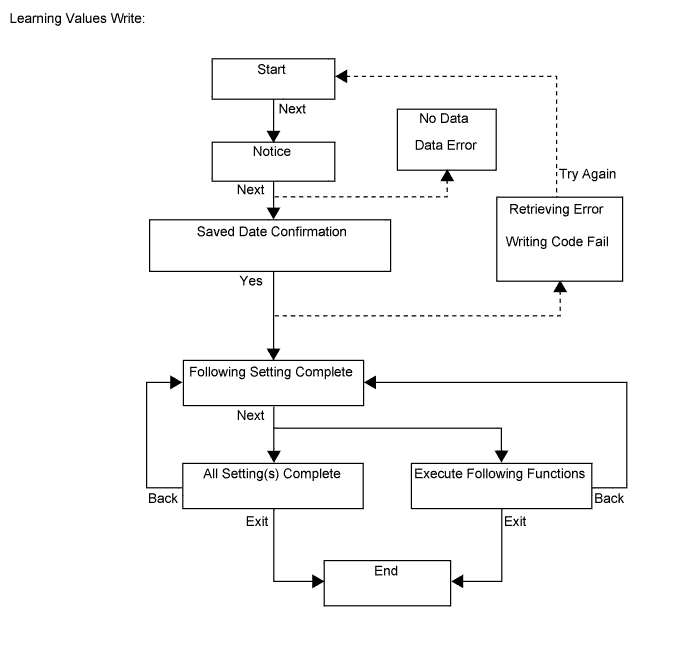
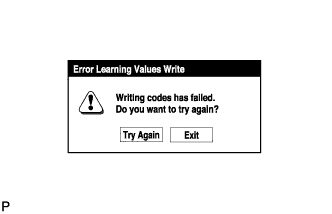
If the "Error Learning Values Write" screen indicating a problem with the saved value(s) or that there are no saved values is displayed, perform "Learning Values Save" again.
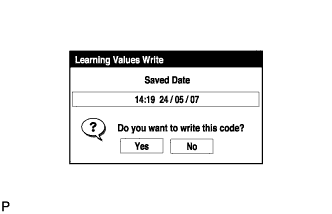 |
Confirm the date and time of the save operation, and then press "Yes".
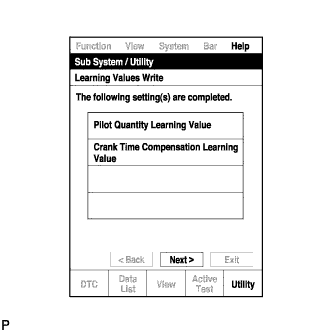 |
Confirm the contents, and then press "Next".
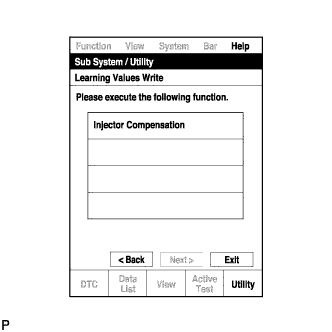 |
If any instructions are displayed on the tester, manually perform the procedure to register each applicable compensation code or learning value in the ECM.
Clear the DTCs.
| 4. INPUT INJECTOR COMPENSATION CODE(S) INTO ECM |
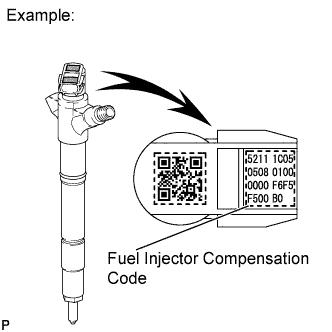 |
After replacing fuel injector(s) with new one(s), input compensation code(s) of the fuel injector(s) into the ECM as follows:
Input the compensation code(s), which is/are imprinted on the head portion(s) of the new fuel injector(s), into the intelligent tester.
Input the new compensation code(s) into the ECM using the tester.
Turn the tester off and turn the ignition switch off.
Wait for at least 30 seconds.
Turn the ignition switch to ON and turn the tester on.
Perform pilot quantity learning.
Clear DTC P1601 stored in the ECM using the tester (Click here).
Register compensation codes.
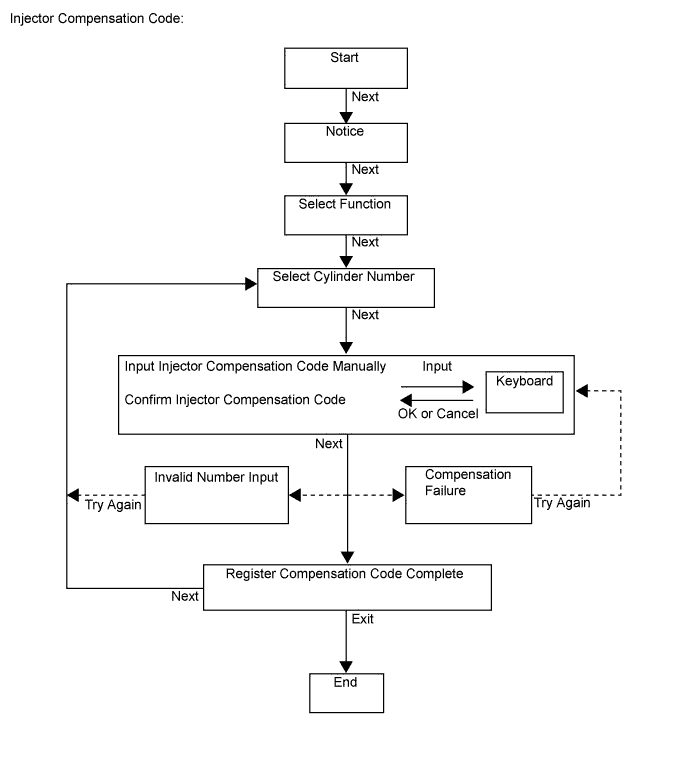
Connect the intelligent tester to the DLC3.
Turn the ignition switch to ON.
Turn the tester on.
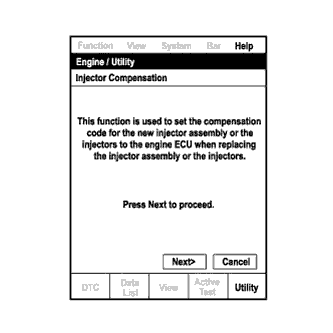 |
Enter the following menus: Powertrain / Engine and ECT / Utility / Injector Compensation.
Press Next.
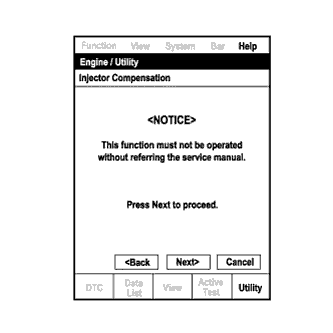 |
Press Next again to proceed.
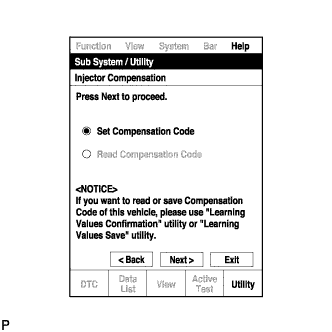 |
Select "Set Compensation Code".
Press Next.
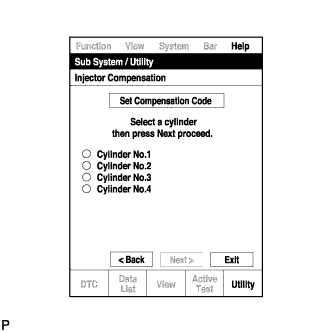 |
Select the number of the cylinder corresponding to the fuel injector compensation code that you want to register.
Press Next.
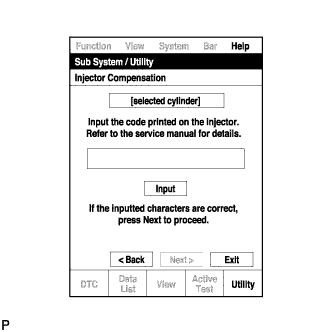 |
Register compensation code.
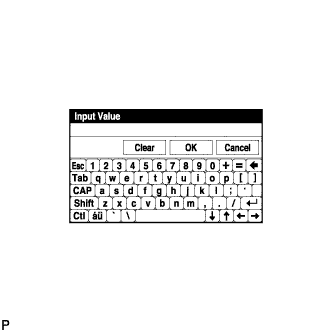 |
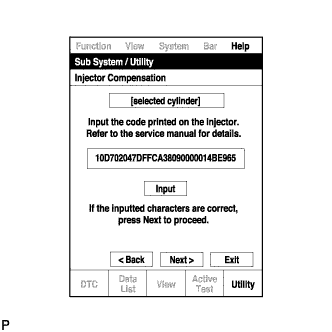 |
Check that the compensation code displayed on the screen is correct by comparing it with the 30-digit alphanumeric value on the head portion of the fuel injector.
Press Next to register the compensation code in the ECM.
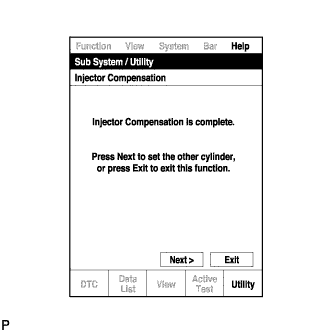 |
If you want to continue with other compensation code registrations, press Next. To finish the registration, press Exit.
Turn the ignition switch off, and then turn the tester off.
Wait for at least 30 seconds.
Turn the ignition switch to ON, and then turn the tester on.
Perform pilot quantity learning.
Clear DTC P1601 stored in the ECM using the tester (Click here).
| 5. PILOT QUANTITY LEARNING |
 |
 |
Connect the intelligent tester to the DLC3.
Start the engine.
Turn the tester on.
Enter the following menus: Powertrain / Engine and ECT / Utility / Pilot quantity learning.
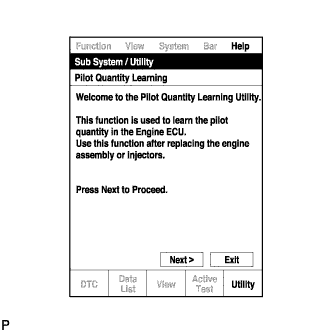 |
Press "Next".
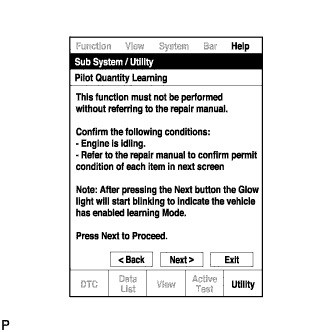 |
Press "Next" again to proceed.
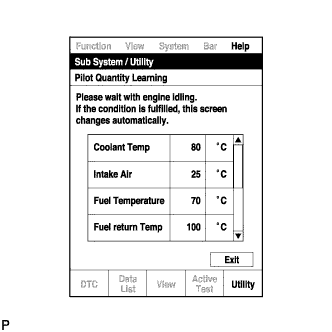 |
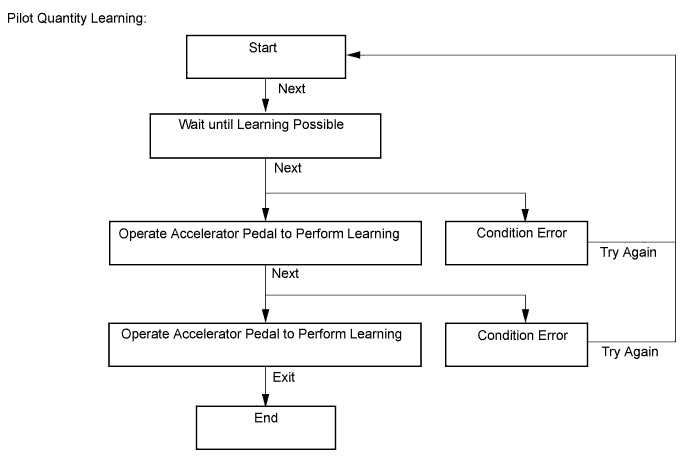
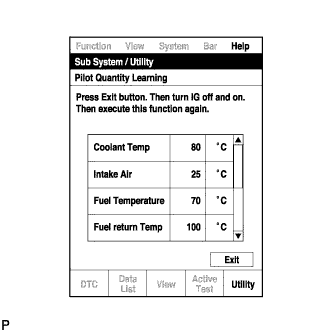
Confirm the condition of the engine and wait until learning can be performed.
| Tester Display | Standard |
| Coolant Temp | 70 to 100°C |
| Intake Air | -25 to 120°C |
| Fuel Temperature | 30 to 96°C |
| Fuel Return Temp | 35 to 110°C |
| Battery Voltage | 10 V or higher |
| Reju Pilot Quantity Learning | READY |
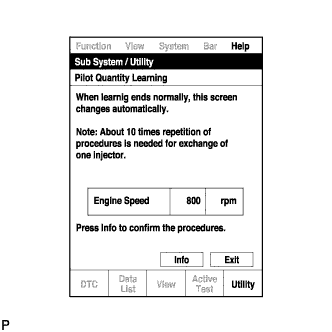 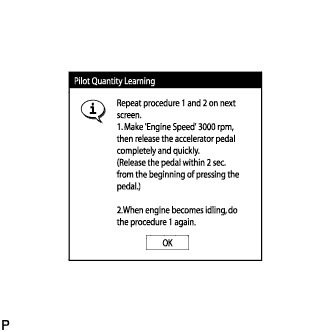 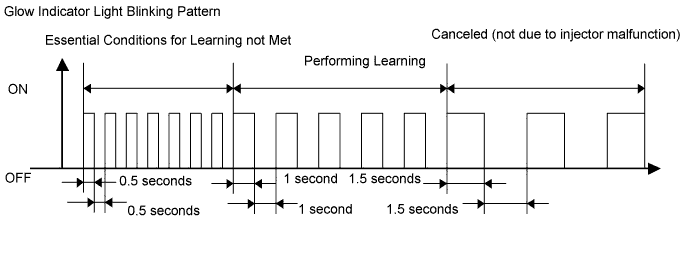  |
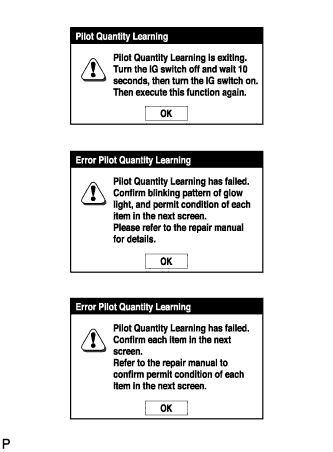
Follow the prompts on the screen and repeat the following procedure until the screen changes: Starting with the engine idling, race the engine until the engine speed is 3000 rpm or more for no more than 2 seconds, and then let the engine return to idling.
| Learning Status | Glow Indicator Light Condition |
| Conditions essential to start learning have not been met | Blinking at 0.5 second intervals |
| Conditions essential to start learning have been met | Blinking at 1 second intervals |
| During racing (learning is being performed) | Blinking at 1 second intervals |
| Learning is finished | Off |
| Learning has been canceled | Blinking at 1.5 second intervals |
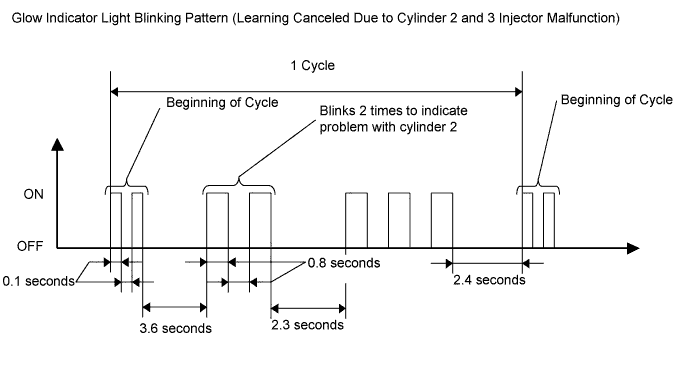
| Learning has been canceled (malfunctioning cylinder is indicated by blinking pattern) | Blinking at 0.8 second intervals (2.3 second intervals between each set of blinks representing the number of a malfunctioning cylinder) |
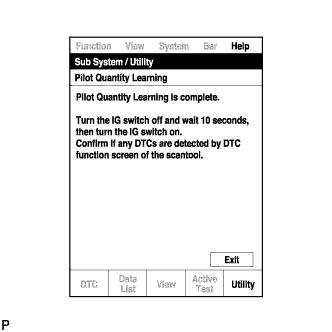 |
When the screen changes, push "Exit".
Turn the ignition switch off, and then turn the tester off.
Wait for at least 10 seconds.
Turn the ignition switch to ON, and then turn the tester on.
Clear the DTCs (Click here).
Turn the ignition switch off.
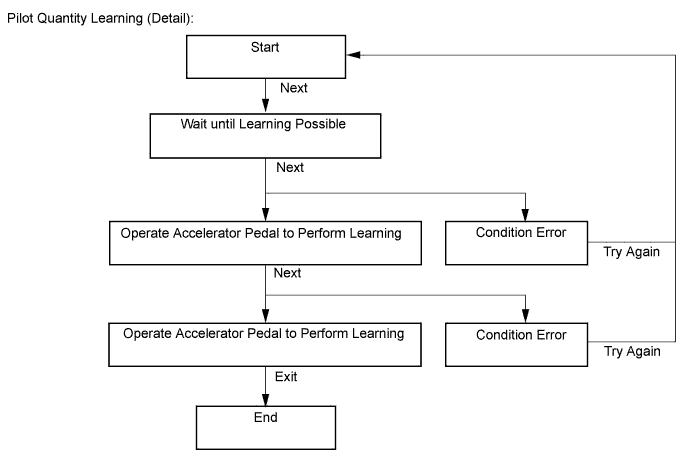
| 6. PILOT QUANTITY LEARNING (DETAIL) |
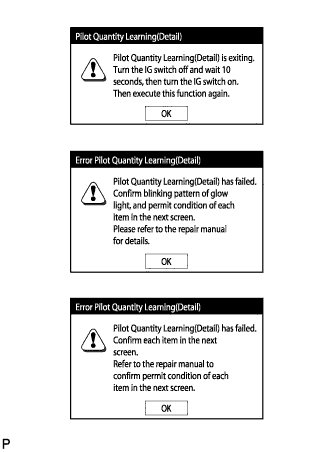 |
 |
Connect the intelligent tester to the DLC3.
Start the engine.
Turn the tester on.
Enter the following menus: Powertrain / Engine and ECT / Utility / Pilot quantity learning (Detail).
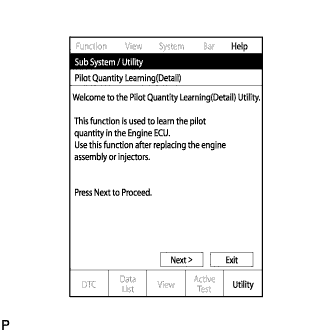 |
Press "Next".
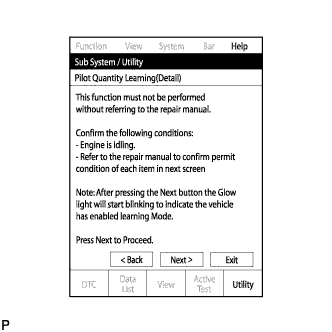 |
Press "Next" again to proceed.
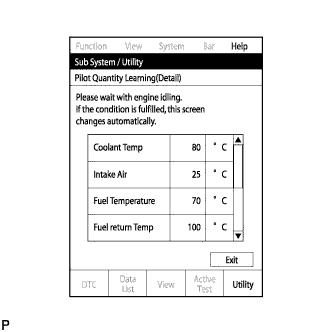 |
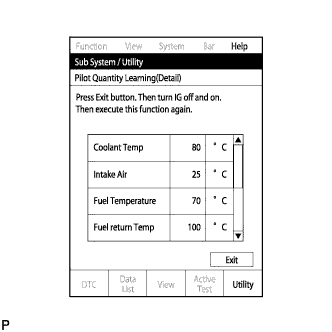
Confirm the condition of the engine and wait until learning can be performed.
| Tester Display | Standard |
| Coolant Temp | 70 to 100°C |
| Intake Air | -25 to 120°C |
| Fuel Temperature | 30 to 96°C |
| Fuel Return Temp | 35 to 110°C |
| Battery Voltage | 10 V or higher |
| Reju Pilot Quantity Learning | READY |
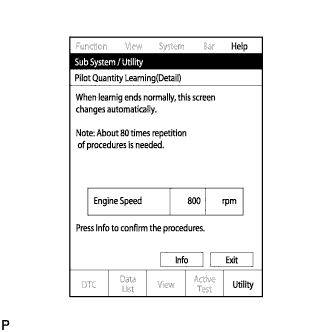 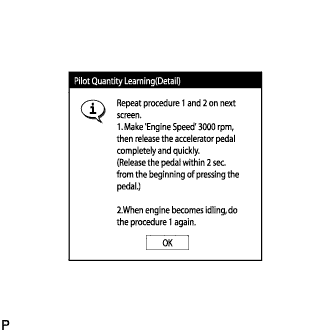 |
Follow the prompts on the screen and repeat the following procedure until the screen changes: Starting with the engine idling, race the engine until the engine speed is 3000 rpm or more for no more than 2 seconds, and then let the engine return to idling.
| Learning Status | Glow Indicator Light Condition |
| Conditions essential to start learning have not been met | Blinking at 0.5 second intervals |
| Conditions essential to start learning have been met | Blinking at 1 second intervals |
| During racing (learning is being performed) | Blinking at 1 second intervals |
| Learning is finished | Off |
| Learning has been canceled | Blinking at 1.5 second intervals |
| Learning has been canceled (malfunctioning cylinder is indicated by blinking pattern) | Blinking at 0.8 second intervals (2.3 second intervals between each set of blinks representing the number of a malfunctioning cylinder) |
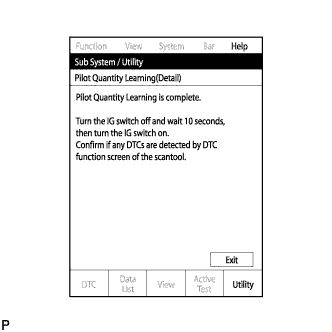 |
When the screen changes, push "Exit".
Turn the ignition switch off, and then turn the tester off.
Wait for at least 10 seconds.
Turn the ignition switch to ON, and then turn the tester on.
Clear the DTCs (Click here).
Turn the ignition switch off.