HOOD LOCK CONTROL CABLE ASSEMBLY (for RHD) > REMOVAL |
| 1. DISCONNECT CABLE FROM NEGATIVE BATTERY TERMINAL |
| 2. REMOVE RADIATOR SUPPORT OPENING COVER |
|
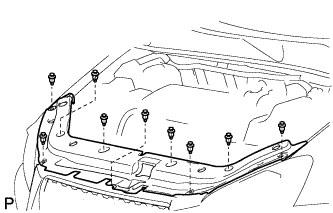
Remove the 9 clips and radiator support opening cover.
| 3. REMOVE HOOD LOCK ASSEMBLY |
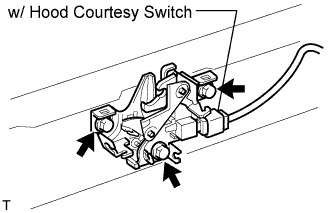 |
w/ Hood courtesy switch:
Disconnect the connector.
Remove the 3 bolts.
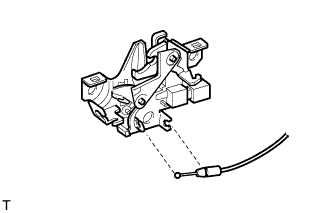 |
Disconnect the cable and remove the lock.
| 4. REMOVE HOOD LOCK CONTROL LEVER SUB-ASSEMBLY |
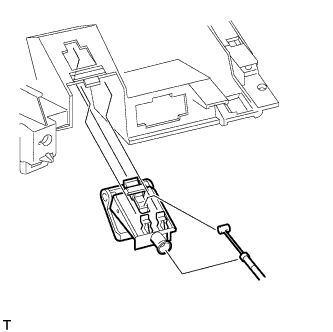 |
Detach the 3 claws and remove the lever.
Disconnect the cable.
| 5. REMOVE HOOD LOCK CONTROL CABLE ASSEMBLY |
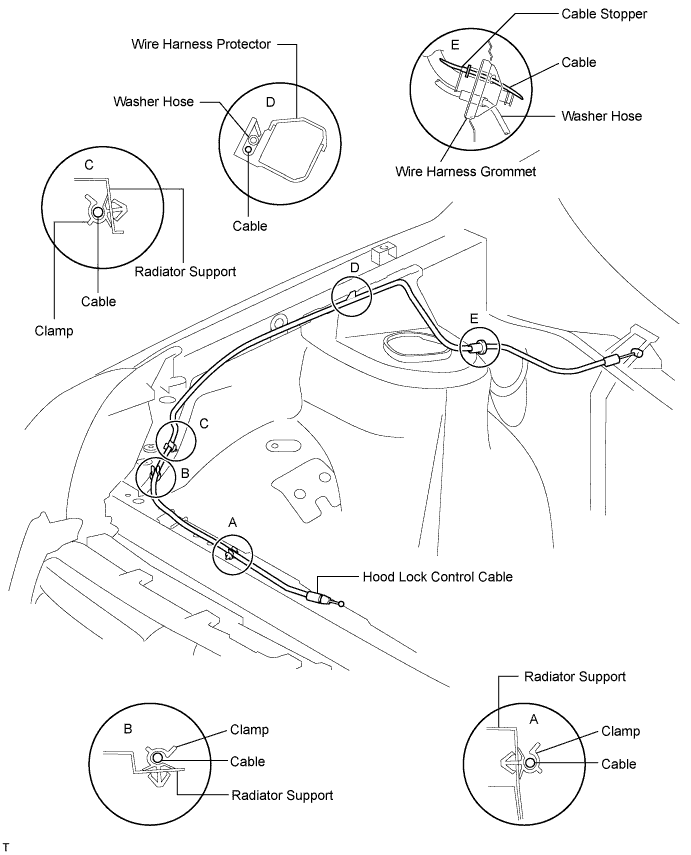
Remove the cable from the clamps, wire harness protector and wire harness grommet as shown in the illustration.