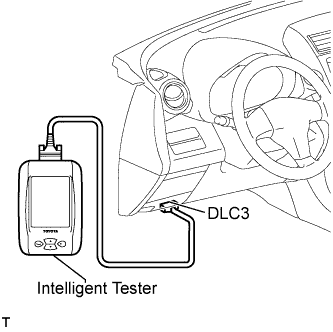
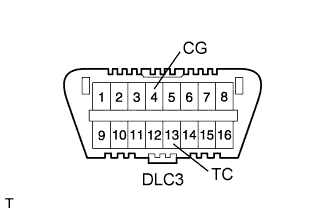
Using the SST, connect terminals TC (13) and CG (4) of the DLC3
- SST
- 09843-18040
Turn the ignition switch on (IG).
 |
w/o Multi-information display:
Read DTCs from the 4WD indicator light on the combination meter.
w/ Multi-information display:
Read DTCs from the 4WD indicator light and the multi-information display on the combination meter.
- HINT:
- If the 4WD indicator light does not blink, perform relevant troubleshooting procedures. The relevant troubleshooting procedures are in the sections listed in the table below.
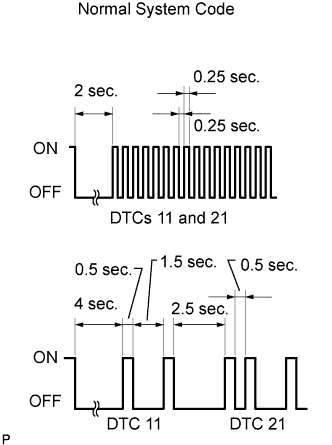
- If more than 1 DTC is detected at the same time, the DTCs will be displayed in numerical order.
- As an example, the blinking patterns of the normal system code and DTCs 11 and 21 are shown in the illustration.
- DTCs are explained in "DIAGNOSTIC TROUBLE CODE CHART" (Click here).
| Section Title | See Procedure |
| 4WD Indicator Light does not Come ON |
Click here
|
| TC and CG Terminal Circuit |
Click here
|