 |
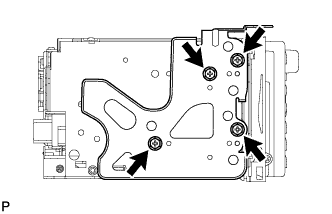
for 3ZR-FAE:
Install the No. 2 radio bracket to the navigation receiver with the 4 screws.
NAVIGATION RECEIVER (for DVD) > INSTALLATION |
| 1. INSTALL NO. 2 RADIO BRACKET |
|
for 3ZR-FAE:
Install the No. 2 radio bracket to the navigation receiver with the 4 screws.
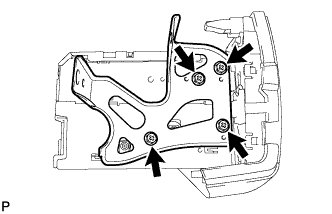 |
except 3ZR-FAE:
Install the No. 2 radio bracket to the navigation receiver with the 4 screws.
| 2. INSTALL NO. 1 RADIO BRACKET |
for 3ZR-FAE:
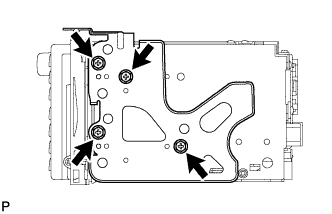 |
Install the No. 1 radio bracket to the navigation receiver with the 4 screws.
except 3ZR-FAE:
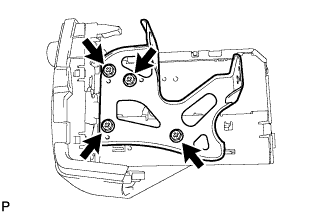 |
Install the No. 1 radio bracket to the navigation receiver with the 4 screws.
| 3. INSTALL INSTRUMENT CLUSTER FINISH PANEL ASSEMBLY (for 3ZR-FAE:) |
Attach the 4 claws to install the instrument cluster finish panel.
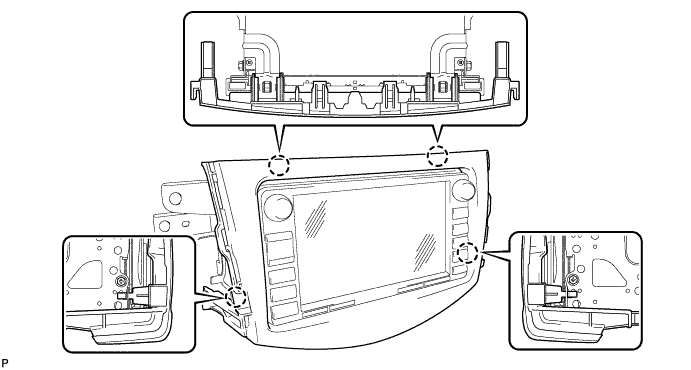
| 4. INSTALL NAVIGATION RECEIVER ASSEMBLY WITH BRACKET |
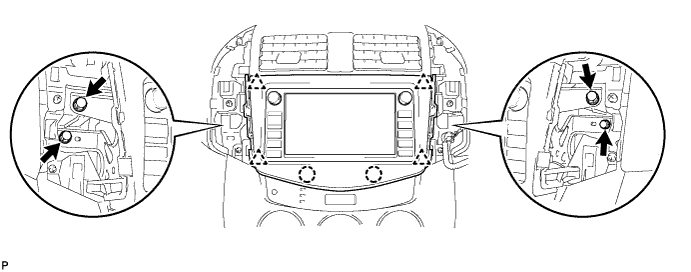
for 3ZR-FAE:
Connect all the connectors to install the navigation receiver.
Insert the navigation receiver to attach the 2 claws and 4 clips on its backside.
Install the 4 bolts.
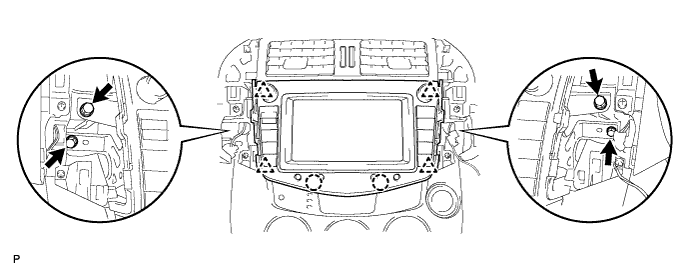
except 3ZR-FAE:
Connect all the connectors to install the navigation receiver.
Insert the navigation receiver to attach the 2 claws and 4 clips on its backside.
Install the 4 bolts.
| 5. INSTALL NO. 1 INSTRUMENT CLUSTER FINISH PANEL CENTER |
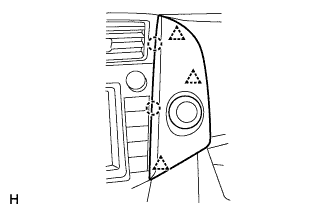 |
Connect the connector.
Attach the 3 clips and 2 claws to install the cluster finish panel.
| 6. INSTALL NO. 2 INSTRUMENT CLUSTER FINISH PANEL CENTER |
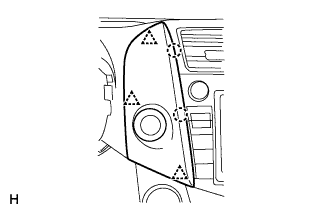 |
Connect the connector.
Attach the 3 clips and 2 claws to install the cluster finish panel.
| 7. CONNECT CABLE TO NEGATIVE BATTERY TERMINAL |