Switch to self-diagnostic mode.
Insert the key into the ignition key cylinder and remove it.
Within 5 seconds after the key is removed, insert it into the ignition key cylinder and then Turn the ignition switch to ON then off 1 time. (End in off)
Within 30 seconds of turning the ignition switch off, perform the following 9 times: Turn the ignition switch to ON then off. (End in off)
- HINT:
- Turning the ignition switch to ON after the procedure above has been completed will end the self-diagnostic mode.
- NOTICE:
- If the system fails to enter the self-diagnostic mode, the system will return to normal mode.
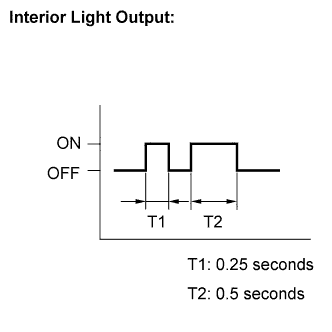 |
Check that the system has switched to self-diagnostic mode by checking the flashes of the interior light.
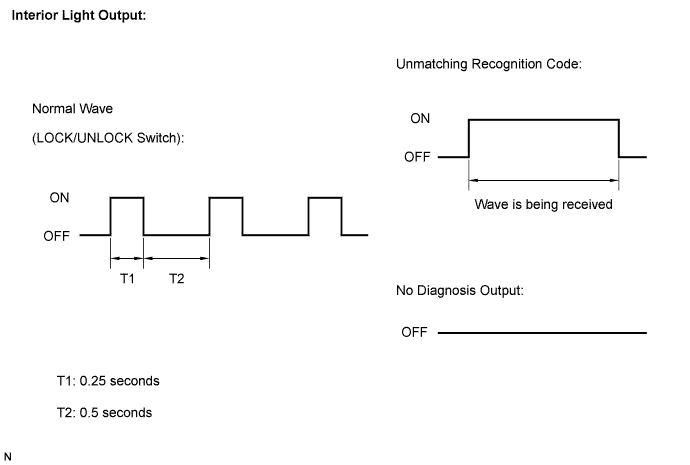
Check the diagnostic outputs when the door control transmitter switch is held down. The diagnostic outputs can be checked by the flashes of the interior light.