FRONT CONSOLE BOX > DISASSEMBLY |
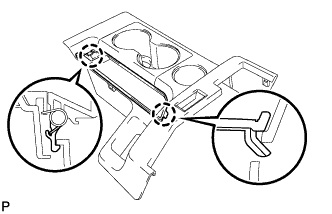
| 1. REMOVE CONSOLE BOX REAR COVER |
|
Disengage the 2 claws and remove the console box rear cover.
| 2. REMOVE INSTRUMENT PANEL CUP HOLDER ASSEMBLY |
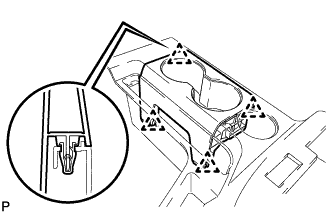 |
Disengage the 4 clips and remove the cup holder.
| 3. REMOVE CONSOLE REAR END PANEL SUB-ASSEMBLY |
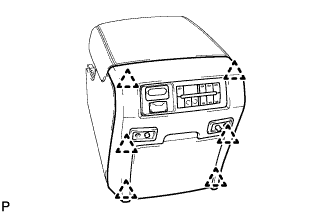 |
Disengage the 6 clips and separate the console rear end panel.
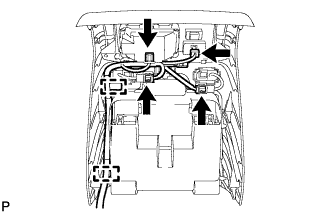 |
Disconnect the 4 connectors.
Disengage the 2 clamps and remove the console rear end panel.
| 4. REMOVE CONSOLE BOX BEZEL |
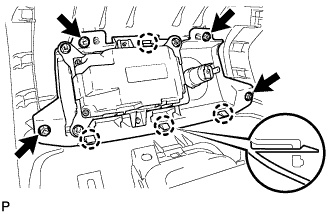 |
Remove the 4 screws.
Disengage the 4 claws and remove the console box bezel.
| 5. REMOVE CONSOLE REAR END PANEL GARNISH |
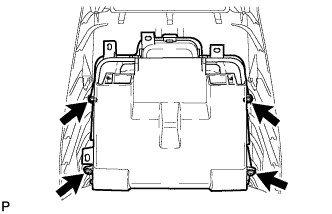 |
Remove the 4 screws and the console rear end panel garnish.
| 6. REMOVE CONSOLE COMPARTMENT DOOR CUSHION |
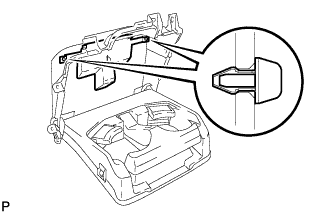 |
Remove the 2 cushions.
| 7. REMOVE CONSOLE COMPARTMENT DOOR SUB-ASSEMBLY |
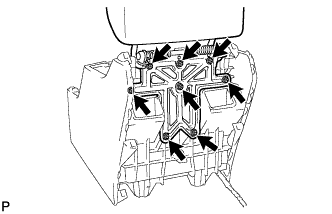 |
Remove the 8 screws and the console compartment door.
| 8. REMOVE CONSOLE BOX CUSHION |
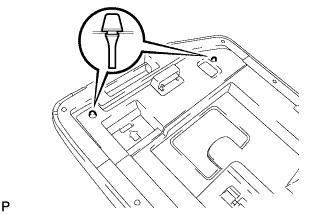 |
Remove the 2 cushions.
| 9. REMOVE CONSOLE BOX WIRE |
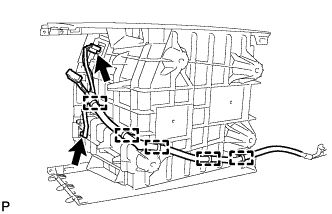 |
Disconnect the 2 connectors.
Disengage the 5 clamps and remove the console box wire.
| 10. REMOVE NO. 1 INTERIOR ILLUMINATION LIGHT ASSEMBLY |
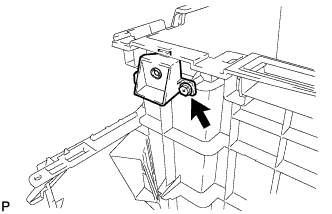 |
Remove the screw and the interior illumination light.
| 11. REMOVE CONSOLE BOX BEZEL |
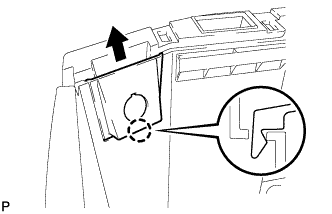 |
Disengage the claw and remove the console box bezel.
| 12. REMOVE POWER POINT SOCKET ASSEMBLY |
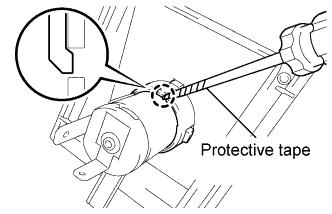 |
Using a screwdriver with its tip wrapped in protective tape, disengage the claw and remove the power outlet socket assembly.
| 13. REMOVE POWER OUTLET SOCKET COVER |
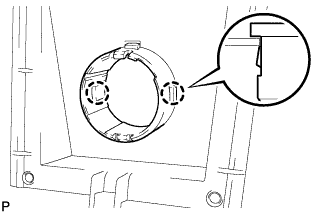 |
Disengage the 2 claw and remove the power outlet socket cover.
| 14. REMOVE CONSOLE BOX HOLDER HOOK (for Front Side) |
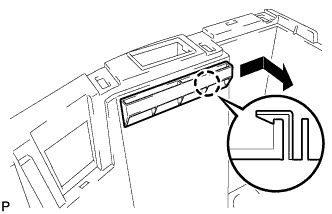 |
Disengage the claw and remove the console box holder hook.
| 15. REMOVE CONSOLE BOX HOLDER HOOK (for Rear Side) |
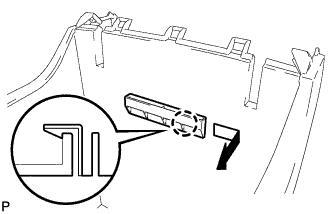 |
Disengage the claw and remove the console box holder hook.