| NG |  |
| RECONNECT CONNECTOR CORRECTLY |
DTC C0-40 Antenna not Connected |
DTC C0-41 Antenna Shorted |
| DTC Code | DTC Detection Condition | Trouble Area |
| C0-40 | Antenna is not connected. |
|
| C0-41 | Short in antenna circuit. |
| 1.CHECK CONNECTOR CONNECTION CONDITION |
Check that the satellite radio antenna cord assembly is securely connected to the radio receiver assembly connector.
|
| ||||
| OK | |
 |
| 2.CHECK ANTENNA CORD |
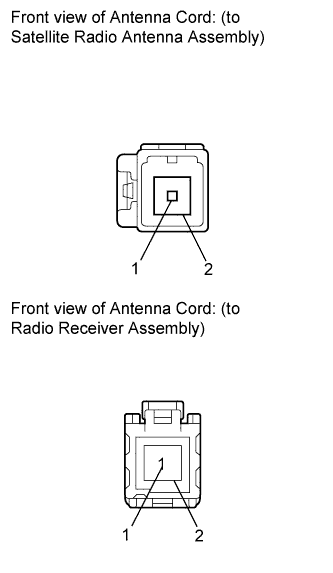 |
Disconnect the satellite radio antenna and radio receiver assembly connectors.
Measure the resistance according to the value(s) in the table below.
| Tester Connection | Condition | Specified Condition |
| 1 - 1 | Always | Below 1 Ω |
| 2 - 2 | Always | Below 1 Ω |
| 1 - Body ground | Always | 10 kΩ or higher |
| 2 - Body ground | Always | 10 kΩ or higher |
|
| ||||
| OK | |
|
| 3.INSPECT SATELLITE RADIO ANTENNA ASSEMBLY |
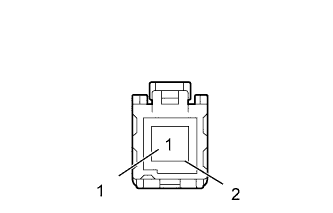 |
Remove the satellite radio antenna assembly .
Measure the resistance according to the value(s) in the table below.
| Tester Connection | Condition | Specified Condition |
| 1 - 2 | Always | 323 to 437 Ω |
|
| ||||
| OK | |
|
| 4.REPLACE RADIO RECEIVER ASSEMBLY |
Replace the radio receiver assembly with a normal one.
Clear the DTCs (Click here).
Recheck for DTCs and check if the same trouble occurs again.
|
| ||||
| OK | ||
 | ||
| ||