TIRE PRESSURE MONITORING TIRE PRESSURE WARNING SYSTEM INITIALIZATION
- NOTICE:
-
If any of the following procedures have been performed, initialize the tire pressure monitor.
- ·
Changed tire inflation pressure
·Rotated the tires
·Changed between summer tires and winter tires
·Changed the vehicle load state
·Replaced a tire or disc wheel
·Replaced a tire pressure warning valve and transmitter
INITIALIZATION OF TIRE PRESSURE MONITOR
Start the engine.
In Toyota Supra Command, enter the following menus: "My vehicle" / "Vehicle status" / "Tire Pressure Monitor" / "Tire settings"
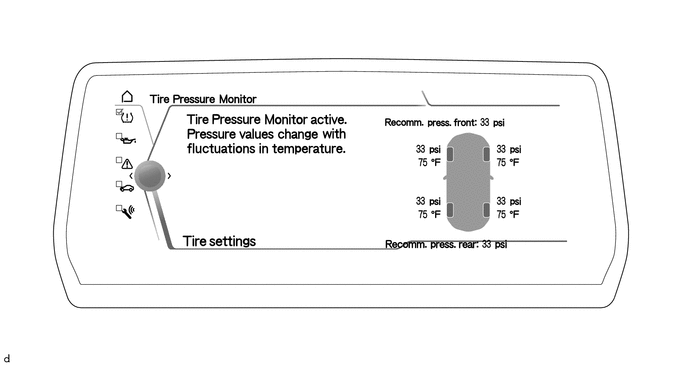
Set "Tire selection" to "Manual".
Select the type of tire using the menu items "Summer tires" or "Winter tires/all-season tires".
Select the size of the tires installed to the rear axle.
According to the load state of the vehicle, select "Partially loaded" or "Fully loaded".
Perform "Confirm settings".
Drive the vehicle until the tire inflation pressure measurement is completed.
- HINT:
- ·
Setup progress information is shown on the multi-display.
·Setup will complete after driving at 20 km/h (12 mph) or more for approximately 9 minutes.
·Driving can be interrupted at any time. When the vehicle is driven again, the setup will resume automatically.
When setup is completed, the tire display color changes to green and the tire pressures are displayed.
- HINT:
- ·
The actual tire inflation pressure changes depending on driving conditions, ambient temperature, etc.
·The specified tire inflation pressures that are displayed are appropriate values which take into account the effects of driving conditions and ambient temperature, so they may not match the values from the tire pressure information label on the driver's door pillar.