CRUISE CONTROL FRONT CAMERA INITIALIZATION
- HINT:
- ·
The forward recognition camera performs learning automatically, so calibration is not necessary when the forward recognition camera is removed or replaced.
·The following procedures should be performed only when the windshield glass has been replaced with a new one.
RESET FORWARD RECOGNITION CAMERA
- HINT:
-
Perform this procedure to reset the forward recognition camera and enter learning mode.
Using the diagnosis system, enter the following menus:
Vehicle management / Service functions / Driver assistance / Camera-based driver support systems / Reset calibration / ABL KAFAS: Reset calibration
Follow the instructions on the screen to reset the calibration.
DRIVE VEHICLE TO PERFORM FORWARD RECOGNITION CAMERA LEARNING
- CAUTION:
- ·
During calibration, the lane departure warning function cannot be used.
·The automatic high beam, frontal collision warning and speed limit information systems are only partially functional.
- HINT:
- ·
A new calibration can only be performed by driving the vehicle.
·By driving the vehicle, the forward recognition camera learning can be completed.
Start the engine and drive the vehicle for a certain period of time to complete the forward recognition camera learning.
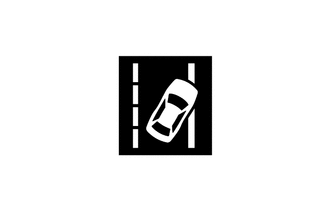
When driving the vehicle at a meter speed of 60 km/h or more, confirm that the lane departure warning indicator in the combination meter assembly illuminates in green.
When driving the vehicle at a meter speed of 60 km/h or more and a lane departure occurs, confirm that steering force is applied in the opposite direction of the lane departure, and that indicator display and steering wheel vibration operate.
Stop the engine.