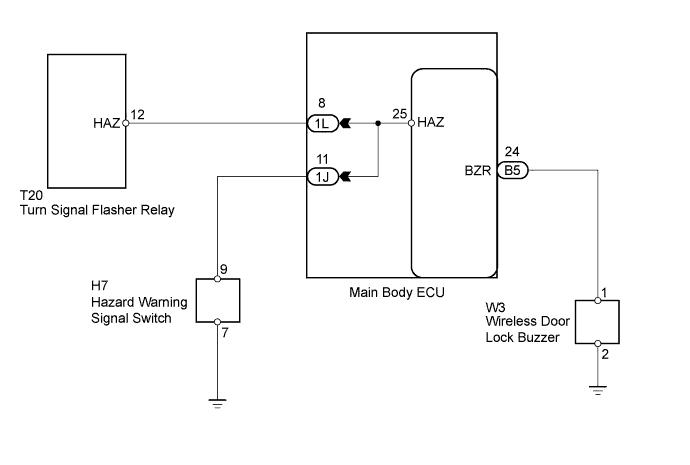
WIRELESS DOOR LOCK CONTROL SYSTEM > No Answer-Back |
| 1.CHECK WIRELESS DOOR LOCK CONTROL FUNCTIONS |
Check the wireless door lock control functions by operating the transmitter switch.
| Result | Proceed to |
| Wireless door lock functions are normal but wireless door lock buzzer answer-back does not occur | A |
| Wireless door lock functions are normal but hazard warning lights answer-back does not occur | B |
| Doors cannot be locked and unlocked with transmitter | C |
|
| ||||
|
| ||||
| A | |
 |
| 2.CHECK HARNESS AND CONNECTOR (WIRELESS DOOR LOCK BUZZER - MAIN BODY ECU AND GROUND) |
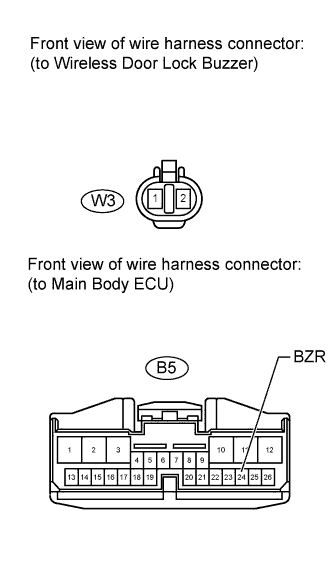 |
Disconnect the W3 wireless door lock buzzer connector.
Disconnect the B5 main body ECU connector.
Measure the resistance according to the value(s) in the table below.
| Tester Connection | Condition | Specified Condition |
| W3-1 - B5-24 (BZR) | Always | Below 1 Ω |
| W3-2 - Body ground | Always | Below 1 Ω |
| W3-1 or B5-24 (BZR) - Body ground | Always | 10 kΩ or higher |
Reconnect the wireless door lock buzzer connector.
Reconnect the main body ECU connector.
|
| ||||
| OK | |
|
| 3.REPLACE WIRELESS DOOR LOCK BUZZER |
Temporarily replace the wireless door lock buzzer with a new or normally functioning one (Click here).
Check that the buzzer sounds when using the transmitter LOCK and UNLOCK switches.
|
| ||||
| OK | ||
 | ||
| ||
