 |
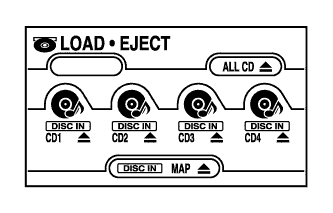
Press the CD eject switch in the display for 2 seconds or more and check that the CD ejects.
- OK:
- CD ejects.
NAVIGATION SYSTEM (for CrewMax) > CD cannot be Ejected |
| 1.PRESS ''EJECT'' AND CHECK OPERATION |
|
Press the CD eject switch in the display for 2 seconds or more and check that the CD ejects.
|
| ||||
| OK | |
 |
| 2.REPLACE CD WITH ANOTHER AND RECHECK |
Replace the CD with a normal one and check that the CD ejects.
|
| ||||
| OK | ||
 | ||
| ||
