Home › BODY ELECTRICAL › METER › METER / GAUGE SYSTEM

METER / GAUGE SYSTEM > CUSTOMIZE PARAMETERS

for Preparation Click here


CUSTOMIZING FUNCTION WITH TECHSTREAM

NOTICE:
  1. When the customer requests a change in a function, first make sure that the function can be customized.
  2. Be sure to make a note of the current settings before customizing.
  3. When troubleshooting a function, first make sure that the function is set to the default setting.

  1. Connect the Techstream to the DLC3.

  2. Turn the ignition switch ON.

  3. Turn the Techstream ON.

  4. Enter the following menus: Customize Setting.

  5. Select the setting by referring to the table below.

    Warning: 
    Display (Item)
    Default
    Contents
    Setting
    Key Remind Volume
    Large
    To change volume of key reminder buzzer
    Large / Medium / Small
    Key Remind Sound
    1200
    To change frequency of key reminder buzzer
    600 / 900 / 1200
    P-Seatbelt Warning Buzzer
    ON
    To change setting of passenger side seat belt warning buzzer
    ON / OFF


CUSTOMIZING FUNCTION WITH MULTI-INFORMATION DISPLAY (w/ Multi-information Display)


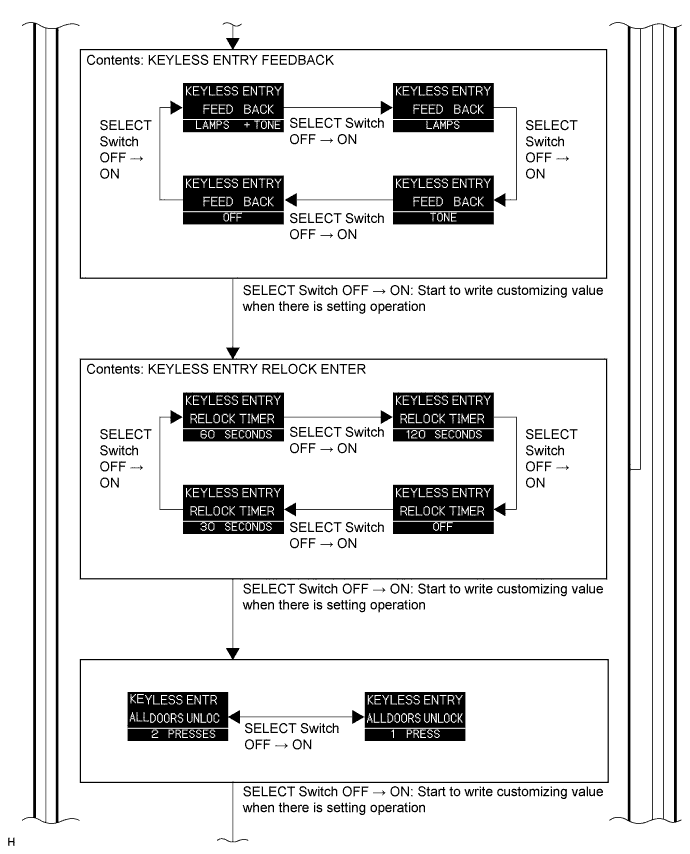
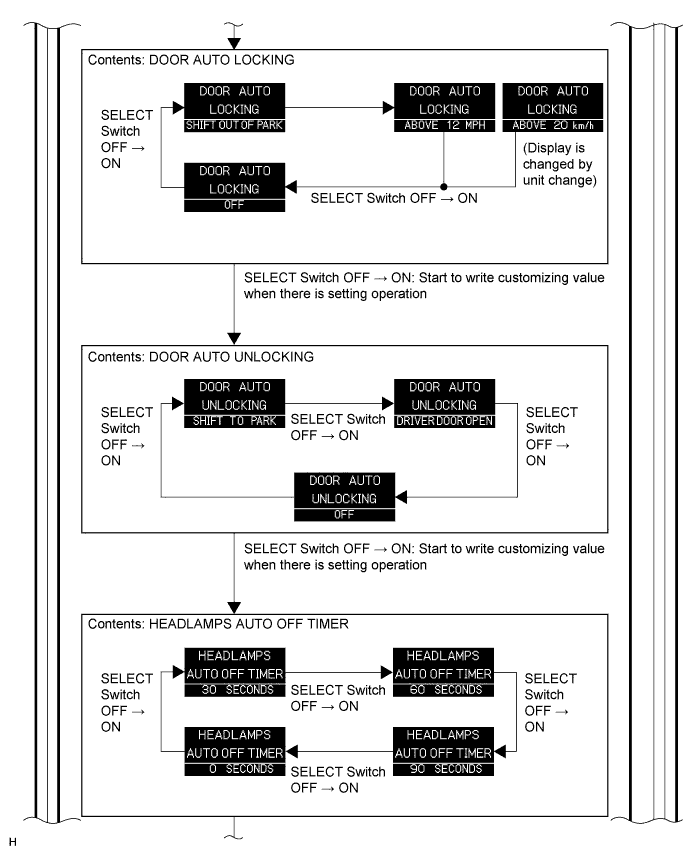
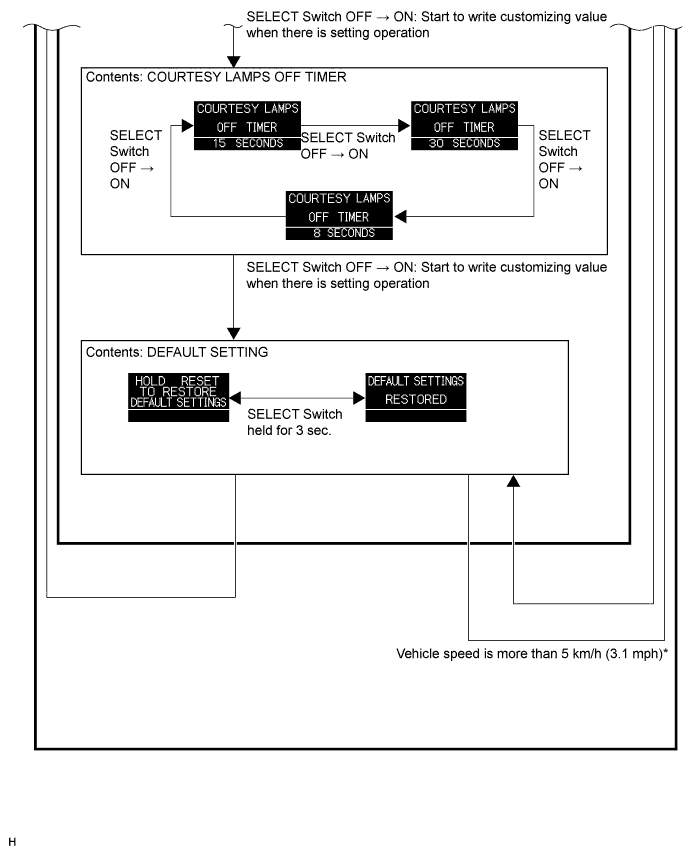
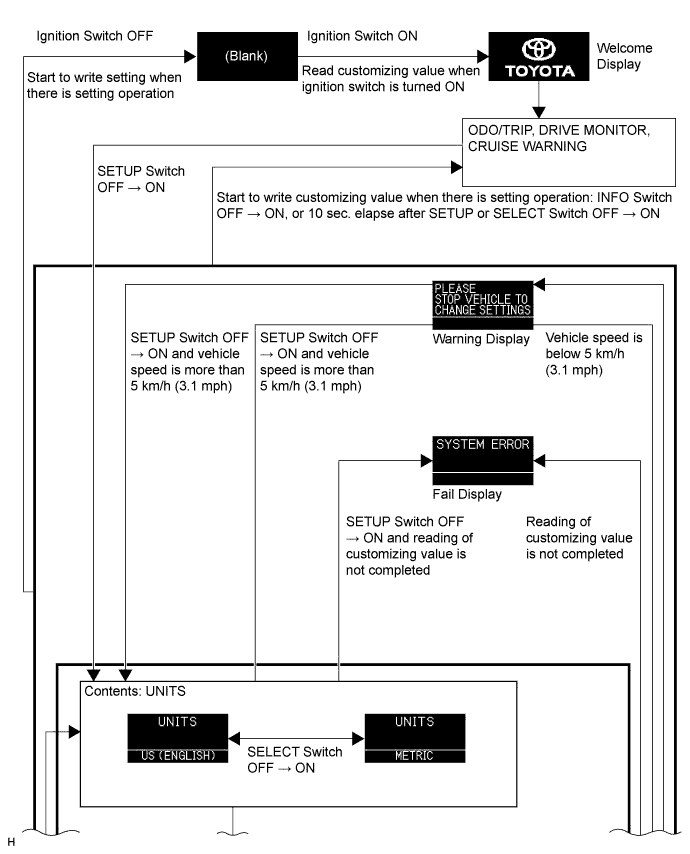
  1. Using the SETUP switch and SELECT switch, the following functions can be customized through the multi-information display. Refer to the illustration below.

    1. Unit setting
    2. Wireless door lock control system (answer-back function, automatic lock function, 2-step unlock function)
    3. Power door lock control system (automatic door lock function, automatic door unlock function)
    4. Lighting system (auto light turn off function)
    5. Default setting (customize setting cancel function)
    E144059E01


    E144060E01


    E145767E01


    E144061E01

    HINT:
    *: When setting change operation is performed by SELECT switch, writing of customized value must be performed.