 |
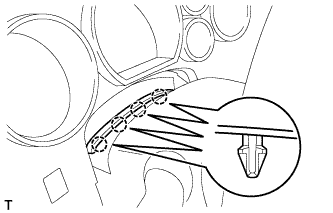
Detach the 4 claws.
DRIVE MONITOR SWITCH > REMOVAL |
| 1. REMOVE INSTRUMENT CLUSTER FINISH PANEL ASSEMBLY |
|
Detach the 4 claws.
 |
for Column Shift Type:
Move the shift lever to the S position.
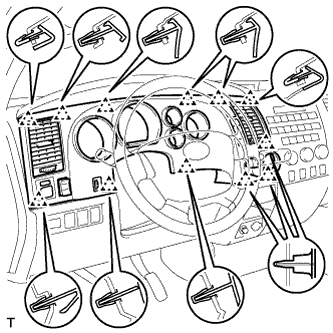
Detach the 12 clips.
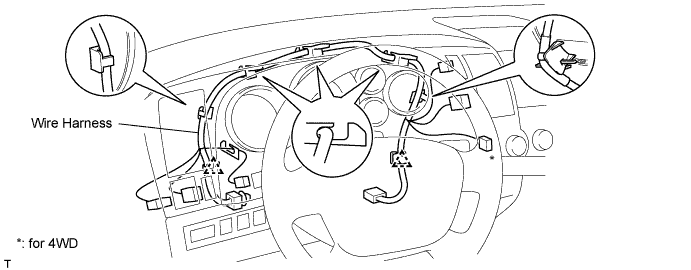
Disconnect the connectors and clamps.
Remove the wire harness from the slots, and then remove the finish panel.
| 2. REMOVE DRIVE MONITOR SWITCH |
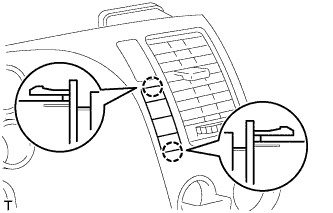 |
Detach the 2 claws and remove the monitor switch.