INNER REAR VIEW MIRROR > CALIBRATION |
| SELECT COMPASS DISPLAY MODE |
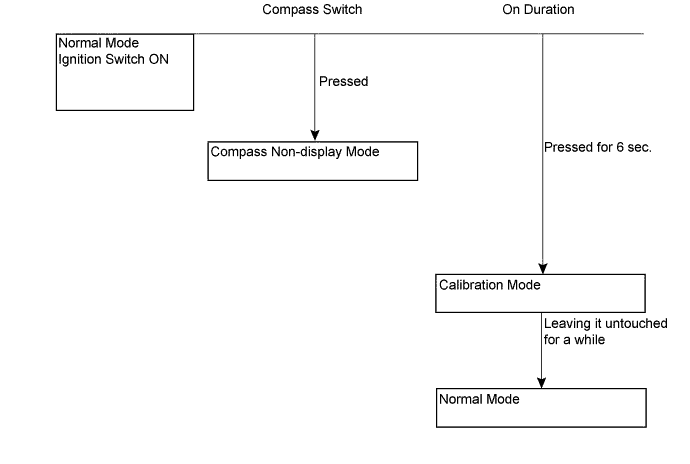
The compass switch allows you to select the Display or Non-display mode of the compass.
| PERFORM CALIBRATION |
As each vehicle has its own magnetic field, calibration should be performed for each individual vehicle. This compass function is used when storing the record of the vehicle's magnetic field.
| WHEN COMPASS IS MAGNETIZED |
A compass could be magnetized during shipping by vessels or freight cars. Therefore, make sure to perform calibration and ensure that calibration is performed properly before delivery. If this cannot be done (cannot be completed in spite of driving around several times), it may be caused by magnetization. Demagnetize the vehicle using a demagnetizer and perform calibration again.
| SET COMPASS |
| CALIBRATION SETTING MODE |
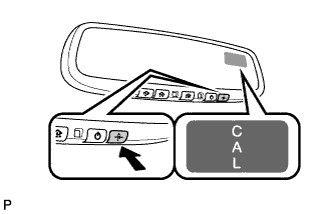 |
Pressing the compass switch for 6 seconds in the normal mode will activate the calibration setting mode. "CAL" is displayed on the compass display.
Drive the vehicle at a slow speed of 8 km/h (5 mph) or less in a circular direction.
Driving in a circle 1 to 3 times will display the azimuthal direction on the display, completing the calibration.