 |
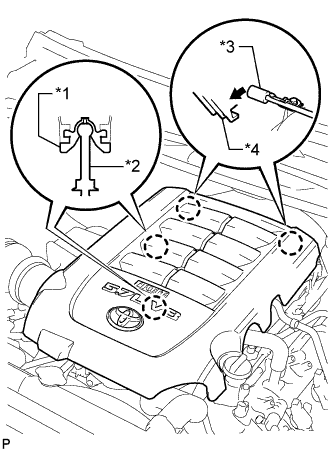
Raise the front of the V-bank cover sub-assembly to detach the 2 pins. Then remove the 2 V-bank cover hooks from the No. 1 V-bank cover bracket, and remove the V-bank cover sub-assembly.
| *1 | V-bank Cover Grommet |
| *2 | Pin |
| *3 | No. 1 V-bank Cover Bracket |
| *4 | V-bank Cover Hook |