POWER STEERING SYSTEM (for Hatchback) > TEST MODE PROCEDURE |
| ENTER TEST MODE |
Turn the ignition switch off.
Connect the Techstream to the DLC3.
Start the engine.
Turn the Techstream on.
Enter the following menus: Chassis / EMPS / Utility / Signal Check.
| CHECK TEST MODE DISPLAY |
![]() |
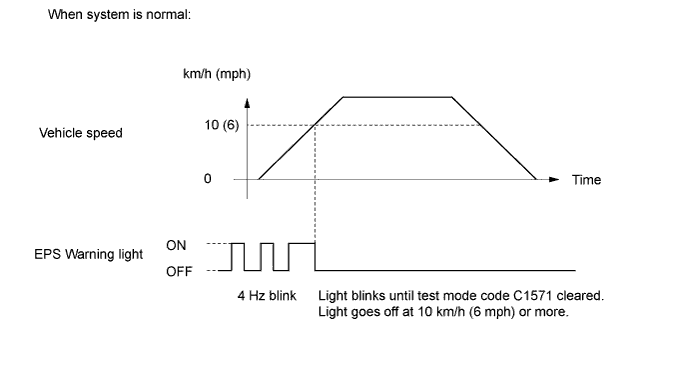
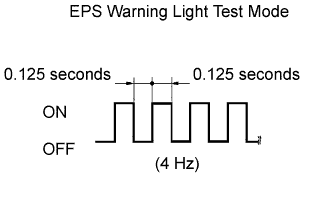
The EPS warning light blinks as shown on the left when test mode is entered.
| CHECK VEHICLE SPEED SIGNAL (w/o ABS) |
Drive the vehicle until the vehicle speed reaches 10 km/h (6 mph) or more.

| READ TEST MODE CODE |
Check the DTCs in test mode.
| Test Mode DTC | Test Signal | Test Mode DTC Clear Condition | Trouble areas |
| C1571 | Vehicle speed check | Vehicle speed 10 km/h (6 mph) or more | If the DTC cannot be cleared, any of the following areas may be malfunctioning:
|
| END OF TEST MODE |
Return to normal mode by following the instructions on the tester screen.
Turn the ignition switch off and disconnect the tester.