METER / GAUGE / DISPLAY METER / GAUGE SYSTEM DETAILS COMBINATION METER
FUNCTION
Buzzer
The table below shows the warning and reminder functions of the buzzer in the combination meter assembly.
|
*1: Models for G.C.C. countries *2: Models with smart entry and start system *3: Models without smart entry and start system *4: Models with CVT *5: Models with color type multi-information display |
|
| Priority | Item |
| 1 | Driver Seat Belt Warning (Maximum 5 times)*1 |
| 2 | Smart Entry and Start System Warning (Intermittent)*2 |
| 3 | Door Open when Shift Lever not in P Warning*2 |
| 4 | Driver Seat Belt Warning (Once)*1 |
| 5 | Front Seat Belt Warning (Level 2) |
| 6 | Front Seat Belt Warning (Level 1) |
| 7 | Key Reminder*3 |
| 8 | Brake Fluid Low Warning |
| 9 | EPS Warning (Intermittent) |
| 10 | Engine Switch Operation while Driving Warning*2 |
| 11 | Parking Brake Engaged Warning |
| 12 | Speed Warning*1 |
| 13 | Engine Oil Pressure Warning |
| 14 | Door Open while Driving Warning |
| 15 | Smart Entry and Start System Warning (Intermittent, Maximum 9 Times)*2 |
| 16 | Engine Start while Driving Notice*2 |
| 17 | Sport Shift Reject Warning*4 |
| 18 | EPS Warning (Once) |
| 19 | Engine Coolant Temperature Warning |
| 20 | Multi-information Display Warning*5 |
| 21 | Engine Malfunction Warning |
| 22 | Light Reminder |
| 23 | Smart Entry and Start System Warning (Once)*2 |
| 24 | Immobiliser Certification Reminder*2 |
| 25 | Turn Signal/Hazard Warning Operation |
Multi-information Display (Models with Color Type Multi-information Display)
Display Function Flow
The multi-information display can be switched as shown in the flow chart below:
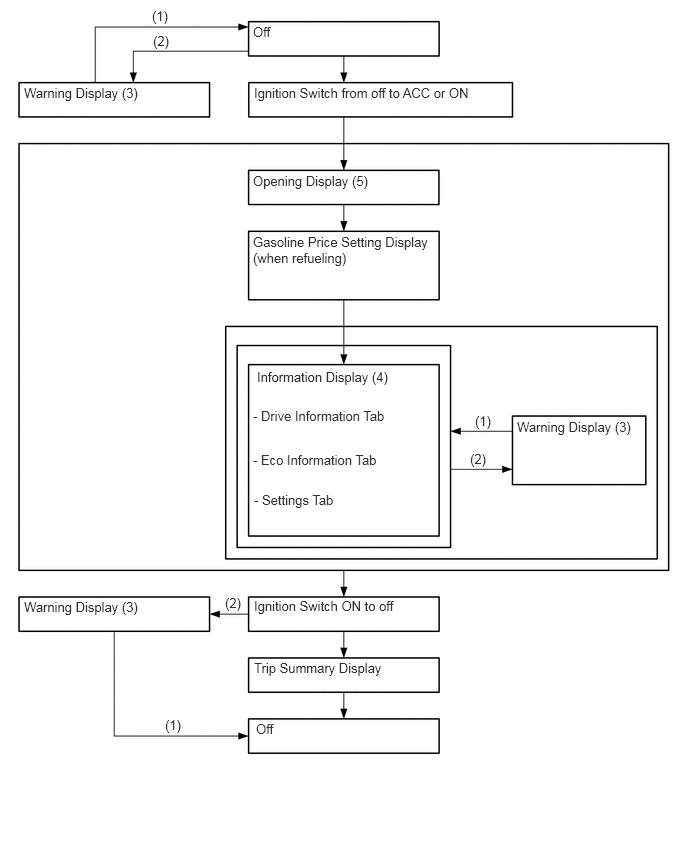
| Item | Display Change Condition |
|---|---|
| (1) | Conditions are not met. |
| (2) | Conditions are met. |
| (3) | If there are multiple display requests, items will be displayed in sequence. |
| (4) | Item or display is selected by operating the steering pad switch assembly. |
| (5) | After engine start. |
Display Tab Operation
The information currently displayed can be changed using the RIGHT/LEFT switch of the steering pad switch assembly.
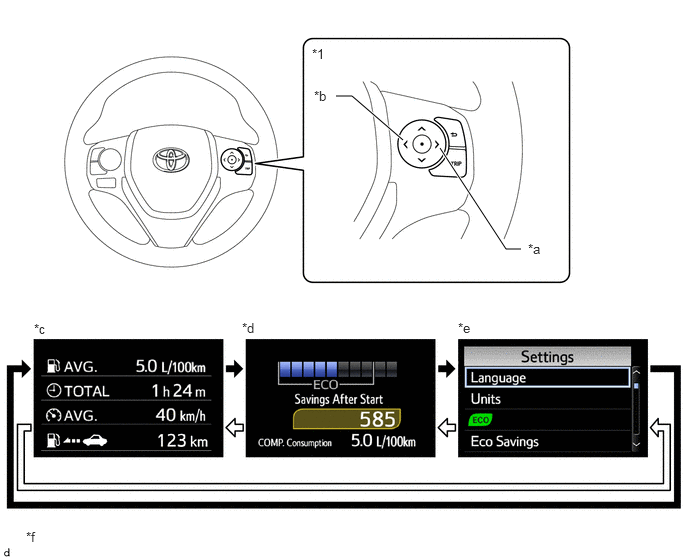
| *1 | Steering Pad Switch Assembly | - | - |
| *a | RIGHT Switch | *b | LEFT Switch |
| *c | Drive Information Tab | *d | Eco Information Tab |
| *e | Settings Tab | *f | The illustrations shown are examples only. The illustrations may differ from the actual vehicle screen. |

|
RIGHT Switch Operation | 
|
LEFT Switch Operation |
Drive Information
The drive information tab shows vehicle information such as drivable range and fuel consumption.
The drive information display can be changed using the UP/DOWN switch of the steering pad switch assembly.
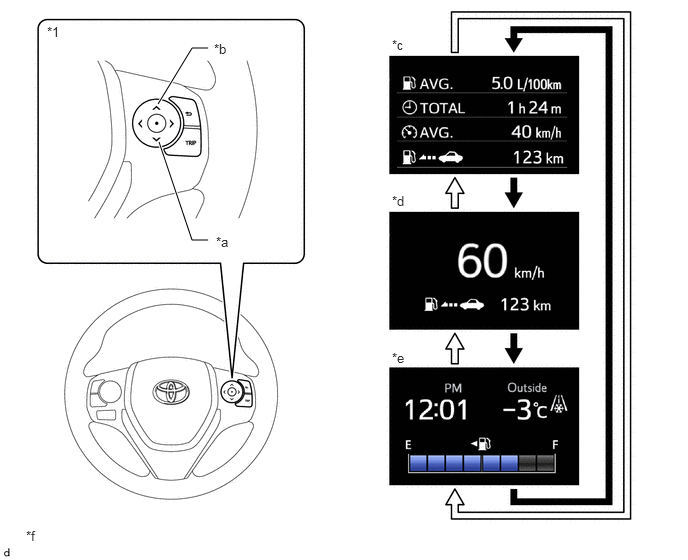
| *1 | Steering Pad Switch Assembly | - | - |
| *a | DOWN Switch | *b | UP Switch |
| *c | Drive Information | *d | Digital Speed Meter |
| *e | Simplified View | *f | The illustrations shown are examples only. The illustrations may differ from the actual vehicle screen. |
|
|
DOWN Switch Operation |
|
UP Switch Operation |
The table below shows the drive information tab function:
| Display Mode | Outline |
|---|---|
| Drive Information | The following items can be displayed:
·
Average Fuel Consumption ·
Elapsed Time ·
Average Vehicle Speed ·
Cruising Range |
| Digital Speed Meter | Displays the current vehicle speed and cruising range. |
| Simplified View | Displays the clock, outside temperature and fuel gauge in content display area of multi-information display. |
Eco Information
The Eco information tab shows vehicle information such as fuel consumption.
The Eco information display can be changed using the UP/DOWN switch of the steering pad switch assembly.
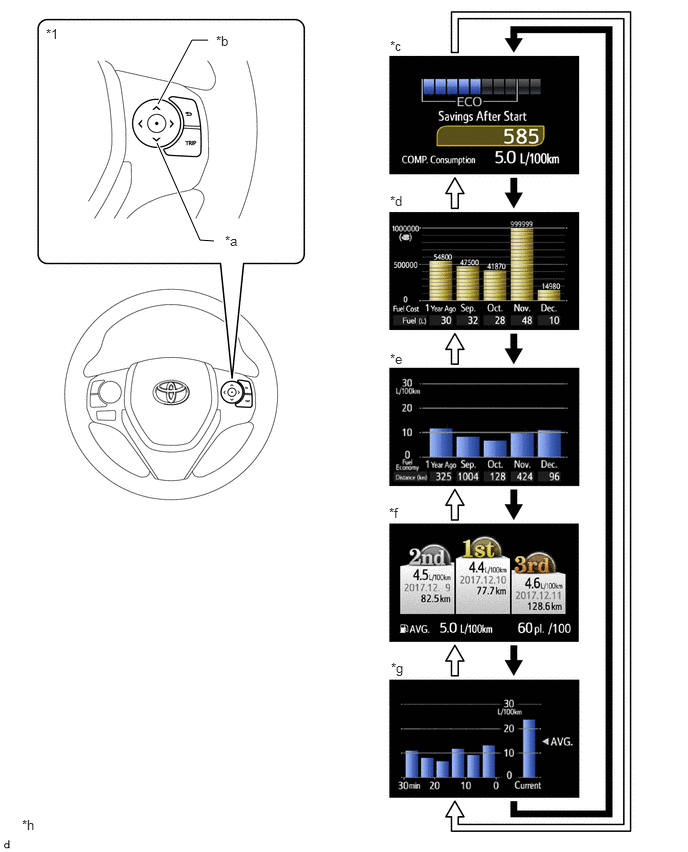
| *1 | Steering Pad Switch Assembly | - | - |
| *a | DOWN Switch | *b | UP Switch |
| *c | Eco Savings | *d | Eco Savings Record |
| *e | Past Record (Monthly Avg.) | *f | Ranking |
| *g | 5 min Consumption/1 min Consumption | *h | The illustrations shown are examples only. The illustrations may differ from the actual vehicle screen. |
|
|
DOWN Switch Operation |
|
UP Switch Operation |
The table below shows the Eco information tab function:
| Display Mode | Outline |
|---|---|
| Eco Savings | ·
Displays the estimated consumed fuel cost and reduced fuel cost compared to the target vehicle information set by the user. ·
The fuel price and target vehicle fuel efficiency value for Eco savings calculation can be changed via the Eco savings of setting tab. ·
Eco savings is linked with the odometer, and can display information for the period since the ignition switch was turned ON, for TRIP A, or for TRIP B. ·
Displays the Eco Drive Indicator Zone Display. |
| Eco Savings Record | ·
The gasoline consumption cost for the current month, last month, 2 months ago, 3 months ago and 1 year ago is displayed with bar graphs, and the monthly fuel consumption amounts are shown by quantity. ·
The difference of the gasoline consumption costs between the driver's vehicle and comparison vehicle for the current month, last month, 2 months ago, 3 months ago and 1 year ago is displayed with bar graphs, and the monthly fuel consumption amounts are shown by quantity. ·
Display of the difference of the gasoline consumption is enabled when Eco savings of settings tab is applied. |
| Past Record (Monthly Avg.) | ·
The monthly average fuel consumption for the current month, last month, 2 months ago, 3 months ago and 1 year ago is displayed with bar graphs. ·
The monthly travel distances are also displayed. |
| Ranking | ·
The average fuel consumption performances are ranked in the 1st, 2nd and 3rd among the records, and the respective fuel efficiency value, date and travel distance are also displayed. ·
In addition, when the current performance is within the top 100, the current rank is shown. If the performance is ranked outside the top 100, "Outside Ranking" is displayed. |
| 5 min Consumption/1 min Consumption | ·
The average fuel consumption, at 5 minute intervals or 1 minute intervals, is calculated from the distance the vehicle has traveled for 5 minutes or 1 minute and the amount of fuel the vehicle has consumed for that travel distance, and the calculation result is expressed with bar graphs. ·
The current fuel consumption is calculated by the combination meter assembly based on the distance driven and the volume of fuel consumed, and the calculation result is expressed with bar graphs. |
Settings Tab
The items displayed on the multi-information display can be customized.
The items can be selected on the information setting screen.

| *a | The illustrations shown are examples only. | - | - |
| Item | Available Setting |
|---|---|
| Language | The language used on the multi-information display can be changed:
·
English ·
ARABIC |
| Unit | The unit displayed on the multi-information display can be changed:
·
Km/L ·
L/100 km |
| Eco Driving Indicator Light | The Eco Drive Indicator Light can be changed:
·
On ·
Off |
| Eco Savings | ·
The fuel price can be changed. ·
The fuel consumption of a comparison vehicle can be changed. |
| Adjust Brightness | The brightness of the meter can be adjusted in 22 levels. |
| Pop-UP Guidance | The pop-up guidance can be changed:
·
On ·
Off |
| Date | The date can be adjusted. |
| Trip Summary Display | The trip summary display can be changed:
·
On ·
Off |
| Initialisation | The set items can be initialized. |
Warning Message
When a warning is necessary, the warning display interrupts the current display on the multi-information display.
The master warning light may illuminate or blink and the buzzer in the combination meter assembly may sound depending on the item displayed on the multi-information display.
| Priority | Display | Master Warning Light | Buzzer |
|---|---|---|---|
| 1 | Push and Hold ENGINE Switch for Emergency Stop | Blinks | Sounds |
| Shift to N Position and Push ENGINE Switch to Restart | Blinks | Sounds | |
| 2 | Braking Power Low Stop in a Safe Place See Owner's Manual | Illuminates | Sounds |
| 3 | Shift to P Position When Parked | Blinks | Sounds |
| Door open while driving (Image display) | Blinks | Sounds | |
| Door open (Image display) | - | - | |
| 4 | Auto Power Off to Conserve Battery | - | - |
| 5 | Power Steering Malfunction Steering Power Low Visit Your Dealer | Illuminates | Sounds |
| Steering Power Low Visit Your Dealer | Illuminates | Sounds | |
| Power Steering Malfunction Visit Your Dealer | Illuminates | Sounds | |
| Key Not Detected Check Key Location | - | Sounds | |
| 6 | Speed Limit Exceeded | Illuminates | Sounds |
| 7 | Check Engine Reduced Engine Power Visit Your Dealer | Illuminates | Sounds |
| Check Engine Visit Your Dealer | Illuminates | Sounds | |
| Reduced Engine Power Visit Your Dealer | Illuminates | Sounds | |
| Engine Maintenance Required Visit Your Dealer | Illuminates | Sounds | |
| SRS Airbag System Malfunction Visit Your Dealer | Illuminates | Sounds | |
| Antilock Brake System Malfunction Visit Your Dealer | - | Sounds | |
| Engine Coolant Temp. High Stop in a Safe Place See Owner's Manual | Illuminates | Sounds | |
| Charging System Malfunction Stop in a Safe Place See Owner's Manual | - | - | |
| Entry & Start System Malfunction See Owner's Manual | Illuminates | - | |
| Cruise Control Malfunction Visit Your Dealer | Illuminates | Sounds | |
| Oil Pressure Low Stop in a Safe Place See Owner's Manual | Illuminates | Sounds | |
| 8 | Engine Stopped Steering Power Low | Illuminates | Sounds |
| Turn Power Off | Blinks | Sounds | |
| Key Detected in Vehicle | Blinks | Sounds | |
| Depress Brake Pedal and Touch ENGINE Switch with Key | Blinks | Sounds | |
| Depress Brake Pedal and Push ENGINE Switch to Start | - | -/Sounds* | |
| 9 | Push ENGINE Switch while Turning Steering Wheel in Either Direction | Blinks | Sounds |
| 10 | Key Battery Low Replace Key Battery | - | Sounds |
| 11 | Traction Control Turned Off | - | - |
| Depress Brake Pedal and Push ENGINE Switch to Start | - | - |
- HINT:
-
*: Depending on the abnormality, the buzzer may sound.
Multi-information Display (Models with Monochrome Type Multi-information Display)
The monochrome type multi-information display can indicate as below:
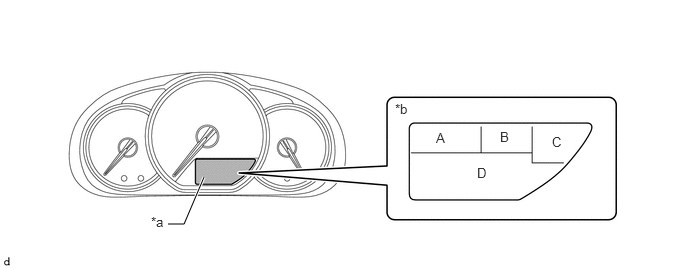
| *a | Multi-information Display | *b | Display Area |
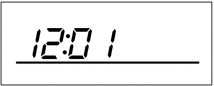
Display Area A
| Display | Display Item | Outline |
|---|---|---|
|
Clock Display | The clock is always displayed. |
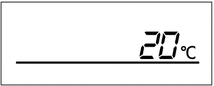
Display Area B
| Display | Display Item | Outline |
|---|---|---|
|
Outside Temperature Display | The outside temperature is always displayed. |
Display Area C (Models with CVT)
| Display | Display Item | Outline |
|---|---|---|

|
Shift Position Indicator Display | Displays the shift position. |
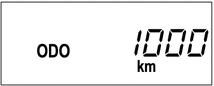
Display Area D
| Display | Display Item | Outline |
|---|---|---|
|
*1: Models with drive information display function *2: Models with dimming mode display function *3: Models with CVT |
||
|
Odometer Display | Displays the odometer. |
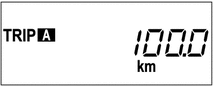
|
Trip Meter A Display | Displays the trip meter A. |
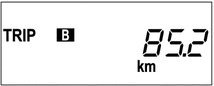
|
Trip Meter B Display | Displays the trip meter B. |
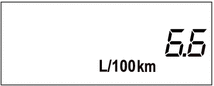
|
Instantaneous Fuel Consumption Display*1 | ·
Displays the value that has been calculated by the combination meter assembly, which is based on the distance driven and the fuel consumption volume. ·
The displayed units can be changed. ·
This display is updated constantly. |
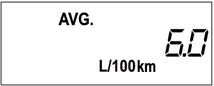
|
Average Fuel Consumption Display*1 | ·
Displays the value that has been calculated by the combination meter assembly, which is based on the distance driven since the counter was reset and the fuel consumption. ·
The combination meter assembly resets the value when determining that the vehicle has been refueled according to the signal from the fuel sender gauge. ·
This display is updated every 10 seconds. |
|
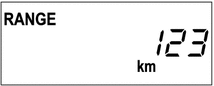
Drivable Distance Display*1 | ·
Displays the value that has been calculated by the combination meter assembly, which is based on the elapsed time and distance driven after the ignition switch has been turned to ON. ·
This display is updated every 10 seconds. |
|
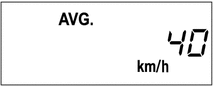
Average Vehicle Speed Display*1 | ·
Displays a value that has been calculated by the combination meter assembly based on the vehicle speed signal and the elapsed time since the counter was reset. ·
This display is updated every 10 seconds. |
|
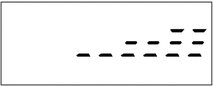
Dimmer Mode Display*2 | Adjusts the meter luminance. |
|
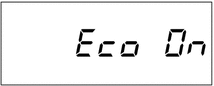
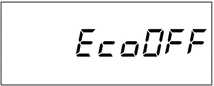
Eco Driving Indicator Light Customizing*3 | Displays the customized Eco Driving Indicator Light. |
|
Fuel Consumption Display Customizing Display*1 | Units of fuel consumption display can be changed. |
Switching the Multi-information Display Function
The display area D changes in the order shown below by pressing the ODO/TRIP DISP switch.
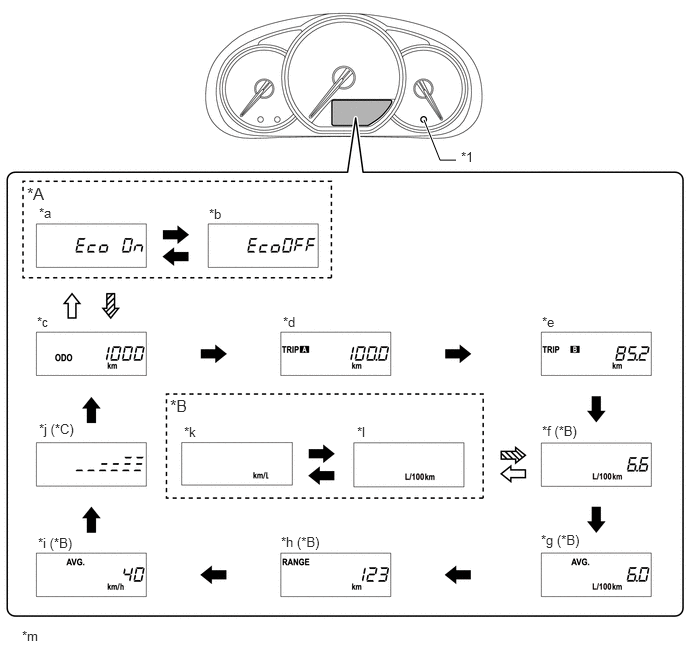
| *A | Models with CVT | *B | Models with Drive Information Display Function |
| *C | Models with Dimming Mode Display Function | - | - |
| *1 | ODO/TRIP DISP Switch | - | - |
| *a | Eco Driving Indicator Light Customizing Display: Eco On | *b | Eco Driving Indicator Light Customizing Display: Eco Off |
| *c | Odometer Display | *d | Trip Meter A Display |
| *e | Trip Meter B Display | *f | Instantaneous Fuel Consumption Display |
| *g | Average Fuel Consumption Display | *h | Drivable Distance Display |
| *i | Average Vehicle Speed Display | *j | Dimmer Mode Display |
| *k | Fuel Consumption Display Customizing Display: km/L | *l | Fuel Consumption Display Customizing Display: L/100 km |
| *m | The illustrations shown are examples only. | - | - |
|
|
Pressing the ODO/TRIP DISP switch. |
|
Pressing the ODO/TRIP DISP switch for approximately 5 seconds. |

|
Pressing the ODO/TRIP DISP switch for approximately 2 seconds. | - | - |
Dimming Mode Display Function (Models with Dimming Mode Display Function)
The brightness level of the combination meter assembly can be displayed on the multi-information display to adjust the meter luminance.
While the dimming mode is displayed, the brightness of the meter can be changed by pressing the ODO/TRIP DISP switch for 1 second or more. The brightness of the meter can be adjusted in 5 levels.
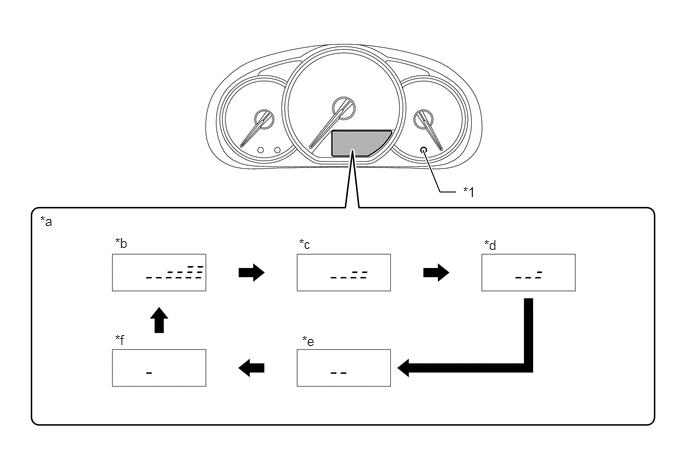
| *1 | ODO/TRIP DISP Switch | - | - |
| *a | Meter Brightness | *b | 100% |
| *c | 75% (When taillight on: 25%) | *d | 50% (When taillight on: 12.5%) |
| *e | 25% (When taillight on: 4%) | *f | 12.5% (When taillight on: 1%) |