Home › Restraint › Troubleshooting

B1400 Satellite driver side sensor defect

CIRCUIT INSPECTION (DUAL STAGE AIRBAG)
DTC
B1400 Side impact sensor driver side defect
B1403 Side impact sensor passenger side defect
B1409 Side impact sensor driver communication error
B1410 Side impact sensor passenger communication error
B1414 Side impact sensor driver side wrong ID
B1415 Side impact sensor passenger side wrong ID

CIRCUIT DESCRIPTION
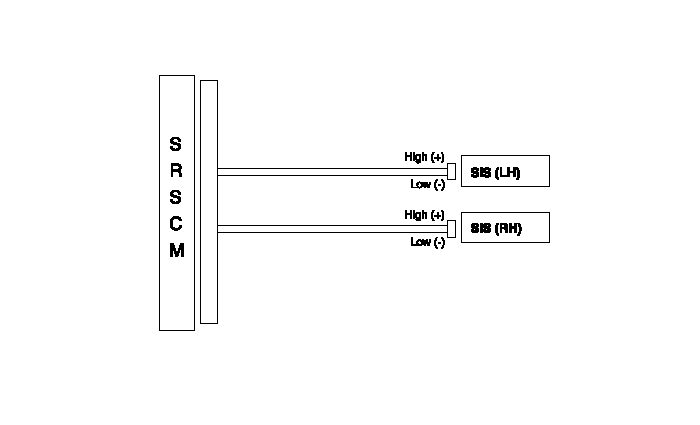
WIRING DIAGRAM

INSPECTION PROCEDURE
1.
Preparation
A.
Disconnect the negative (-) terminal cable from the battery, and wait at least 30 seconds.
B.
Remove the DAB module.
C.
Disconnect the connectors of the PAB, left and right side airbags, belt pretensioners and satellite sensors.
D.
Disconnect the SRSCM connector.
Place the DAB with the front surface facing upward.
2.
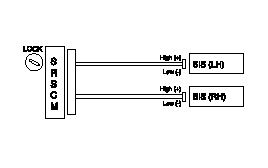
Check side impact sensor circuits (Communication error).

[PREPARATION]
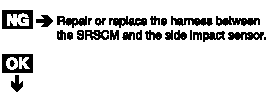
Check side impact sensor continuity between sensor SRSCM connector and both side impact connector's high (+) and low (-) sides.
OK : Continuity

3.
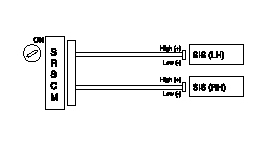
Check the side impact sensor (Defect).
A.
Turn the ignition switch to LOCK.
B.
Disconnect the negative (-) terminal cable from the battery, and wait for 30 seconds.
C.
Connect the side impact sensor connector.
D.
Connect the negative (-) terminal cable to the battery, and wait for 30 seconds.

A.
Turn the ignition switch to ON, and wait for at least 30 seconds.
B.
Clear the malfunction code stored in the memory of the Hi-Scan Pro.
C.
Turn the ignition switch to LOCK, and wait for 30 seconds.
D.
Turn the ignition switch to ON, and wait for 30 seconds.
E.
Using the Hi-Scan Pro, check for DTCs.
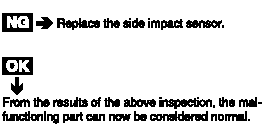
There is no DTC.
[HINT]
Codes other than these may be output at this time, but they are not relevant to this check.