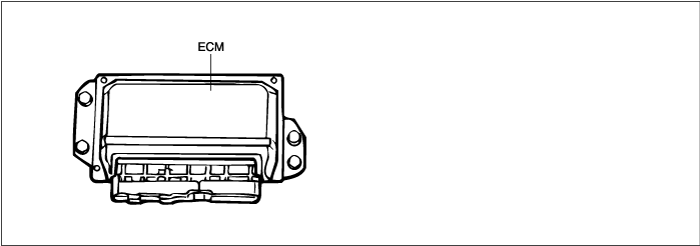
| COMPONENT LOCATION |
| GENERAL DESCTIPTION |
| DTC DESCRIPTION |
| DTC DETECTING CONDITION |
| Item |
Detecting
Condition |
Possible
cause |
| Monitoring
Strategy |
● Signal
check |
●
Contact resistance in connectors ● Faulty PCM |
| Threshold
value |
● Duty cycle
from TCU < 12.5 % or >99.6 % | |
| Enable
Conditions |
● Torque
reduction status enabled | |
| Diagnostic
Time |
● 20
sec | |
| Fail
Safe |
| MONITOR SCANTOOL DATA |
| 1. |
Connect scantool to Data Link
Connector(DLC). |
| 2. |
Warm up the engine to normal operating
temperature. |
| 3. |
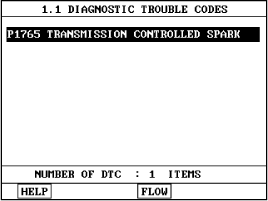
Monitor DTC(Diagnostics Trouble Code) on the
scantool.
|
| 4. |
Is the same DTC displayed again?
▶ Go to "W/Harness Inspection"
procedure
▶ Fault is intermittent caused by poor contact
in the sensor’s and/or PCM’s connector or was repaired and PCM
memory was not cleared. Thoroughly check connectors for looseness,
poor connection, bending, corrosion, contamination,deterioration, or
damage. Repair or replace as necessary and then go to "Verification
of Vehicle Repair" procedure. |


| TERMINAL & CONNECTOR INSPECTION |
| 1. |
Many malfunctions in the electrical system are
caused by poor harness and terminals. Faults can also be caused by
interference from other electrical systems, and mechanical or
chemical damage. |
| 2. |
Thoroughly check connectors for looseness,
poor connection, bending, corrosion, contamination,deterioration, or
damage. |
| 3. |
Has a problem been found?
▶ Repair as necessary and go to "Verification
of vehicle Repair" procedure.
▶ Go to ""Component Inspection"
procedure. |
| COMPONENT INSPECTION |
| 1. |
Check PCM
▶ Substitute with a known-good PCM and check
for proper operation. If the problem is corrected, replace PCM and
then go to "Verification of Vehicle Repair"
procedure. |
| VERIFICATION OF VEHICLE REPAIR |
| 1. |
Monitor and record the Freeze Frame Data for
the Diagnostic Trouble Code (DTC) which has been
diagnosed. |
| 2. |
Using a Scantool, Clear the
DTCs. |
| 3. |
Operate the vehicle within conditions noted in
the freeze frame data or enable
conditions. |
| 4. |
Monitor that all rediness test have been
verified as "Complete" |
| 5. |
Are any DTCs present ?
▶ Go to the applicable troubleshooting
procedure.
▶ System is performing to specification at
this time. |
| SCHEMATIC DIAGRAM |