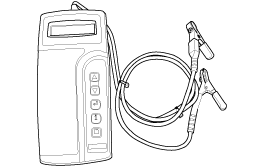
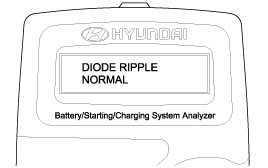
|
Because of the possibility of personal
injury, always use extreme caution and appropriate eye protection
when working with batteries.

|
KEYPAD
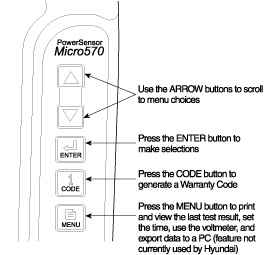
BATTERY
TEST PROCEDURE
| 1. |
Connect the tester to the
battery.
| A. |
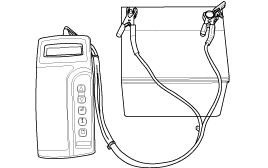
Red clamp to battery positive (+)
terminal. |
| B. |
Black clamp to battery negative (-)
terminal.

|
|
Connect clamps securely. If "CHECK
CONNECTION" message is displyed on the screen, reconnect
clamps
securely. | |
| 2. |
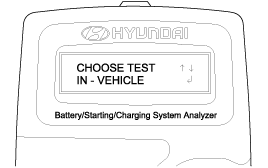
The tester will ask if the battery is
connected "IN A VEHICLE" or "OUT OF A VEHICLE".
Make your selection by pressing the arrow
buttons; then press ENTER.

|
| 3. |
Choose eigher CCA or CCP and press the ENTER
button.

| - |
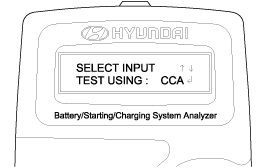
CCA : Cold cranking amps, is an
SAE specification for cranking batteried at 0°F
(-18°C). |
| - |
CCP : Cold cranking amps, is an
SAE specification for korean manufacturer's for cranking
batteries at 0°F
(-18°C) | | |
| 4. |
Set the CCA value displyed on the screen to
the CCA value marked on the battery label by pressing up and down
buttons and press ENTER.

|
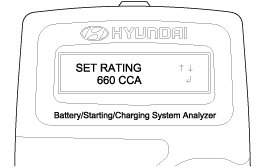
The battery ratings(CCA) displyed on
the tester must be identical to the ratings marked on battery
label. | |
| 5. |
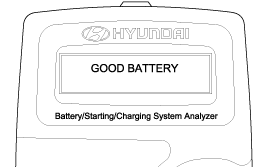
The tester (Micro570) displays battery test
results including voltage and battery ratings.
A relevant action must be given according to
the test results by referring to the battery test results as shown
in the table below.

|
| 6. |
To conduct starter test, continuously, press
ENTER.
BATTERY TEST RESULTS
RESULT ON
PRINTER
|
REMEDY
|
Good battery
|
No action is required
|
Good recharge
|
Battery is in a good state Recharge
the battery and use
|
Charge & Retest
|
Battery is not charged properly → Charge and test the battery again (Failure to
charge the battery fully may read incorrect measurement
value)
|
Replace battery
|
→ Replace battery and recheck the charging
system. (Improper connection between battery and vehicle
cables may cause "REPLACE BATTERY", retest the battery after
removing cables and connecting the tester to the battery
terminal directly prior to replacing the
battery)
|
Bad cell-replace
|
→ Charge and retest the battery. And than, test
results may cause "REPLACE BATTERY", replace battery and
recheck the charging system
|
|
Whenever filing a claim for battery,
the print out of the battery test results must be
attached. | |
STARTER
TEST PROCEDURE
| 1. |
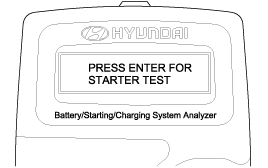
After the battery test, press ENTER
immediately for the starter test.

|
| 2. |
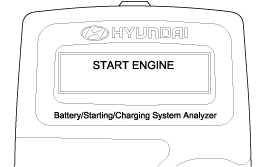
After pressing ENTER key, start the
engine.

|
| 3. |
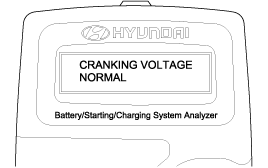
Cranking voltage and starter test results
will be displayed on the screen.
Take a relevant action according to the test
results by referring to the starter test results as given
below.

|
| 4. |
To continue charging system test, press
ENTER.
STARTER TEST RESULTS
RESULT ON
PRINTER
|
REMEDY
|
Cranking voltage normal
|
System shows a normal starter
draw
|
Cranking voltage low
|
Cranking voltage is lower than normal
level → Check
starter
|
Charge battery
|
The state of battery charge is too low to
test → Charge the battery and
retest
|
Replace battery
|
→ Replace battery If the vehicle is not started though the battery
condition of "Good and fully charged" is
displayed. → Check wiring for
open circuit, battery cable connection, starter and repair or
replace as necessary. → If the
engine does crank, check fuel
system.
|
|
When testing the vehicle with old
diesel engines, the test result will not be favorable if the
glow plug is not heated. Conduct the test after warming up the
engine for 5
minutes. | |
CHARGING
SYSTEM TEST PROCEDURE
| 1. |
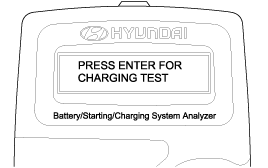
Press ENTER to begin charging system
test.

|
| 2. |
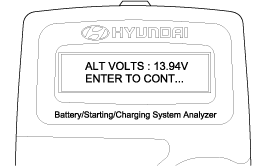
If ENTER button is pressed, the tester
displays the actual voltage of alternator.
Press ENTER to test the charging
system.

|
| 3. |
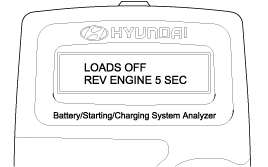
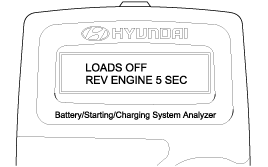
Turn off all electrical load and rev engine
for 5 seconds with pressing the accelerator pedal.

|
| 4. |
Press ENTER.

|
| 5. |
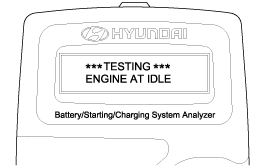
The MICRO 570 analyzer charging system
output at idle for comparision to other readings.

|
| 6. |
Take a relevant action according to the test
results by referring to the table below after shutting off the
engine and disconnect the tester clamps from the
battery.

CHARGING SYSTEM TEST RESULTS
RESULT ON
PRINTER
|
REMEDY
|
Charging system normal/Diode ripple
normal
|
Charging system is normal
|
No charging voltage
|
Alternator does not supply charging current to
battery → Check belts, connection
between alternator and battery Replace belts or cable or alternator as
necessary
|
Low charging voltage
|
Alternator does not supply charging current to
battery and electrical load to system fully → Check belts and alternator and replace as
necessary
|
High charging voltage
|
The voltage from alternator to battery is higher
than normal limit during voltage regulating. → Check connection and ground and replace
regulator as necessary → Check
electrolyte level in the battery
|
Excess ripple detected
|
One or more diodes in the alternator is not
functioning properly → Check
alternator mounting and belts and replace as
necessary
|
|