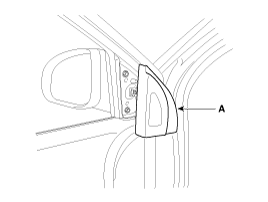
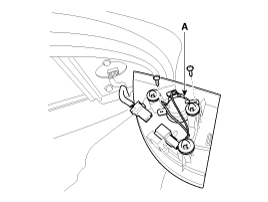
| 1. |
Troubleshooting for Speaker
| (1) |
Basic inspection of
speaker
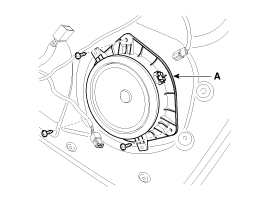
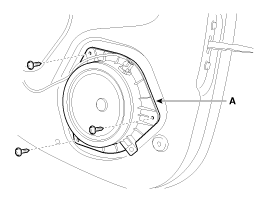
Inspect the sound from speaker after
verifying that the speaker mounting screws is removed and the
wiring connector is connected precisely to remove vibration
transmitted from body trims and surrounding
parts.

|
| (2) |
Case Troubleshooting
No.
|
Case
|
Inspection/Remedy
|
1
|
Trembling sound
|
| 1. |
Before replacing the
speaker, inspect that the mounting screw is
installed
normally. |
| 2. |
After re-installing the
speaker, verify that no trembling sound is
heard. |
| 3. |
When hearing a trembling
sound again, replace the speaker with new
one. | |
2
|
Noise
|
| 1. |
Check if the wiring
connector is connected normally. If not, reconnect
the wiring
connector. |
| 2. |
In case of radio static,
check if there is a noise from
CD. |
| 3. |
If a noise is heard with
the radio and CD on, replace the speaker with new
one. |
|
In case there is only
radio static, this causes from poor radio
reception. Thus the speaker needs no repair and
replacement. | |
3
|
Speaker in
operative
|
Inspection of the wiring connection between
the battery and the speaker
| 1. |
Before replacing the
speaker, inspect the wiring connection between the
battery and the speaker is
normal. |
| 2. |
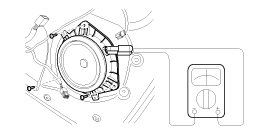
Check the supplying power
to the speaker and the resistance, then inspect
the sound quality.
■ Specified impedance : 4
± 0.6Ω

|
| 3. |
If the speaker works
poorly, replace it with new
one. | |
| - |
When handling the
speakers, do not damage the speaker with impact,
Like drop or
throw. |
| - |
Be careful not to spill
water and oil over the
speaker. |
| - |
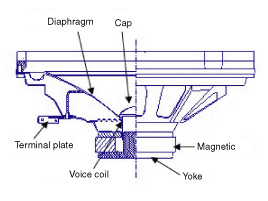
Caution during handling of
speaker because the material of diaphragm is paper
which is easy to be torn by impact and external
force. |
| - |
Modifying the audio system
may cause damage the
speakers. |
| - |
If this is the case, The
speakers are not covered by the manufacturer's
warranty. | | | |